35
Playing R&B
R&B Split
Press the [PLAY/STOP] button.
The R&B rhythm pattern is played back.
Try playing the sample score along with the rhythm pattern.
Press the [PLAY/STOP] button to stop the rhythm pattern.
Turning off each function
If you press the [SPLIT] button and the button’s light goes out, the Split function is switched off.
If you press the OCTAVE [DOWN] and [UP] buttons together, the value of the Octave Shift is reset to “0”
and the pitch of the keyboard is restored.
If you press the [RHYTHM PATTERN] button and the button’s goes out, the Rhythm Pattern is turned off.
Playing Rhythm Patterns—[RHYTHM PATTERN] Button
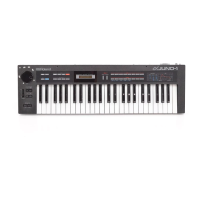
The JUNO-Di contains many rhythm patterns for a wide variety of musical styles.
Some rhythm patterns are simple ones with only a few tones, while others are more extravagant, with
many tones. You can use a more extravagant pattern for a refrain part, change patterns between different
verses, or simply jam along to the groove.
For further information about the Rhythm Pattern function, see “Playing Rhythm Patterns ([RHYTHM
PATTERN] Button)” (p. 74).
3
4
Important
Function
Memo
Follow the steps below to change the rhythm pattern’s style:
1. Press the [RHYTHM PATTERN] button. The button is lit.
2. Use the dial to select a rhythm pattern group.
The rhythm pattern changes.
For a list of rhythm pattern groups, see “Rhythm Pattern Group
List” (p. 124).
Operation
Switching rhythm styles (rhythm pattern group)
Rhythm pattern group name
Rhythm set name
Memo
=92
JUNO-Di_e.book 35 ページ 2009年6月22日 月曜日 午前9時23分



 To Next Page