20
Connecting External Devices — Step up with MIDI
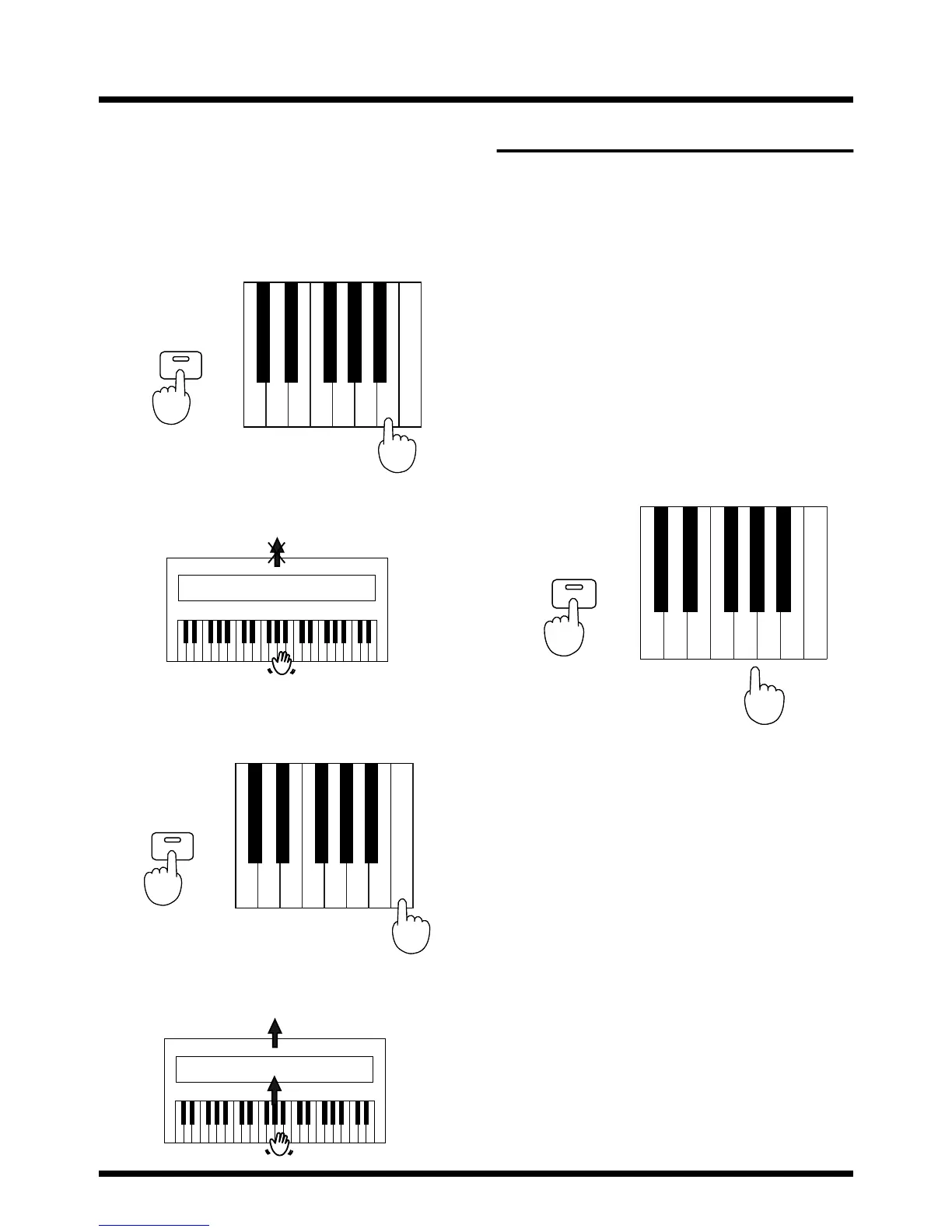
■ Switching Local On/Off
1. Local On is set when the power is switched
on.
2. While holding down the [Key Touch/Demo
Song] button, press the second key from
the far right (B7).
fig.6-07.e
This sets Local Off.
fig.6-08.e
3. Once more, while holding down the [Key
Touch/Demo Song] button, press the
farthest key to the right (C8).
fig.6-09.e
This sets Local On.
fig.6-11.e
Omni On/Off
When set to Omni On, the pt-2000 will sound as a result of
received MIDI messages, no matter which channel the
messages arrive on.
When set to Omni Off, the pt-2000 will recognize only the
messages that arrive on the MIDI channel that has been
selected, as explained under “Set the MIDI Channel” (p. 19).
■ Switching Omni On/Off
1. Omni On is automatically set when the
power is switched on.
2. While holding down the [Key Touch/Demo
Song] button, press the key of A7 to turn
the setting On, or the key of G7 to turn the
setting Off.
Refer to “Functions Assigned to the Keyboard” (p. 23).
fig.6-11.e
Demo Song
Key Touch/
While holding down...
Press the second key from the far right.
Local Off
No sound produced
Sound Generator
Demo Song
Key Touch/
While holding down...
Press the farthest key to the right.
Local On
Sound is emitted
Sound Generator
Demo Song
Key Touch/
While holding down...
Press
A7G7



 To Next Page