Need help?
Do you have a question about the Roland TD-27 and is the answer not in the manual?
Guides on unzipping and placing .TDO files into the correct SD card folder structure.
Step-by-step process for loading kits from SD card to the TD-27 using the 1 KIT LOAD function.
How to check remaining user sample memory and ensure sufficient space.
Procedure for backing up all module data, including user samples, to an SD card.
Steps to remove user samples to free up space on the module.
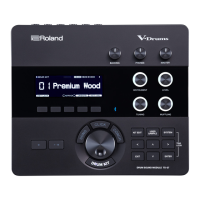
This document outlines the End-User License Agreement (EULA) and provides comprehensive instructions for using The eDrum Workshop's expansion programming, audio samples, documentation, and updates, collectively referred to as the "Product," specifically designed for the Roland TD-27 module.
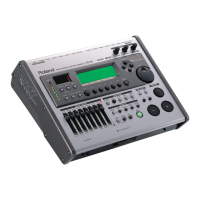
The eDrum Workshop Product is a collection of expansion kits, audio samples, and programming designed to enhance the sound and functionality of the Roland TD-27 electronic drum module. These kits contain user samples for various drum components, including snare heads, rims, and auxiliary inputs, which contribute to a more natural and dynamic playing experience. The product aims to provide a rich, studio-quality sound that can be customized to individual preferences and setups. The kits are designed to integrate seamlessly with the TD-27 module, offering a range of sonic characteristics from "direct small room" to "bright room & ring" and "modern processed" sounds. The core function is to provide drummers with professional-grade drum sounds and the tools to manage and customize these sounds within their TD-27 module.
The usage of this product involves several key features, starting with the installation process. Users are granted an exclusive, non-transferable, non-sublicensable limited right to download and use the Product for personal, non-commercial use on a single computer and/or compatible drum module.
Before installation, it is crucial to update the TD-27 module system to version 1.10 or higher, as the kits are created on this version. Instructions for this update are provided, along with a disclaimer regarding liability for Roland's updates.
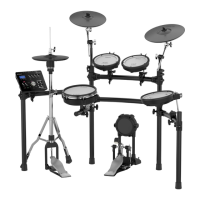
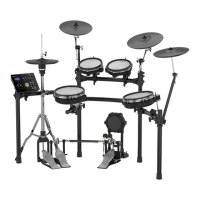
The product offers kit variations for "AUX" instruments, allowing users to choose between different pad configurations such as "3 Toms Splash China," "4 Toms Splash," and "4 Toms China." These variations assign different instruments (e.g., snare strainer off, splash cymbal, china cymbal, or an additional tom) to the auxiliary inputs, catering to diverse physical drum setups. Users are advised to select the folder that matches their preferred setup for installation.
Loading the kit files (.TDO) to the SD card is a straightforward process. Users unzip the downloaded file, insert their SD card into a computer, navigate to the Roland > TD-27 > Kit folder, and then copy the .TDO files from the chosen pad configuration folder to the Kit folder on the SD card. A video demonstration of this process is available on The eDrum Workshop YouTube channel. The kit files start at a specific number (e.g., KIT-148.TDO) to prevent clashes with other kit packs, and users must scroll up to this number when importing. Renaming the .TDO files is possible, but the "KIT-XXX.TDO" format must be maintained.
Once on the SD card, the kits are loaded into the TD-27 module. This involves inserting the SD card, pressing the [SYSTEM] button, navigating to the SD CARD option, selecting "1 KIT LOAD," and then scrolling to the correct kit number (e.g., "148 FF Brass A"). A critical step is to ensure the "With User Sample" box is checked, as all kits in this pack contain user samples, and importing without them will result in incorrect sound. Users then select an empty "User Kit" slot to load the kit and press [F5] to LOAD. This process is repeated for all kits in the collection.
The product also includes robust customization features. The "Kit and Pad Copy Functions" allow users to modify their setup without altering the original kits. It is recommended to create a duplicate of a kit using the KIT COPY menu before making changes. This prevents accidental overwriting and preserves the original kit. The KIT COPY function is accessed via the [KIT EDIT] button, [F5] to OTHER, and then selecting COPY KIT. Users can copy a kit to a free "User Kit" slot.
For reconfiguring pad assignments, the "PAD EXCHANGE" option is available within the COPY menu. This allows users to swap instruments between pads. Similarly, the "Copy Pad" function enables users to copy an instrument from one kit to another pad, offering flexibility in creating custom setups.
The kits are designed to sound best through headphones, with ambience levels matched to reference songs. For live gig settings using MASTER L&R outputs, it is recommended to turn off the ambience to send a "dry" signal to the PA, as artificial room or reverb settings can create a muddier sound when amplified. This setting can be adjusted via KIT EDIT, ROOM tab, and [F1] to turn ROOM OFF. Users can also adjust the "Kit Volume" via [F5] on the DRUM KIT screen to match the volume of stock kits. Cross-stick and hi-hat foot pedal volumes can also be adjusted.
For users who wish to add "missing" instruments later without installing multiple sets of files, specific pad settings are provided. For example, if using a "3 Toms" setup and wanting to add a fourth tom, users can copy the pad assignment from TOM3 to a new pad and then adjust parameters like tuning, shell depth, and pad pitch. Similar instructions are provided for adding splash and china cymbals.
Effective memory management is crucial for optimal performance. The kits in this collection utilize approximately 5% of the user sample memory on the TD-27 module. Before installation, users should check that at least 6% of the User Sample memory remains free. This can be done by pressing the [USER SAMPLE] button, [RIGHT], [ENTER] to access the sample LIST, and checking the "REMAIN %" in the top right corner.
If memory is insufficient, users may need to delete some user samples. Before doing so, it is highly recommended to create a full backup of the module data onto the SD card. This backup process involves pressing the [SYSTEM] button, navigating to the SD CARD menu, selecting SAVE, ensuring the "With User Sample" box is checked, choosing a bank number, and then pressing [F5] SAVE and [F5] EXECUTE. This allows users to restore previous settings if any mistakes are made during sample deletion.
Deleting user samples is done by pressing the [USER SAMPLE] button, [RIGHT], [ENTER] to access the sample LIST, highlighting the desired sample, and pressing [F3] DELETE.
Troubleshooting guidance is provided for common issues. If kits are not visible in the "1 KIT LOAD" page, users should ensure the SD card is formatted to the module's standard, files are in the correct folder (Roland > TD-27 > Kit), and file names are in the "KIT-XXX.TDO" format. It's also important to remember that the kits start from number 148 onwards and require scrolling up to find them.
If a "User Sample Memory Full" message appears, users are directed to check the "REMAIN: %" indicator and delete unnecessary samples. If kits sound weak or "weird," users must ensure the "With User Sample" box was checked during import, as the kits heavily rely on these samples. If the box appears unchecked and cannot be checked, it suggests being on the wrong kit number or an SD card issue.
For strange behavior on the rim zone after changing settings, users are advised that head and rim zones have different fade velocities and instruments. When editing SUB INST functions, using the H&R setting [F5] to swap between editing both zones together or independently is key. If issues persist, deleting associated samples and reloading from the SD card is recommended.
Finally, if samples are "cutting off" during playback, users should ensure the samples are set to "ONE SHOT POLY" play type on the [USER SAMPLE] > LIST screen. Incorrect settings like "ONE SHOT MONO" or "LOOP ALT" can cause unwanted interruptions.
 General
| Sound Module | TD-27 |
|---|---|
| User Samples | Yes |
| Hi-Hat | VH-10 |
| Kick Drum | KD-10 |
| Sampling | Yes |
| Sound Engine | Prismatic Sound Modeling |
| Drum Kits | 100 (preset) |
| Bluetooth | Bluetooth 4.2 |
| Outputs | Direct Out |
| Editing | Yes |
| Type | Electronic Drum Module |
| Crash | CY-12C |
| Effects | Reverb |
| USB | USB |
| Inputs | Trigger Inputs |
| Connectivity | USB |
| Power Supply | AC Adaptor |

 To Next Page