6
Macintosh Audio Applications CD-ROM
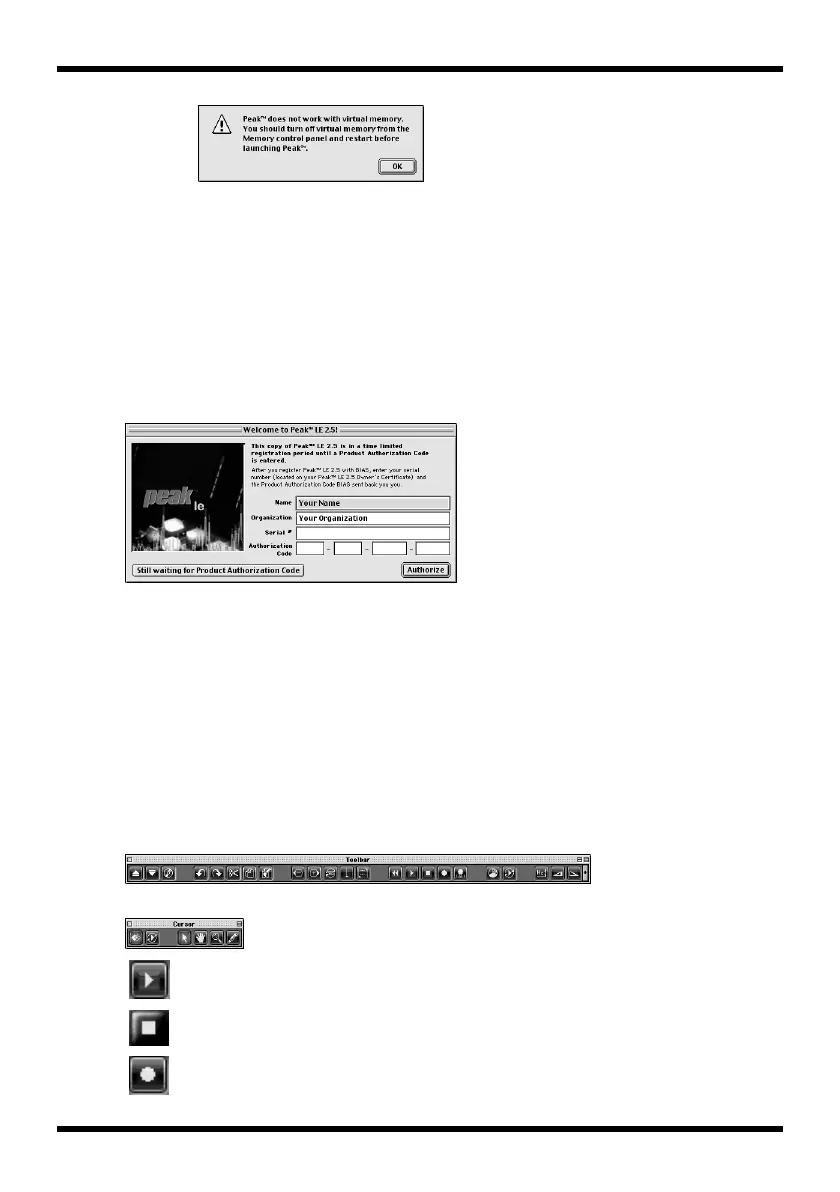
fig.2-6a.e_30
2.
Enter the following information into the
Registration
dialog box, and click
[Register]
.
Name: Name of the person using the software
Organization: Company or organization name (Or the name of the user)
Serial: The serial number listed on the cover of this manual
If you do not register Peak, you cannot receive your Product Authorization code.
Refer to p. 10 for information on how to register Peak. If you want to use Peak
before receiving the code, click
[Still waiting for Product Authorization Code]
.
In that case, Peak will not launch after the 14 day registration period unless you
authorize Peak with your Name, Organization, Serial Number, and Product
Authorization Code.
fig.2-7.e_30
■
Opening a file
Use the following procedure to open a sample data file.
1.
From the CD-ROM
“Sample_Data”
folder, drag “Alright” onto the desktop to copy it.
2.
In the
File
menu, click
Open
.
3.
In the
Open
dialog box, double-click the file that you copied.
4.
Click
Done
.
■
Playing back
To play back audio data, use the buttons in the
Toolbar
.
fig.2-8a_30
fig.2-8b_30
Play back.
Stop playback.
Open the
Record
dialog box.



 To Next Page
 Loading...






