EasyManua.ls Logo

Roland DUO-CAPTURE - User Manual

Roland DUO-CAPTURE
36 pages
Print Icon
To Next Page IconTo Next Page
Loading...
For the following languages, a PDF version of the Owner’s Manual can be found on the CD-ROM.
Deutsch, Français, Italiano, Español, Português, Nederlands
* 5 1 0 0 0 1 7 8 6 1 - 0 2 *

Questions and Answers

  • N
    Nancy LloydJul 26, 2025
    Why does 'Found New Hardware Wizard' appear again after installing the Roland Accessories driver (Windows XP)?
    • L
      Laura DawsonJul 26, 2025
      The “Found New Hardware Wizard” may reappear if you connect the Roland Accessories to a different USB connector than the one used during the driver installation. To fix this, follow step 9 of the driver installation procedure (p. 12) and reinstall the driver.
  • D
    Donna WileyJul 31, 2025
    What to do if the Roland Accessories installer does not exit?
    • J
      juarezjasminAug 1, 2025
      If the Roland Accessories installer doesn't exit, ensure your computer is connected to a power cord and not running on battery. Also, disconnect any USB devices other than a mouse and keyboard during installation. If you are using a USB hub, make sure it connects to a power supply.
  • A
    aaronfranklinAug 7, 2025
    What to do if a warning or error appears during Roland Accessories installation (Windows)?
    • A
      Amy MejiaAug 7, 2025
      If you encounter a warning or error during installation and see devices labeled as “Other device,” “Unknown device,” or devices with “?,” “!,” or “x” in the “Device Manager,” reinstall the DUO-CAPTURE driver (p. 27).
  • K
    Kelly HoodAug 13, 2025
    Why does a numeral such as “2-” appear at the beginning of the Roland Accessories device name (Windows)?
    • J
      Jenny GonzalezAug 13, 2025
      A numeral might appear with the device name if the Roland Accessories is connected to a different USB connector than the one used during driver installation. To remove the numeral, connect the Roland Accessories to the same USB connector used during installation, or reinstall the driver (p. 27).
  • M
    Michael SolomonAug 18, 2025
    Why Roland Accessories cannot install?
    • R
      Rhonda DixonAug 19, 2025
      Installation issues may arise due to several reasons: * If you are not logged in with an administrator account, log in with a user account that has administrator privileges. * If the “Driver Signing Options” setting is set to [Block] (Windows XP), change the “Driver Signing Options” setting (p. 22). * Conflicting programs may be running. Exit all other programs before installation.

Summary

USING THE UNIT SAFETY

General Safety Precautions

Important safety guidelines and warnings for operating the unit.

Panel Descriptions

Top Panel, Bottom Panel

Detailed description of controls and indicators on the top and bottom panels.

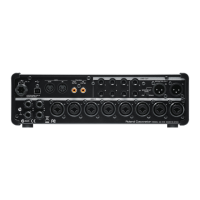
Front Panel, Rear Panel

Detailed description of controls and connectors on the front and rear panels.

Driver Installation

Windows

Instructions for installing the DUO-CAPTURE driver on Windows.

Mac OS X

Instructions for installing the DUO-CAPTURE driver on Mac OS X.

Basic Use

Playing Back Audio

Instructions on how to play back audio using the DUO-CAPTURE.

Troubleshooting

Driver Installation

Common problems and solutions related to driver installation.

Using the DUO-CAPTURE

Troubleshooting common issues when using the DUO-CAPTURE device.

Cannot play back or record

Solutions for problems preventing audio playback or recording.

Sound is interrupted during playback or recording, sound drops out

Troubleshooting audio interruptions and dropouts during playback/recording.

Reinstalling the Driver

Procedure for uninstalling and reinstalling the DUO-CAPTURE driver.

Main Specifications

Roland DUO-CAPTURE Specifications

General IconGeneral
Audio InterfaceYes
USBUSB 2.0
Sample Rate44.1 kHz, 48 kHz
Bit Depth24-bit
Phantom PowerYes
Max Sample Rate48 kHz
Max Bit Depth24-bit
CompatibilityWindows, Mac
Inputs2 x XLR/TRS combo jacks
Headphone OutputYes
Power SupplyUSB bus-powered
Outputs2 (1/4" TRS)

Related product manuals