20
ENGLISH
Operation
1. Insert MicroSD card
Note: Please use brand MicroSD card and format the card on a computer
before using. Ordinary neutral cards cannot be guaranteed to work properly.
2. Installing and removing the battery
A. In accordance with the direction of the arrow open battery compartment
cover.
B. In accordance with the direction of the positive and negative symbols mar-
ked on the battery, insert the battery correctly to the battery compartment
until it is seated.
C. To remove the battery, open the battery compartment and take out the
battery.
3. Charging the battery
A. Connect the camera to the USB-slot of a computer or to a power adapter
for charging.
B. You can use a car charger to charge the battery in a car.
C. When charging, the red indicator light is on. If the device is fully charged,
the red light turns off.
4. Turn camera On and Off
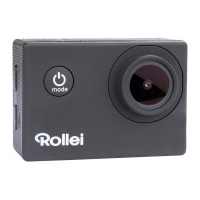
A. Starting: Press the “Power button/Mode key” for about 3 seconds. The blue
light turns on and the display shows the start screen.
B. Shutdown: Press “Power button/Mode key” for about 3 – 5 seconds, the
blue light turns off and the display will show the end screen.




 To Next Page