60
Settings
3. Press flash button again for the icon to appear on the LCD screen. This means the flash function has been
„forced on“ (manual flash).
If the flash is not ready, a green LED will light up and the icon will flash repeatedly- wait until the flash is ready
before taking a photo.
4. Press flash button until the icon appears on the LCD indicating that the Red-Eye reduction is on.
5. Press flash button until the icon appears again. This will turn off the flash function. This is the default flash
setting.
Note: A “low battery” warning will appear on the LCD screen if there is insufficient battery power to operate
the flash.
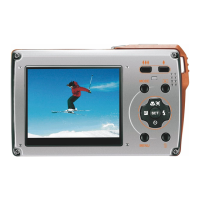
Short cut buttons on the menu dial
The camera has 4 short cut buttons to make for quick access to the following settings:
– Scene (left button), self-timer (down button), delete (right button) and flash (up button).
Press the relevant button to activate the setting options.
Self-timer
– Press self-timer button to toggle through the 4 self-timer options: off, 2 sec, 5 sec, 10 sec, double (two photos
in a row)
ENGLISH







 To Next Page