70
Settings
Setup
There are seven setting options available. They are Beep, frequency, auto off, Date / Time, Language, Format
Memory Card, Factory default.
Beep sound
You can set the beep sound function to on or off.
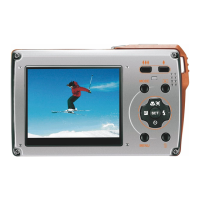
1. Press menu button to enter the setup menu in camera mode.
2. Press right button to select the setup menu, then press menu to enter into the menu.
3. Press the up / down button to select the beep sound option in the setup menu.Then press enter to
go to the next menu.
4. Press the up / down button to select on or off.
5. Press the menu button to confirm, save and return to menu.
6. Press the mode button to exit the setup menu.
Frequency
Select the light frequency for the local environment. Generally, 50 Hz is for Europe and Japan and 60 Hz for the
USA. The default setting is 50 Hz.
ENGLISH



 To Next Page