19
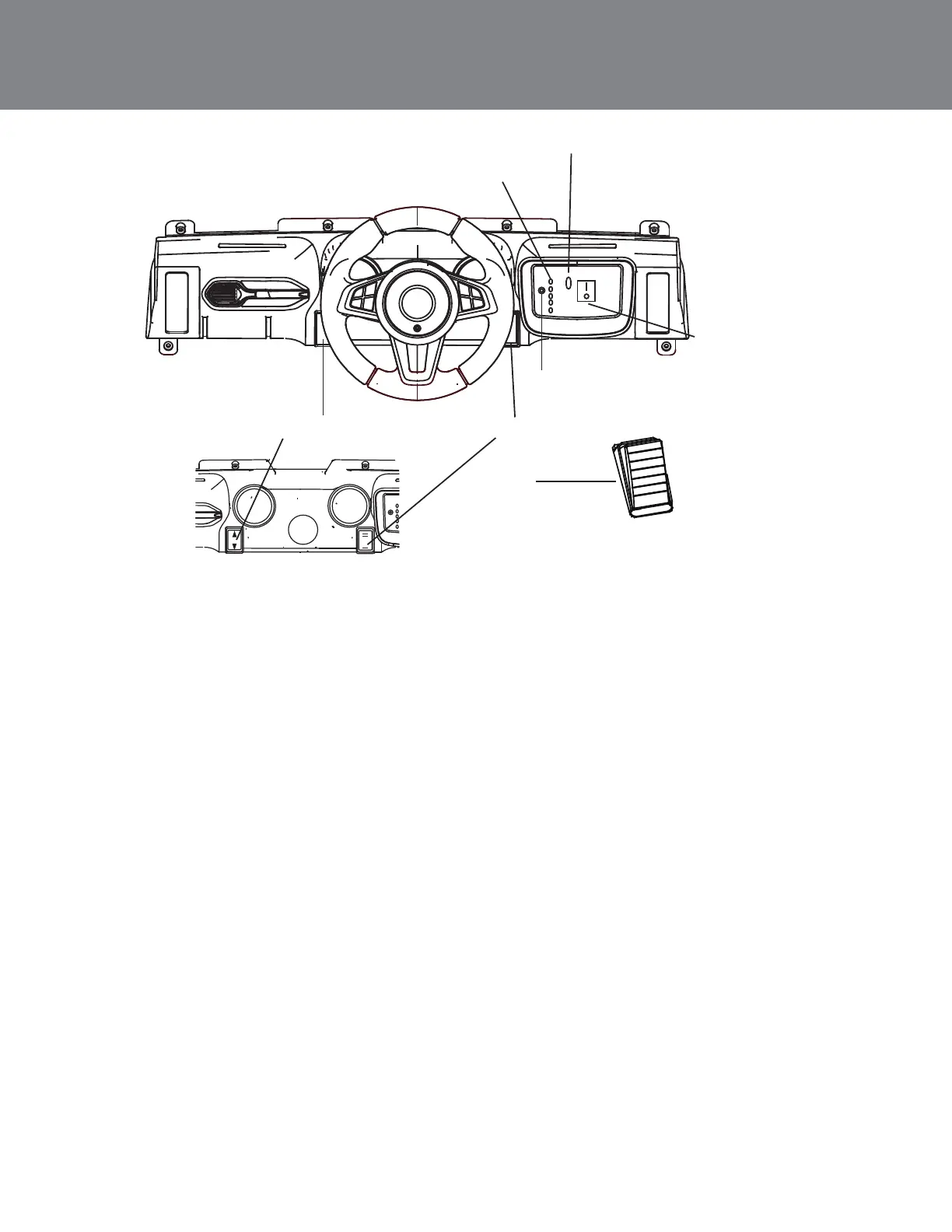
Product Features
Power Button
Charging Port
Bluetooth
Battery Life Indicator
Speed Button
Pedal
Forward/Reverse Button
Power Button: Press the Power Button to turn on the car. The Power Button
will light up and a start-up sound will play once the vehicle is on. Press the "O"
on the Power Button to turn off the car.
Bluetooth: Press the Bluetooth Button. You will hear voice prompts to connect
your device. On your device, search and select "YX" in the list of available
Bluetooth devices. You will hear a voice prompt play on the car speakers once
the pairing is complete.
Battery Life Indicator: The number of lights displayed indicates the remaining
battery power:
-When only one red light is displayed, the battery must be charged
-When all lights are illuminated, the vehicle is fully charged.
(Note: When the power is on, but the car is not in use, the Battery Life Indicator
will automatically shut-off after ten minutes of inactivity. Press the two buttons
on the steering wheel to turn the Battery Life Indicator back on).
Charging Port: To charge the vehicle, connect the included charger to the
Charging Port and plug into a 120 V outlet. The vehicle should be turned off
prior to charging. No function is available while charging.
Steering Wheel Buttons: Press the left button on the steering wheel to hear
horn sounds and the right button to hear engine sounds.
Speed Button: Use this button to choose between a fast or slow speed.
Forward/Reverse Button: Switch directions with this button.
Pedal: Press the Foot Pedal down to go. Release the Foot Pedal to stop.











 To Next Page