28
Operating function
Default
temperature
Settable
temperature range
Default operating
time in hrs.
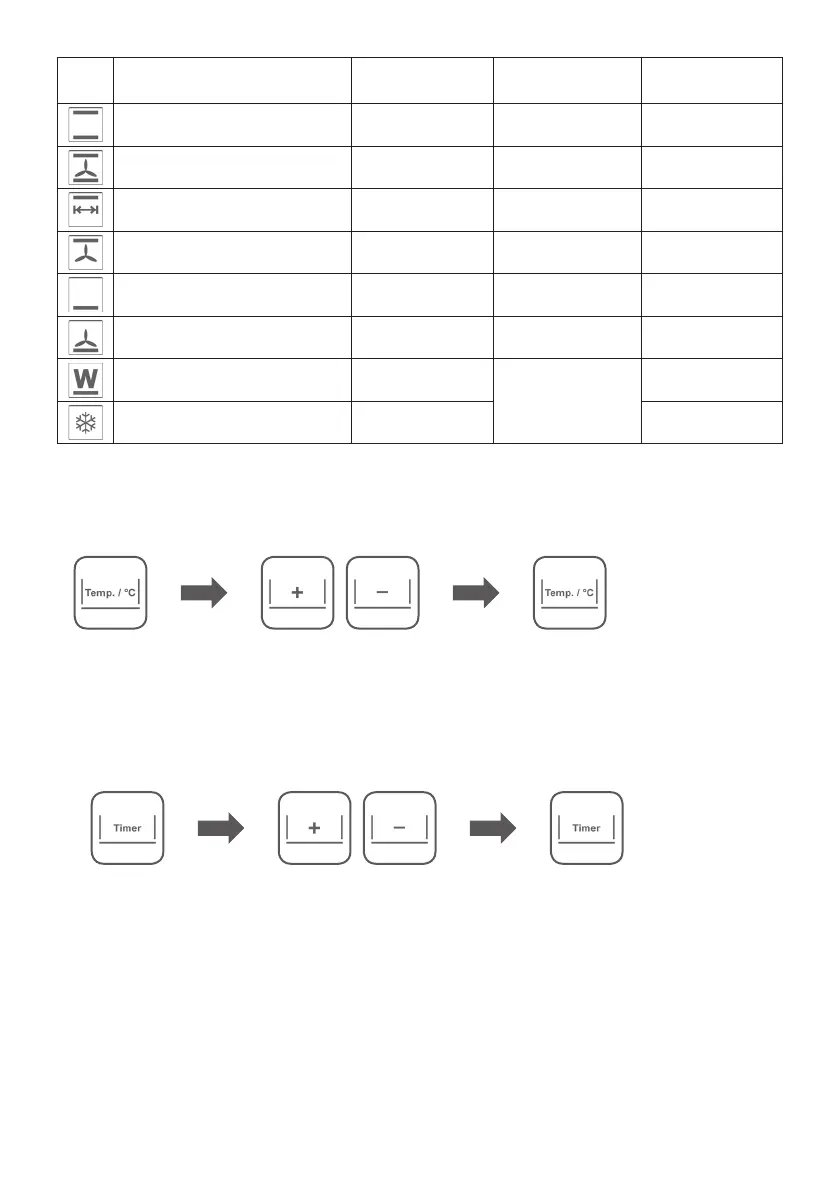
Upper heat + lower heat 220 °C 80 °C – 230 °C 0:20 h
Upper heat + lower heat
+ circulating air
180 °C 80 °C – 230 °C 0:30 h
Upper heat– with/without rotisserie 200 °C 80 °C – 200 °C 1:00 h
Upper heat + circulating air 200 °C 80 °C – 200 °C 1:00 h
Lower heat 200 °C 80 °C – 200 °C 0:30 h
Lower heat + circulating air
(pizza function)
200 °C 80 °C – 200 °C 0:30 h
Keep warm ≈ 65 °C
Not
modifi able
1:00 h
Defrosting ≈ 45 °C 1:00 h
4. Individual adjustment of temperature and time
Once you´ve selected the desired operation function you can adjust the suggested temperature and
running time (timer) manually.
a. Adjust the temperature setting
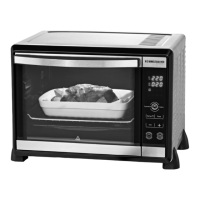
• Use touch key (7) to adjust the temperature. The display shows a fl ashing temperature value.
• Select the desired temperature with the touch keys „+/-“ . The temperature can be adjusted in steps
of 5 degrees.
• To quit the temperature setting menu, press this touch key (7) again. The set values are accepted.
NOTE: If no key is pressed for 60 sec, the menu is exited automatically and the set values are accepted.
b. Adjust the timer
Time adjustment for an operation time up to 2:00 hours
• Use touch key (8) to adjust the timer. The display shows a fl ashing timer value.
• Select the desired time with the touch keys „+/-“. The time can be adjusted between 0:01 h and 2:00 h.
• To quit the timer menu, press this touch key (8) again. The set values are accepted.
NOTE: If no key is pressed for 60 sec, the menu is exited automatically and the set values are accepted.
Time adjustment for the continuous operation mode (mode „on“)
• Use touch key (8) to set to continuous operation mode. The display shows a fl ashing timer value.
• Set the timer to „2:00“ resp. „0:01“ by pressing the „+“ resp. „-“ key.
• Press the „+“ resp. „-“ key again to switch to continuous operation mode. The display shows „on“.
• To quit the timer menu, press this touch key (8) again. The set values are accepted.
NOTE: If no key is pressed for 60 sec, the menu is exited automatically and the set values are accepted.


 To Next Page