ROPE INNOVATION CO., LTD. CONFIDENTIAL NO.:ROPE-15121802
Copyright © 2016 ROPE INNOVATION CO., LTD. All rights reserved. Website: www.ropetrack.com
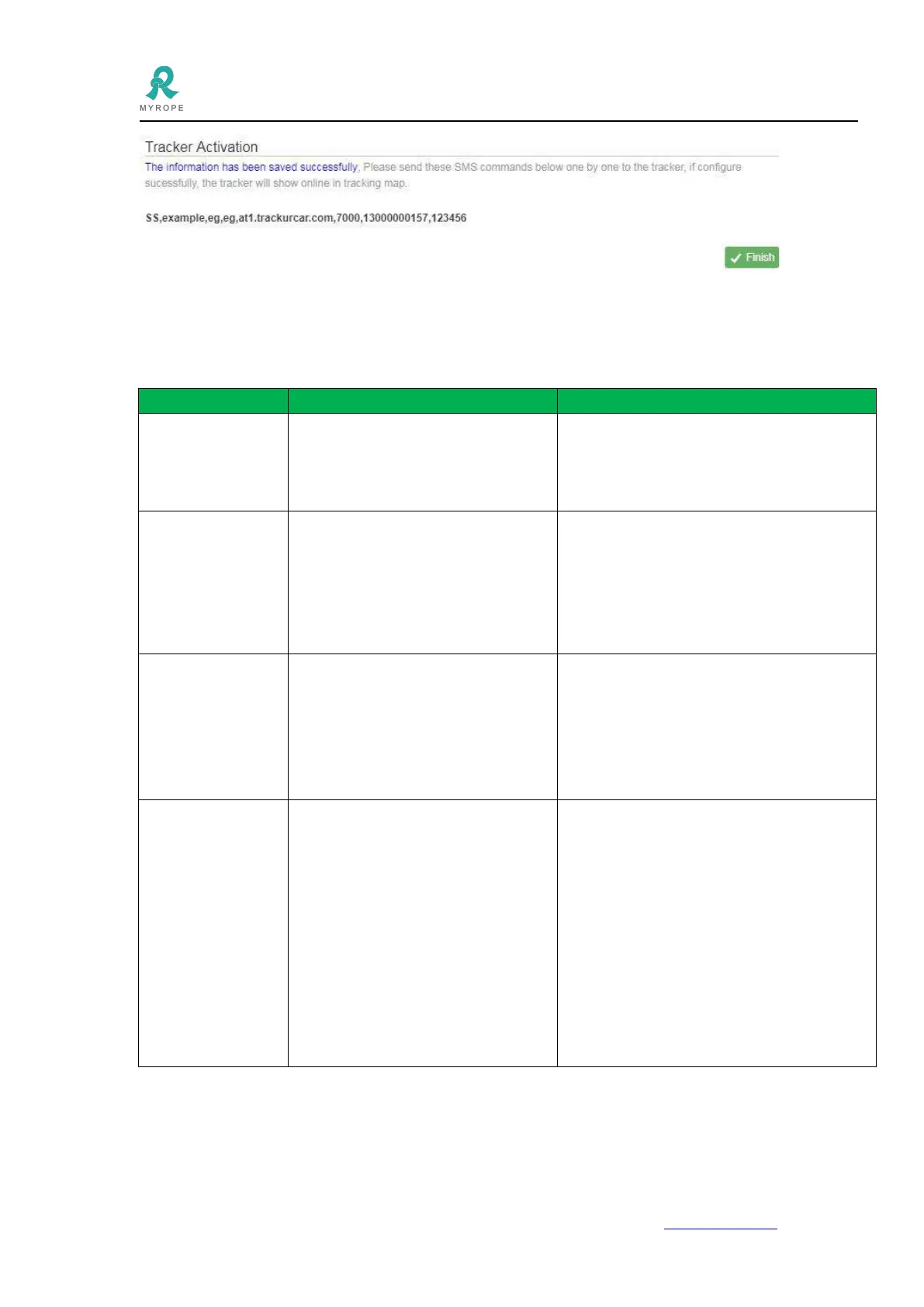
4.8 Click Finish--Tracking Map to see if the gps device is online or not.
5.SMS configuration
Change SMS
command setting
password
C,*old_password*,*new_password*
Eg : C,*123456*,*666666*
Default password is 123456
Replied SMS:
Config OK=Set successfully
Config failed=fail to set
Check the current
location by SMS
After sending this command to device
successfully , it will reply a location Google
Map Link, you can check where the car is by
clicking Link .
Set GPS location
uploading interval
time
SET+TIME=T1,T2,*PASSWORD*
Eg: SET+TIME=30,300,*123456*
T1 is the interval time when ACC is
ON, T2 is for ACC OFF, uint is
second.
Config OK=Set successfully
Config failed=fail to set
POWER=val,*PASSWORD*
eg: POWER=1,*123456*
val=1 means the tracker will go to
sleep mode and do not upload GPS
location data, and then start to work
when the car start, and then sleep
again when car stop.
val=0 means the tracker will always
working no matter the status of the
car.
Config OK=Set successfully
Config failed=fail to set
6.1. After installing it in the first time, if device cannot get connected with platform server, at this time it is
“logged off” status in platform.
Follow the instructions one by one as below:


 To Next Page