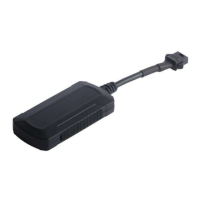
3.1. Preparation before installation
3.1.1 Open the packing box to check whether the type of device is correct and whether the accessories are
included, or else please contact your distributor.
3.1.2 Choose SIM card: each device needs to insert a GSM SIM card.
Please refer to the distributor’s suggestions to choose the SIM card.
3.1.3 Installing SIM card into the tracker, open the device with screwdriver and put the SIM card into the
tracker (do not insert the SIM card backwards).
Note:
Power off before installing or removing the SIM card
The SIM card should have GPRS credit
Ensure the SIM card is able to send and receive SMS
3.2 Installation
The device installation is covert. Please refer installation to an auto electrical contractor.
NOTE:
3.2.1 To prevent theft of the device, it should be installed as covertly as possible. Covertly installation is
suggested.
3.2.2 Avoid placing the device close to higher power electrical devices, such as reversing radar, anti-theft
device or other vehicle communication equipment;
3.2.3 The device should be fixed into position with cable ties or wide double-side tape.
3.2.4 The device has built-in GSM antenna and GPS antenna. During installation, please make sure the
receiving side face is up, with no metal object above the device to interfere with GPS reception. The
following places are suggested for installation:
-shelter in the decorated board below the front windshield;
-shelter around the front instrument panel (non-metallic material face);
-in the decorated board below back windshield;
The GPRS web based tracking platform allows real time tracking with the latest Google maps.
Service platform login website : http://211.154.139.208:8000/webgps/
Vehicle management platform website :http://211.154.139.208:8000/vms/
After you added device successfully on the VMS platform , you can send the SMS Commands to activate
device
SMS command format :
ss,apn,user_name,user_code,ip,port,system number,password
E.g.:
ss,cmnet, , ,211.154.139.208,7000, 13862626201,123456
Notes:


 To Next Page