5
© All rights reserved by Rosewill
Installation Guide
User Manual
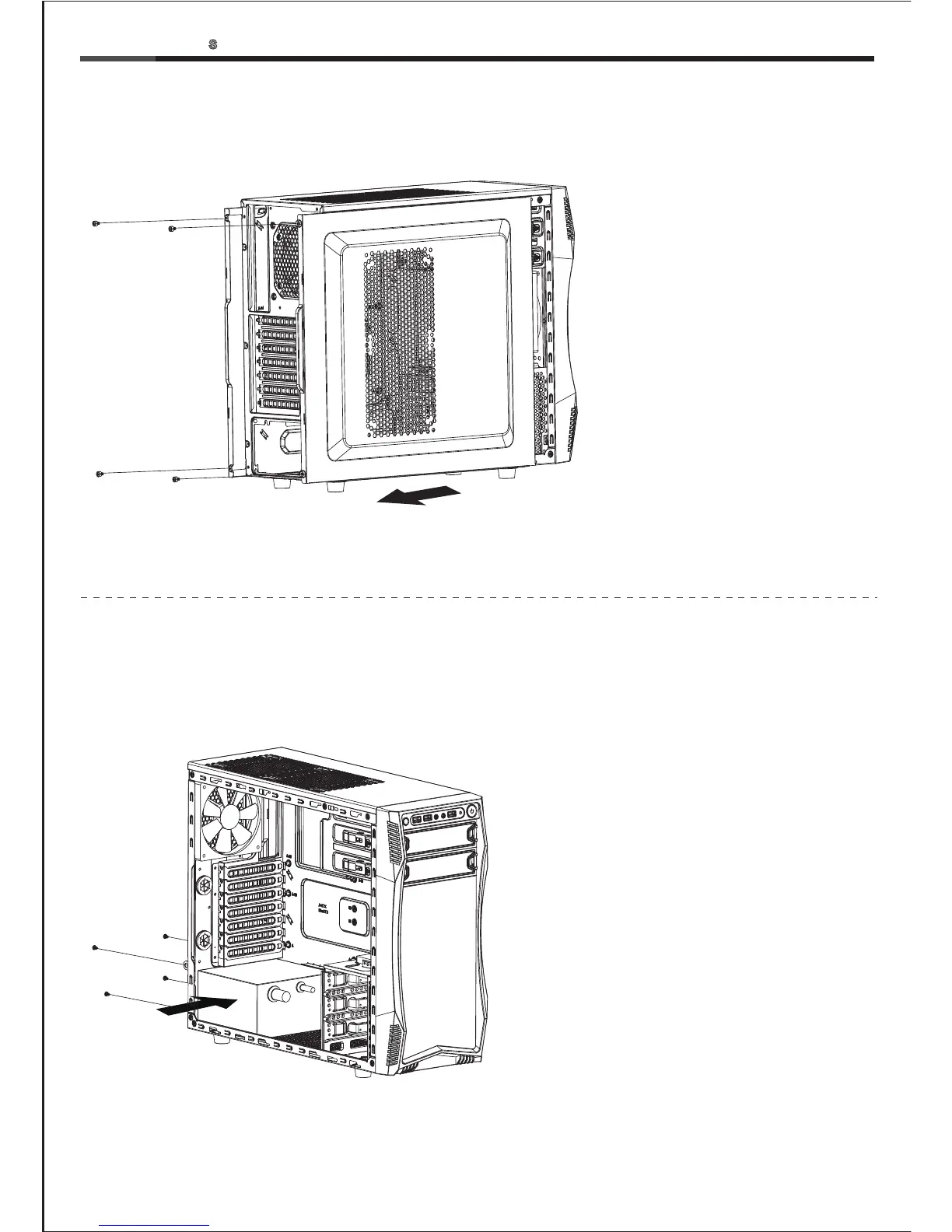
1-1 Remove the thumbscrews and
slide both side panels out.
2-1 Seat the power supply unit on the bottom
of the case and secure with screw-C.
If the PSU is equipped with single fan,
you may have two options of installation:
- Fan Facing Upwards:
No special requirements.
- Fan Facing Downwards:
Make sure that there is enough room for
air-intake between the bottom of case
and the surface where the case is located.
- Clean the dust filter regularly to ensure
adequate airflow.
1. Open Chassis
2. Install Power Supply
CHALLENGER-
CASE



 To Next Page