Wireless N Dual Band Adapter N600PCE User Manual
22
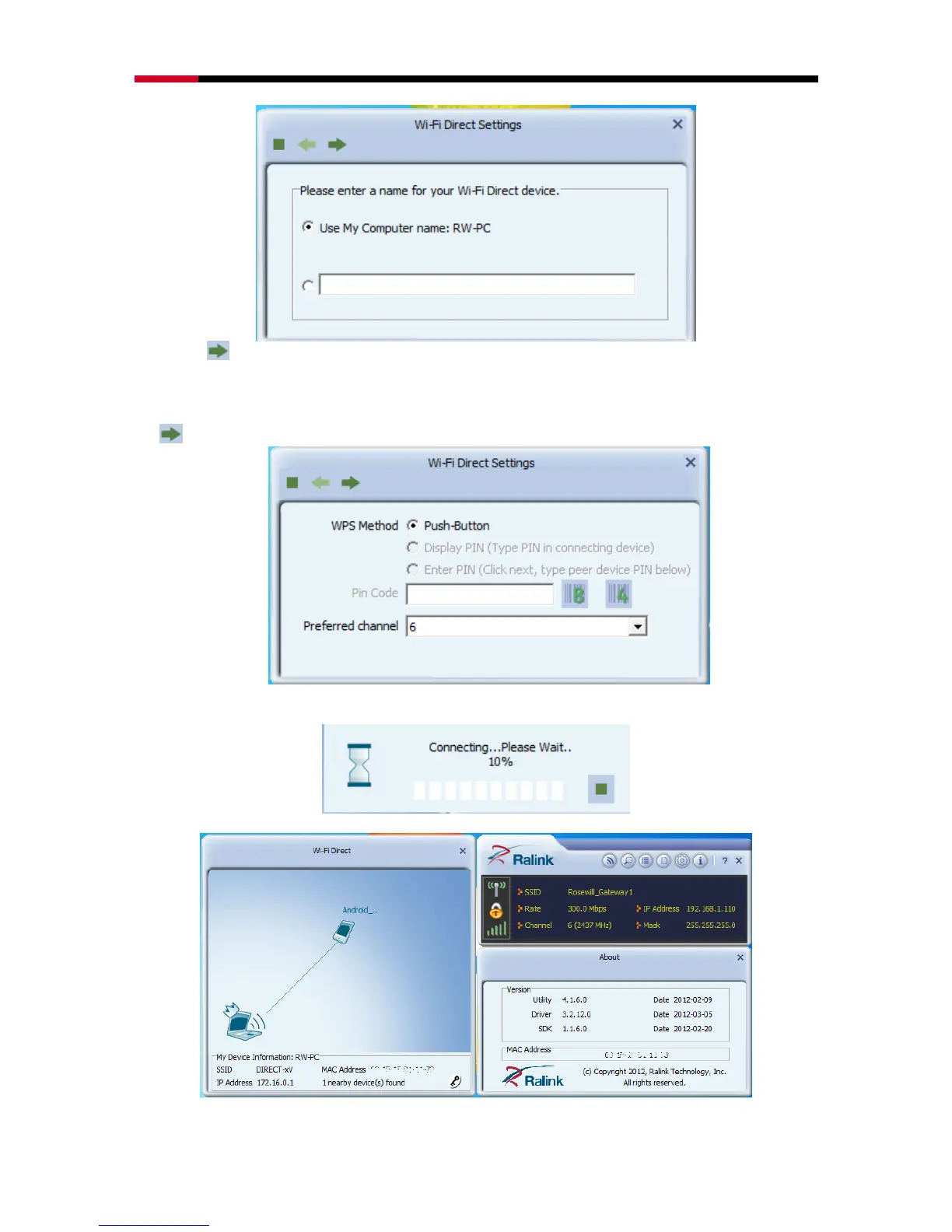
2. Click to start broadcast Wi-Fi Direct signal.
3. You can now use your Wi-Fi Direct supported device to connect to your PC.
4. When your Wi-Fi Direct supported device connects to your PC, you should see this
window pop up on your screen. You can select the connection method, and then click
for next step.
5. A connection status window will show up and tells you the connection process
percentage.
6. Once connection completes, you should see below window
7. You can then manage how these two devices share with each other.


 To Next Page