Wireless N Dual Band Adapter N600PCE User Manual
37
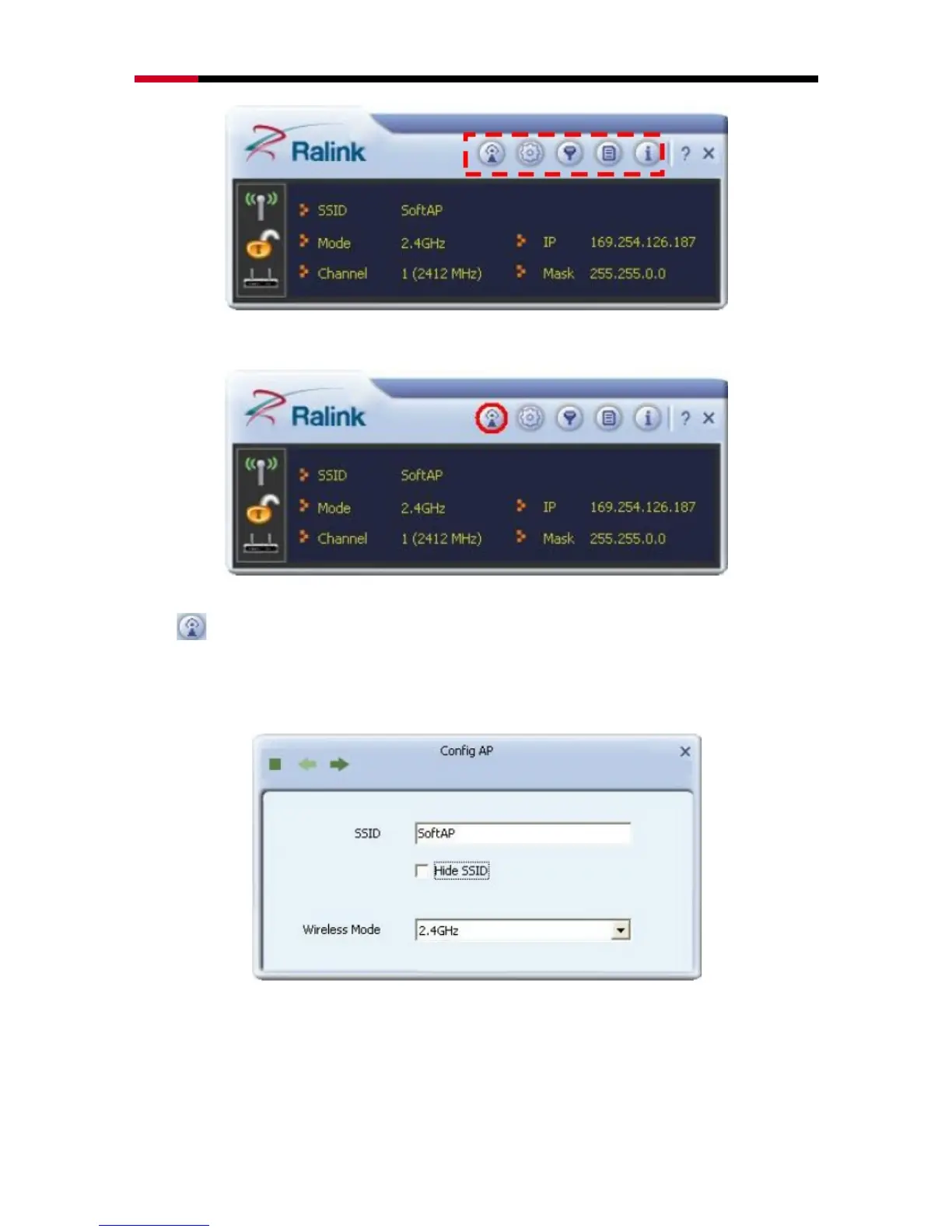
4.3.2.1 Config AP
Click Config AP button from the above window, a setup window will popup.
SSID: Enter a name of SSID for Soft AP.
Channel: Select the channel used for wireless communication from drop-down
menu. Available channel numbers are 1 to 11 for USA, 1 to 13 for European
countries.


 To Next Page