Wireless N Dual Band Adapter N600PCE User Manual
39
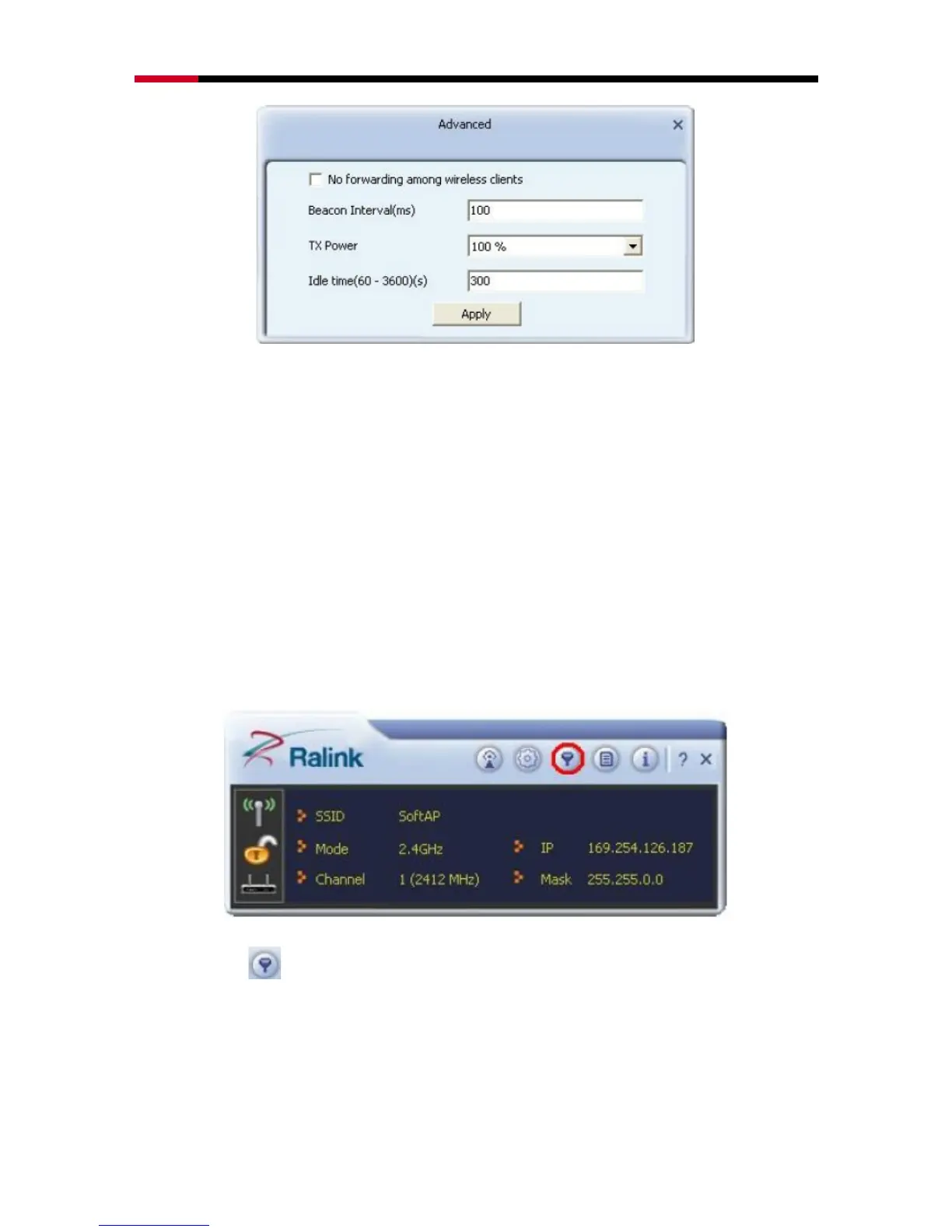
Beacon Interval: Set the beacon interval of wireless radio. Do not modify default
value if you don‟t know what it is, default value is 100.
TX Power: You can set the output power of wireless radio. Unless you‟re using
N600PCE in a really big area, you may not have to set output power to 100%.
This will enhance security (malicious / unknown users in distance will not be able
to reach your N600PCE).
4.3.2.3 Access Control List
Access control includes Allow All and Reject All. After editing the MAC address
access list, only the MAC in the Allow All list could access the Soft AP.
Click Access Control List button from menu bar, below window will pop out.


 To Next Page