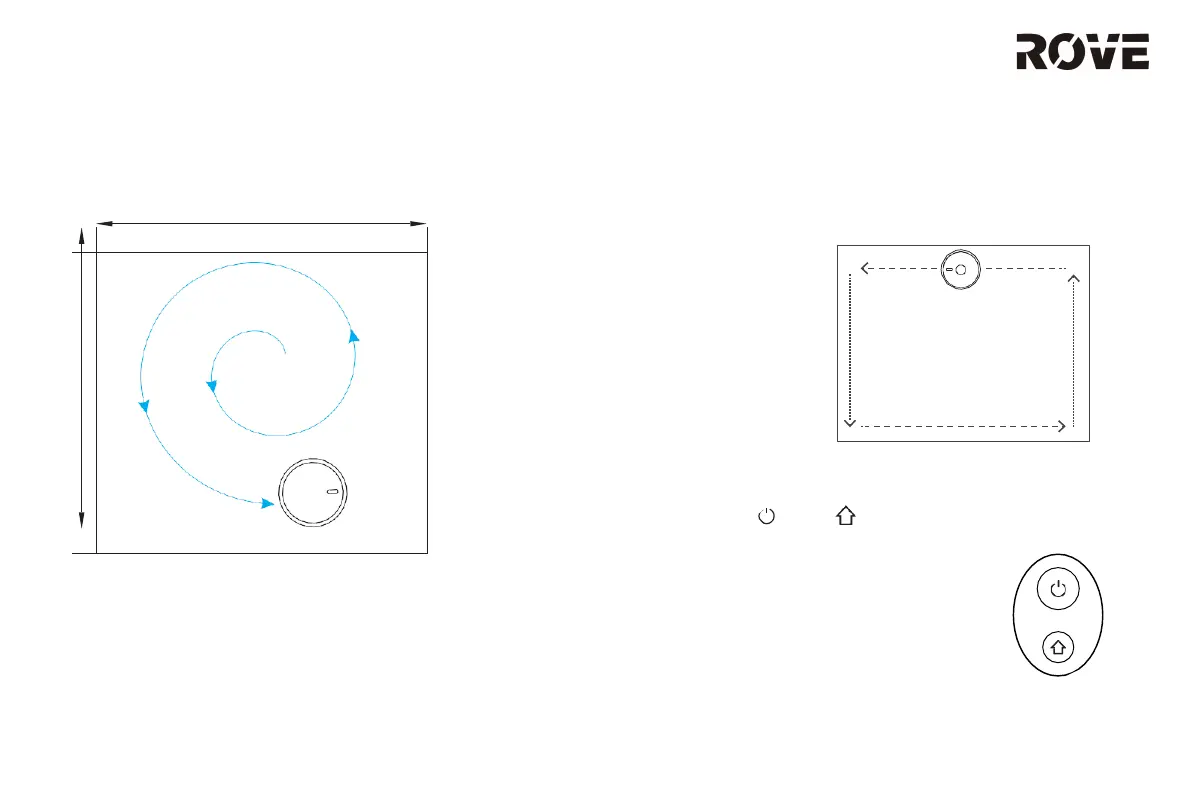
SPOT CLEANING MODE
Users can select the desired area on the app to deep clean
it. The vacuum will automatically drive through the area and
start spot cleaning in a 5 ft. x 5 ft. area.
SCHEDULED CLEANING
Users can use the app to set scheduled cleaning times. The device
will start cleaning based on the set times. The device will return to the
charging base once completed.
DO NOT DISTURB (DND) MODE
Users can select DND MODE in the app so the device can clean the
floor without any voice command. Available timing of DND mode can
be set / modified through the app.
Wi-Fi RESET
If the cell phone cannot be connected to the robot vacuum due to change of
router configuration / password or for any other reasons, please reset the Wi-Fi.
Press and hold the key and key simultaneously for 3 seconds. “Wi-Fi has
been reset” voice command will be read, and the indicator light will turn purple
and flick slowly.
SUCTION POWER LEVEL
The app allows users to select up to 3 different suction levels:
Gentle, Normal or Strong. The vacuum’s default suction power level is
Normal.
EDGE CLEANING MODE
Users can select edge cleaning mode on the app or remote control to
deep clean an edge of a room. The vacuum will automatically drive
along the edge and start to edge clean for 2 cycles/20 mins.
Once edge cleaning has been completed, the robot will go back to
the charging base automatically.
USAGE INSTRUCTION
10
5 ft.
5 ft.


 To Next Page