START CLEANUP MODE
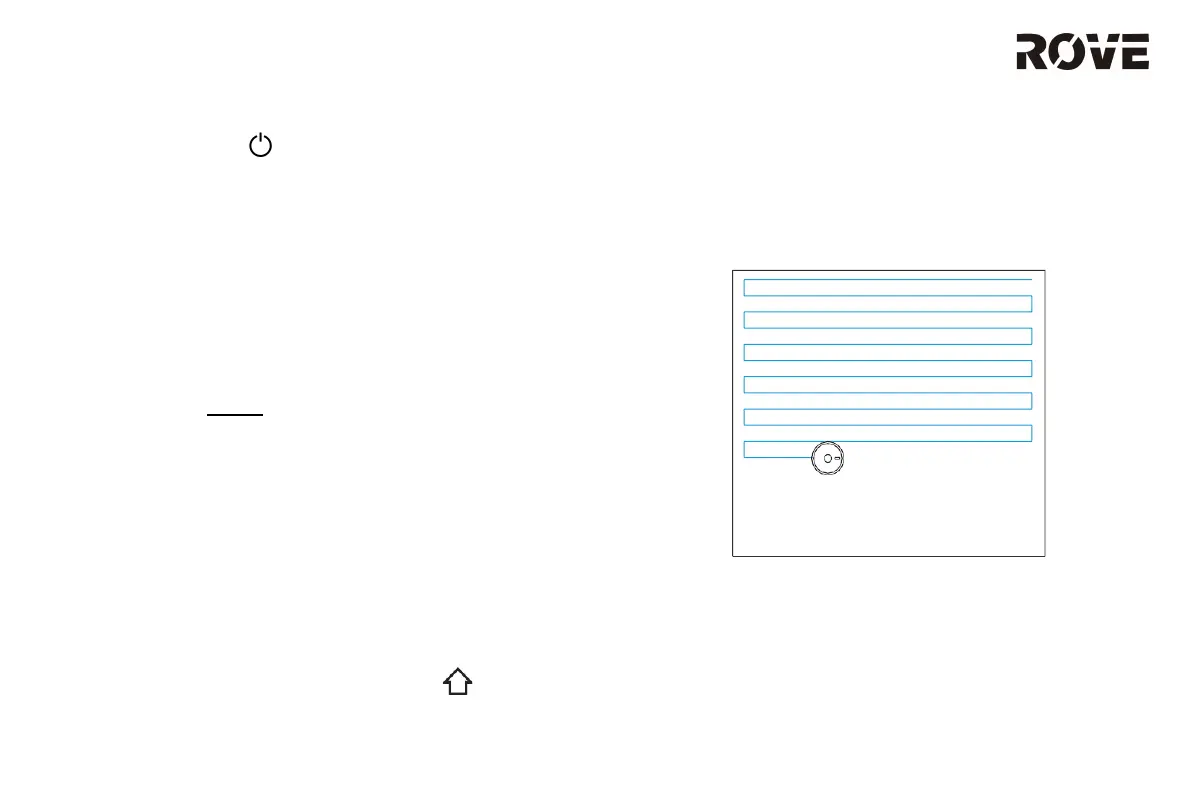
Press the ON/OFF button to start cleanup. Once the cleaning process has started, it
cleans in a S-shaped cleaning route to cover the whole area efficiently and thoroughly.
Once the cleaning process is completed, the device will automatically return to the
charging base.
Cleaned Area
Planned Cleaning Area
Note:
Do not move the device casually during cleaning operation. Once moved,
please place the vacuum at its approximate original location. Once the vacuum
has restarted, it will attempt to reposition itself. If positioning is successful, the
vacuum will resume its planned cleaning path. If positioning fails, it will abandon
previous tasks and rebuild a new map to restart the cleaning process. Under
this situation, the device may not be able to recharge automatically.
USAGE INSTRUCTION
9
ON/OFF BUTTON
Press and hold the Power button for 3 seconds. The indicator light should light up
blue to indicate that the device is turned on.
Under normal conditions, press and hold the Power button for 15 seconds to force the
device to shutdown.
Note: The device cannot be turned off while charging in the charging base.
CLEAN/PAUSE
Once the device has turned on, press the Power button or use the mobile app to start the
cleaning process.
Press any key during the cleaning process to pause cleaning.
Note:
• ROVE robot vacuum CANNOT be used to clean up liquids.
• If the battery level is lower than 20%, the device will not be able to clean. Please
charge the device before cleaning.
• If the battery level falls below 20% during the cleaning process, the device will
automatically return to the charging base to recharge. Once the battery has been
charged to 80%, the device will attempt to resume its work.
• Pick up cables (including power cable of the charging base) from the floor before
use. It ensures the device does not cause any power outages / object damage by
dragging cables.
CHARGING
Automatic Trigger Charging: When cleaning is completed, the device will return to the
charging base automatically.
Manual Trigger Charging: While the device is paused, press Home or use the
mobile app to trigger recharging.


 To Next Page