EasyManua.ls Logo

ROVE G2800 - User Manual

ROVE G2800
23 pages
Print Icon
To Next Page IconTo Next Page
Loading...
Gyroscope Navigation
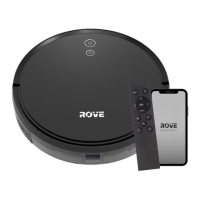
Smart Robotic Vacuum
User Manual
G2800
APPLIED SCIENCE
from

Questions and Answers

  • E
    Ernest NelsonAug 20, 2025
    What to do if ROVE G2800 says charge station not found?
    • R
      ronald18Aug 21, 2025
      If your ROVE Robotics device displays Error 14 indicating that the charging station is not found, ensure that the charging base indicator light is on. If it isn't, there may be a power issue. Also, try moving the device back to the charging base to ensure proper contact.
  • A
    adrienne71Aug 22, 2025
    Why does my ROVE G2800 say battery low?
    • J
      Jorge OsborneAug 22, 2025
      If your ROVE Robotics device shows Error 15, it means the battery is low. To resolve this, simply place the robot on the charging base so it can recharge.
  • V
    vwrightAug 25, 2025
    What to do if ROVE G2800 says dust bin removed?
    • M
      Mrs. Taylor SteinAug 25, 2025
      If your ROVE Robotics device displays Error 1, it means that the device was started without the dust bin attached. To fix this, reattach the dust bin securely and then start the device again.
  • C
    Christina JohnsonAug 26, 2025
    How to fix ROVE Robotics error when main wheel is stuck?
    • H
      henrywatsonAug 27, 2025
      If your ROVE Robotics device displays Error 6, it indicates that the main wheel may be stuck. Inspect the primary wheel and carefully remove any foreign objects that might be causing the obstruction.
  • M
    markwatsonAug 28, 2025
    What to do if ROVE Robotics bumper may be stuck?
    • R
      Richard CooperAug 28, 2025
      If your ROVE Robotics device shows Error 5, the bumper may be stuck. To address this, gently move the front bumper left and right to ensure that nothing is jamming it. This should free the bumper and allow the device to operate correctly.
  • M
    mmyersAug 30, 2025
    How to fix ROVE G2800 when brush bar is stuck?
    • B
      boyerdanaAug 30, 2025
      If your ROVE Robotics device displays Error 7, the brush bar might be stuck. To resolve this, check the main brush and remove any foreign objects that may be causing the obstruction.
  • B
    Brian EdwardsAug 31, 2025
    What to do if ROVE Robotics says clean the bottom sensor?
    • M
      macdonaldcynthiaAug 31, 2025
      If your ROVE Robotics device displays Error 2, it means the cliff sensor is obstructed or the device is on uneven ground. Wipe the window of the cliff sensor with a soft, dry cloth. If that doesn't work, move the device to a level surface, and then restart it.
  • M
    Mckenzie WatsonSep 2, 2025
    How to clean front sensor on ROVE G2800 Robotics?
    • E
      Edward WhiteSep 2, 2025
      If your ROVE Robotics device displays Error 3, it means the front obstacle detection sensor is either dirty or blocked. To fix this, wipe the front obstacle detection sensor carefully with a soft, dry cloth.
  • L
    Laura CortezSep 4, 2025
    What to do if ROVE Robotics says clean the right-side sensor?
    • E
      Elaine BurchSep 4, 2025
      If your ROVE Robotics device displays Error 4, it indicates that the TOF wall sensor is either dirty or obstructed. To resolve this, gently wipe the TOF wall sensor with a soft, dry cloth.
  • S
    Scott RoseSep 6, 2025
    What to do if ROVE Robotics side brush may be stuck?
    • S
      staffordalexanderSep 6, 2025
      If your ROVE Robotics device shows Error 8, it means the side brush is stuck. To fix this, check the side brush and remove any foreign objects that may be causing it to jam.

Summary

SAFETY INFORMATION

Usage Limitations

Specifies the intended use and operational restrictions for the robotic vacuum cleaner.

Battery and Charging Safety Precautions

Details essential safety measures for charging the device and handling its battery to prevent hazards.

Device Disposal and Battery Removal

Provides instructions for safe product disposal and the procedure for removing the battery.

WARNING!

Critical Battery Warnings

Highlights crucial safety warnings related to the device's lithium battery and potential risks.

PRODUCT INTRODUCTION

Whats Included in the Box

Lists all components and accessories provided with the ROVE G2800 robotic vacuum cleaner.

Robot Vacuum Components and Sensors

Identifies and labels the various parts, sensors, and features of the robot vacuum cleaner.

Robot Controls and Charging Base Features

Details the robot's buttons, indicator lights, and the components of the charging base.

ROVE SETUP

Charging Base Setup and Brush Installation

Step-by-step guide to setting up the charging base, connecting power, and attaching side brushes.

Initial Power On and Charging Procedure

Instructions for powering on the device for the first time and ensuring it charges correctly.

USAGE INSTRUCTION

Basic Operation: Power, Clean;Pause, and Charging

Covers fundamental controls for turning the device on/off, starting/pausing cleaning, and initiating charging.

Cleanup Modes and Auto-Return

Explains the automatic cleanup mode, S-shaped path, and how the robot returns to the charging base.

Advanced Cleaning Modes

Details Spot, Edge, Scheduled, and Do Not Disturb cleaning modes for customized cleaning sessions.

Wi-Fi Reset and Suction Level Adjustment

Instructions for resetting the Wi-Fi connection and selecting different suction power levels.

Remote Control Functions and Operation

Explains the purpose and operation of each button on the remote control for various functions.

Remote Control Battery Installation Guide

Step-by-step instructions on how to open the remote control and insert the required batteries.

ROUTINE MAINTENANCE

Main Brush and Side Brush Care

Procedures for cleaning and maintaining the main brush and side brushes to ensure optimal performance.

Dust Bin Emptying and Filter Maintenance

Instructions for emptying the dust bin and cleaning or replacing the HEPA and foam filters.

Battery Preservation and Sensor Cleaning

Guidance on battery care for longevity and regular cleaning of the device's sensors.

PRODUCT INFORMATION

Robot Vacuum and Charging Base Specs

Provides detailed technical specifications for the robot vacuum cleaner and its charging base.

TROUBLESHOOTING GUIDE

Common Error Codes and Solutions

Lists common error codes encountered with the robot vacuum and provides step-by-step solutions.

Additional Error Codes and Troubleshooting

Continues the troubleshooting guide with more error codes and their corresponding resolution steps.

COMMON PROBLEMS

Solutions for Frequent Operational Issues

Addresses common problems like startup failures, charging issues, unusual noises, and Wi-Fi connectivity problems.

WARRANTY - 1 YEAR LIMITED WARRANTY

Warranty Coverage, Exclusions, and Service

Details the terms of the 1-year limited warranty, covered/excluded issues, and how to get assistance.

FCC Compliance Statement

Regulatory Compliance and User Information

Provides essential information regarding FCC labeling requirements and user guidance for regulatory compliance.

ROVE G2800 Specifications

General IconGeneral
BrandROVE
ModelG2800
CategoryRobotics
LanguageEnglish