Robo t Vacuum
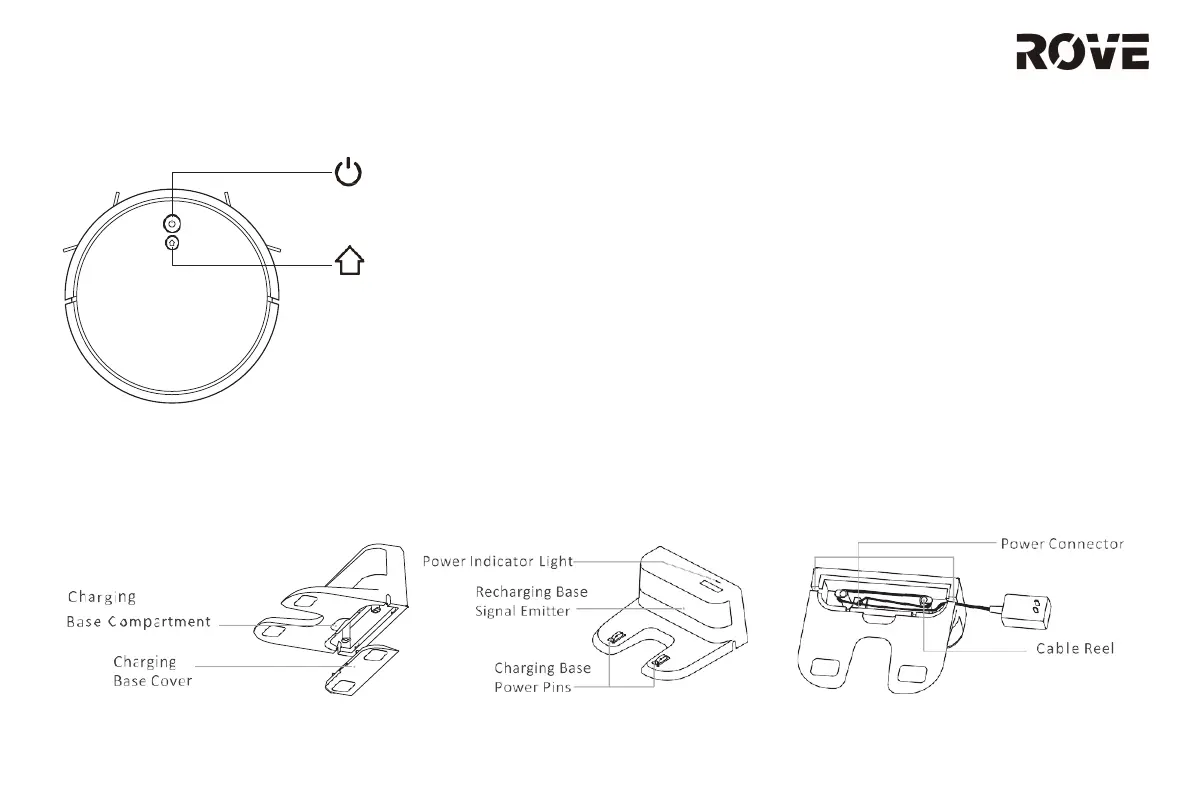
On/Off/Clean/Pause Button
• Press once to start/pause cleaning.
• Press and hold for 3 seconds to turn
the device on/off.
• When an error occurs, press and
hold for 15 seconds to force
shutdown.
Indicator Light
• Blue: Connected to Wi-Fi.
• Orange: Not connected to Wi-Fi.
• Red: Error or low battery.
Recharge/Partial Clean/Pause Button
• Press to recharge/pause.
• Press and hold for 3 seconds to start partial
cleaning.
Reset Wi-Fi
• Press and hold both buttons for 3 seconds.
Chargin g Base
PRODUCT INTRODUCTION
7


 To Next Page