25
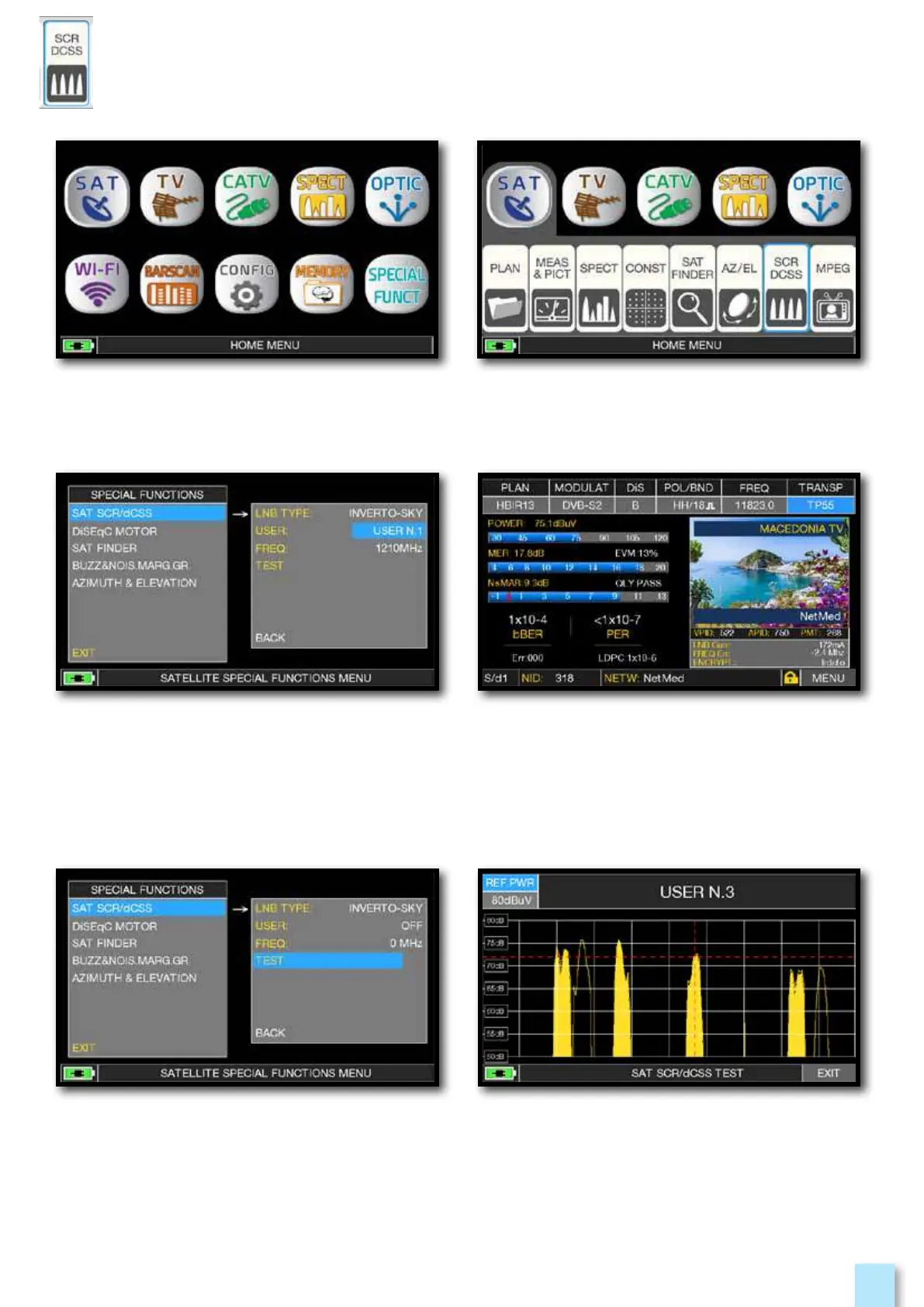
Touch the “HOME” key. Touch “SAT” and then “SCR DCSS”
or use the encoder.
SCR test.
SCR measures.
Or touch “TEST”, in Spectrum mode,
to perform a verify of the 8 exit frequencies
(user 1-4) from LNB/multiswitch.
__________
- Touch “LNB TYPE” and select the installed
LNB/multiswitch model (see NOTE).
- Touch “USER” and select the user’s number
to test (user 1-4).
- Press “SPECT” to visualize the spectrum
or “SAT” to make the measure.


 To Next Page