26
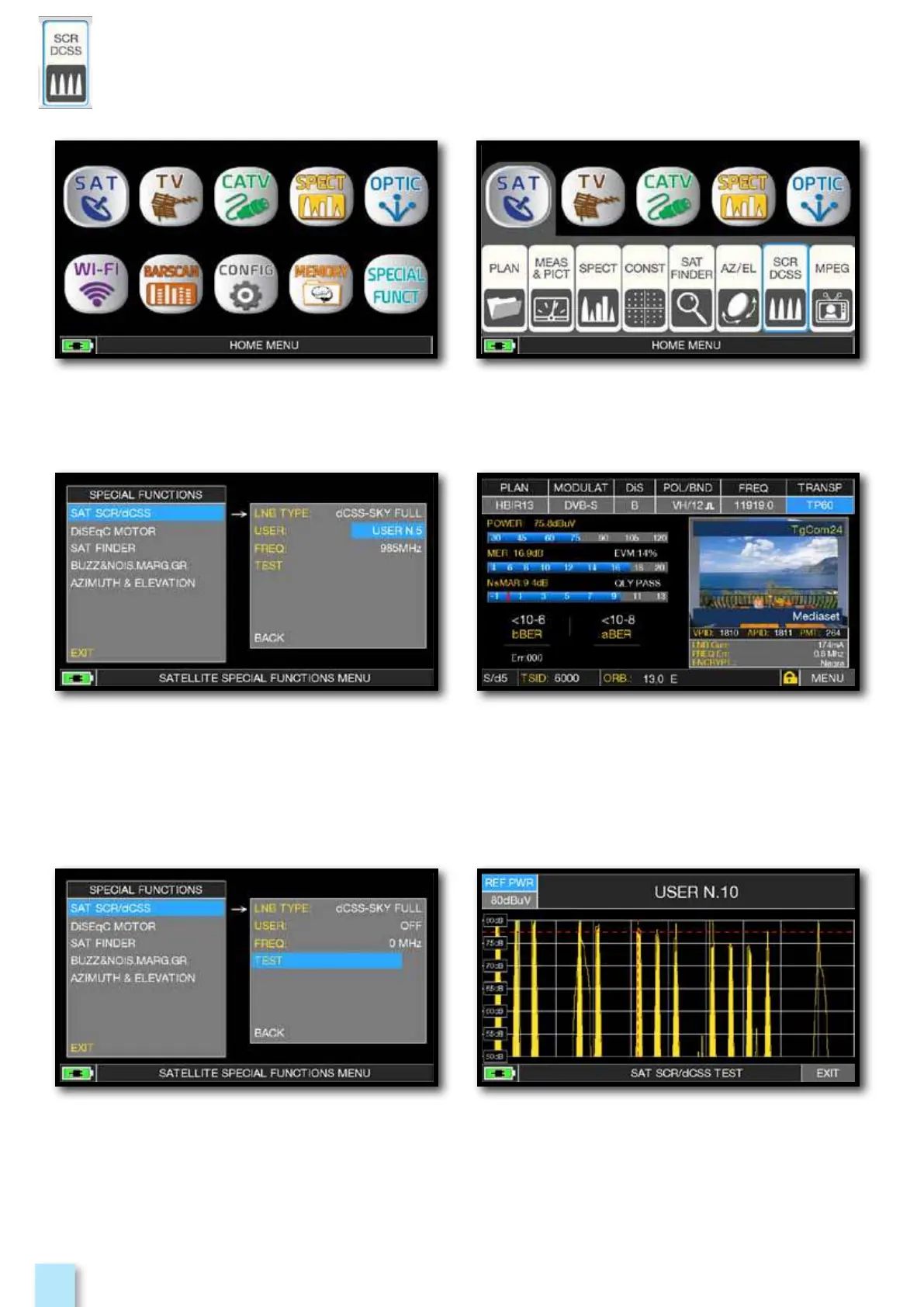
Press the “HOME” key. Touch “SAT” and then “SCR DCSS”
or use the encoder.
dCSS test.
dCSS measures.
Or touch “TEST”, in Spectrum mode,
to perform a verify of the 8 exit frequencies
(user 5-16) from LNB/multiswitch.
d
________________
- Touch “LNB TYPE” and select the installed
LNB/multiswitch model (see NOTE).
- Touch “USER” and select the user’s
number to test (user 5-16).
- Press “SPECT” to visualize the spectrum
or “SAT” to make the measure.



 To Next Page