Chapter 3: Getting To Know the Cash Register
12 Alpha 600sc User’s Guide
When ringing up sales, the department number or PLU number can also
appear. If a description or name has been programmed, this description
also appears.
About the Numeric Display
The following codes can appear in the Numeric Display:
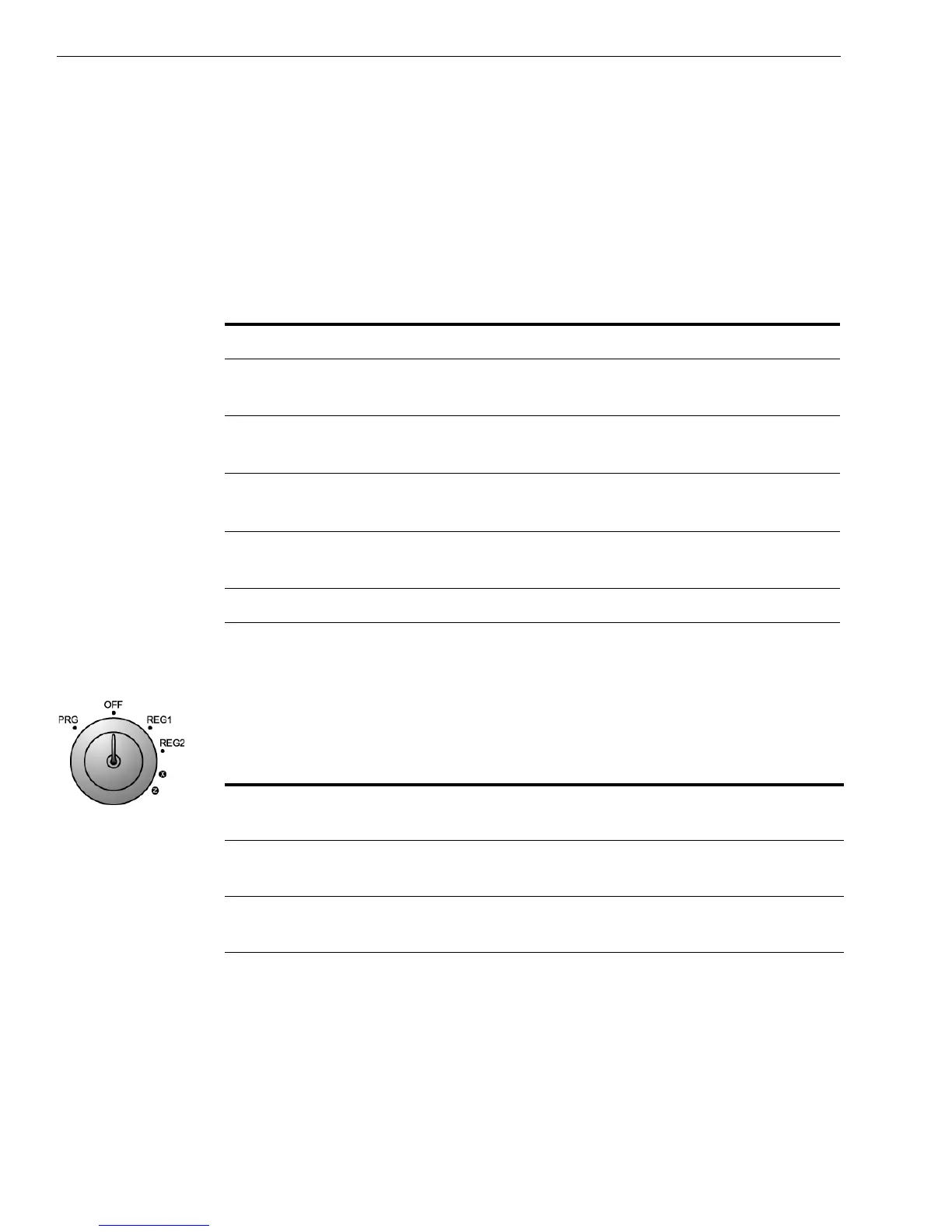
Using the Mode Key Area
The Mode key area allows you to do the following.
Table 3 Codes that can appear in the Numeric Display
This code... Appears when...
PE an error is detected in the printer.
P you are in the middle of a programming step. Also
appears in the Customer Display.
Cr the Charge key is pressed. Also appears in the
Customer Display.
CH the Check key is pressed. Also appears in the Customer
Display.
CA the Amt Tend/Total key is pressed. Also appears in the
Customer Display.
C change is due. Also appears in the Customer Display.
Table 4 Mode key settings
This setting... Does this...
• PRG Programs the cash register and sets the cash register to
Training mode. Use the key marked PRG.
• OFF Turns the cash register off. It also electronically locks
the cash drawer. All keys do this.
• REG1 Prints just receipts, does not print a journal tape in the
cash register. All keys do this.



 To Next Page