CHECKING & CLEANING THE AIR FILTER
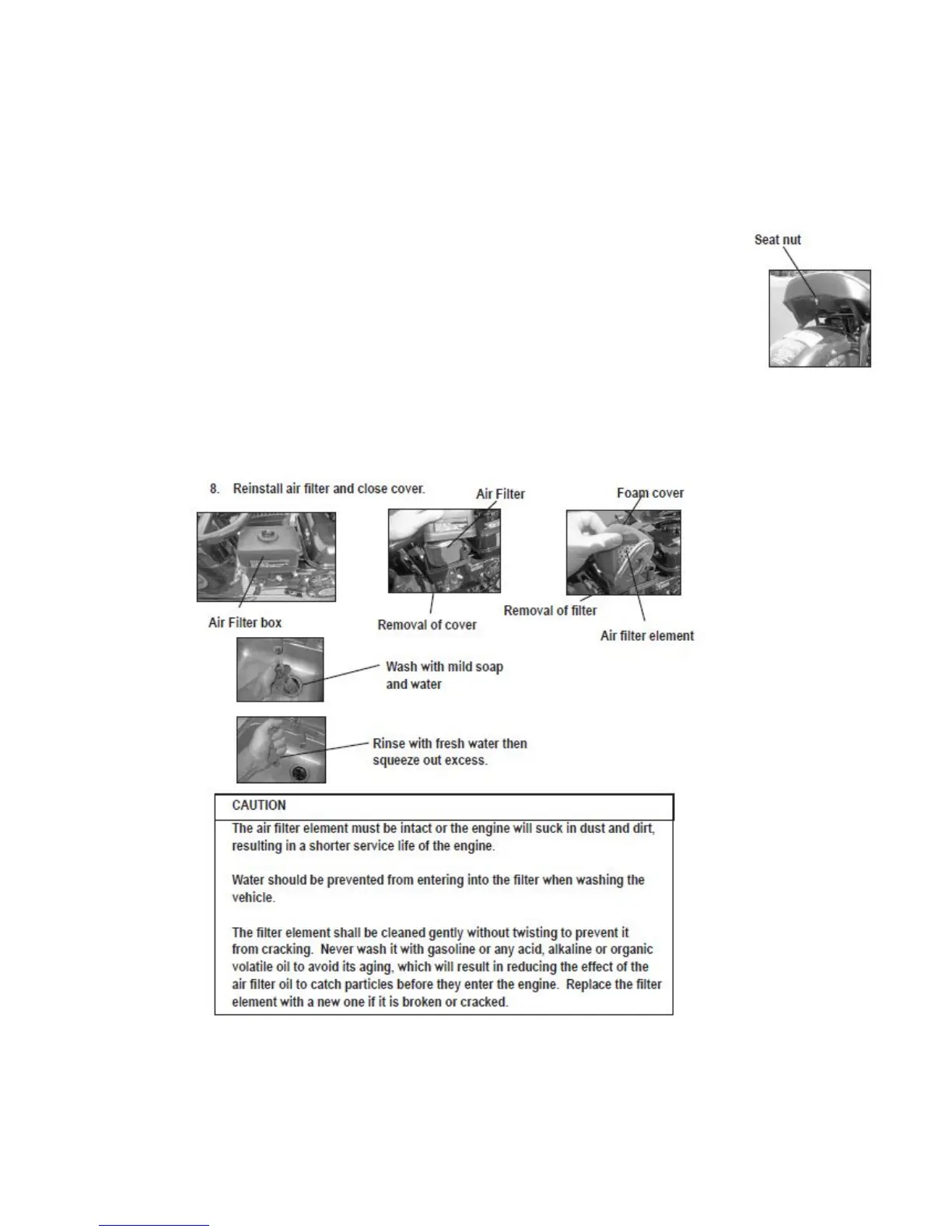
1. Remove seat to access air filter. Seat is removed by removing nut located under seat (see photo).
2. Locate Air Filter Box under seat and remove cover.
3. Remove air filter.
4. Remove foam cover from Air filter element.
5. Tap the Air filter element gently to remove most of the dust and dirt. Blow out remaining dust with
compressed air. If the element is damaged, replace it.
6. Wash the foam element cover per instructions below then allow to dry thoroughly.
7. Re-install foam cover to the air filter element.
8. Re-install air filter and close cover.


 To Next Page