8 9
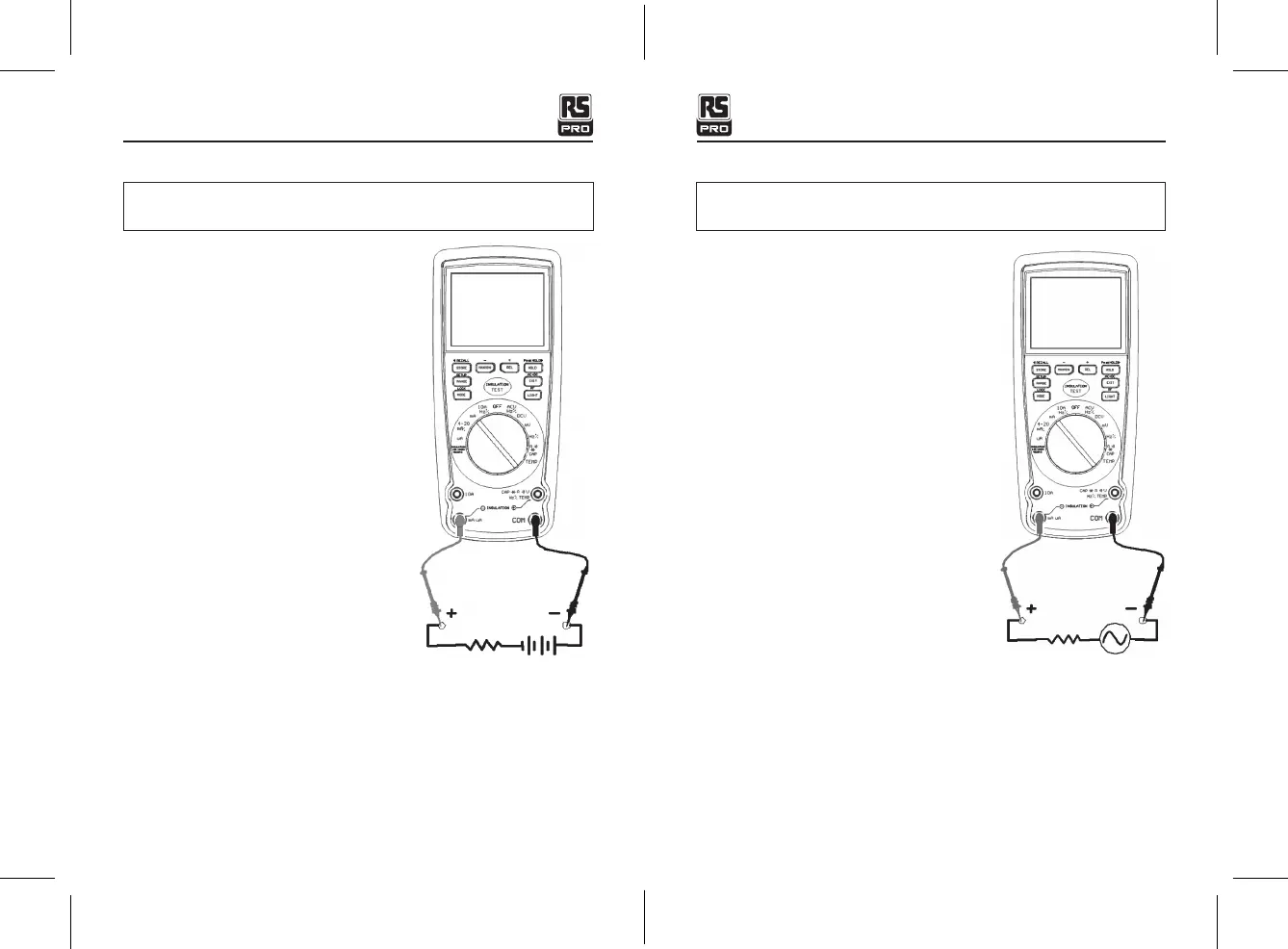
DC CURRENT MEASUREMENTS
CAUTION:
Do not make 20 A current measurements for longer than 30 seconds.
Exceeding 30 seconds may cause damage to the meter and/or the test leads.
1. Insert the black test lead banana plug into the
negative
COM
jack.
2. For current measurements up to 4000 μA DC,
set the function switch to the yellow
μA
position
and insert the red test lead banana plug into the
μA/mA
jack.
3. For current measurements up to 400 mA DC, set
the function switch to the yellow
mA
position
and insert the red test lead banana plug into
the
μA/mA
jack.
4. For current measurements up to 20 A DC, set the
function switch to the yellow
10A/HZ/%
position
and insert the red test lead banana plug into the
10A
jack.
5. Press the
MODE
button to indicate “
DC
” on the
display.
6. Remove power from the circuit under test, then
open up the circuit at the point where you wish
to measure current.
7. Touch the black test probe tip to the negative
side of the circuit.
Touch the red test probe tip to the positive side
of the circuit.
8. Apply power to the circuit.
9. Read the current in the display.
AC CURRENT (FREQUENCY, DUTY CYCLE) MEASUREMENTS
CAUTION:
Do not make 20 A current measurements for longer than 30 seconds.
Exceeding 30 seconds may cause damage to the meter and/or the test leads.
1. Insert the black test lead banana plug into the
negative
COM
jack.
2. For current measurements up to 4000 μA AC, set
the function switch to the yellow
μA
position and
insert the red test lead banana plug into the
μA/
mA
jack.
3. For current measurements up to 400 mA AC, set
the function switch to the yellow
mA
position and
insert the red test lead banana plug into the
μA/
mA
jack.
4. For current measurements up to 20 A AC, set the
function switch to the yellow
10A/HZ/%
position
and insert the red test lead banana plug into the
10A
jack.
5. Press the
MODE
button to indicate “
AC
” on the
display.
6. Remove power from the circuit under test, then
open up the circuit at the point where you wish to
measure current.
7. Touch the black test probe tip to the neutral side of
the circuit.
Touch the red test probe tip to the “hot” side of the circuit.
8. Apply power to the circuit.
9. Read the current on the display. In the 10 A AC range, right auxiliary display frequency.
10. Press and hold the
MODE
button to indicate “
Hz
”.
11. Read the frequency on the display.
12. Momentarily press the
MODE
button again to indicate “
%
”.
13. Read the % duty cycle on the display.
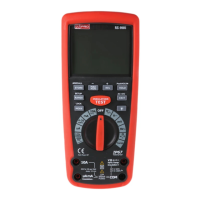
Insulation Tester with Multimeter / EnglishInsulation Tester with Multimeter / English
25/01/2018 Version No. 00125/01/2018 Version No. 001


 To Next Page