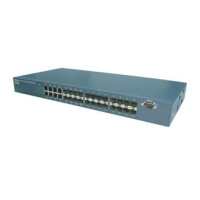
FGS-2824 User Manual
Publication date: July, 2005
Revision A1
189
edit [#]: the specific management policy entry. Available range: 1 to 65536.
Syntax:
Usage: set [<name> <value>] [<vid> <value>] [<ip> <value>] [<port> <value>]
[<type> <value>] <action> <value>
Synopsis: set name Mary vid 20 ip 192.168.1.1-192.168.1.90 port 2-5,8
type h,s action a
Synopsis: set name Mary vid 20 ip 192.168.1.1-192.168.1.90
Description:
To edit management policy record.
Argument:
[<name> <value>] ACL entry name.
[<vid> <value>] VLAN ID.
[<ip> <value>] IP Range.
[<port> <value>] Incoming port.
[<type> <value>] Access type.
<action> <value> a(ccept) or d(eny).
Possible value:
[<name> <value>] No default and it must be set.
[<vid> <value>] The range is 1-4095 and can be set to any.
[<ip> <value>] For example, 192.168.1.90-192.168.1.90 or any
[<port> <value>] For example, 1 or 1-8 or 1,3-5 or any
[<type> <value>] For example, h(ttp),s(nmp),t(elnet) or any
<action> <value> No default and it must be set.
Example:
FGS-2824(management)# edit 1
FGS-2824(management-edit-1)# set name Tom vid 2 ip 192.168.1.30-
192.168.1.80 port 1-2 type s action d
FGS-2824(management-edit-1)# show
#: 1
Name : Tom VlanID : 2 IP : 192.168.1.30-192.168.1.80
Type : SNMP Action : Deny Port : 1,2


 To Next Page