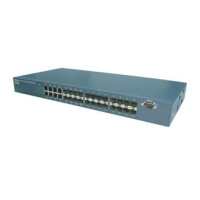
FGS-2824 User Manual
Publication date: July, 2005
Revision A1
192
mirror
set mirror-mode
Syntax:
set mirror-mode <rx|disable>
Description:
To set up the mode of Mirror (rx mode or disable).
Argument:
<rx | disable>:
rx : Enable the mode of Mirror(Only mirror the packets that is received)
disable: End the function of mirror
Possible value:
<rx | disable>: rx or disable
Example:
FGS-2824(mirror)# set mirror-mode rx
FGS-2824(mirror)#
set monitored-port
Syntax:
set monitored-port <range>
Description:
To set up the port that will be monitored. The packets received by this port will be
copied to the monitoring port.
Argument:
<range>: the port that is chosen for monitored port of the mirror function,
syntax 1,5-7, available from 1 to 24
Possible value:
<range>: 1 to 24
Example:
FGS-2824(mirror)# set monitored-port 3-5,8,10
FGS-2824(mirror)#
set monitoring-port
Syntax:
set monitoring-port <#>
Description:
To set up the monitoring port of the mirror function. User can observe the packets
that the monitored port received via this port.
Argument:
<#>: the monitoring port that is chosen for the mirror function. Only one port is
allowed to configure, available from 1 to 24
Possible value:
<#>:1 to 24
Example:
FGS-2824(mirror)# set monitoring-port 2
FGS-2824(mirror)#


 To Next Page