Need help?
Do you have a question about the RuiDeng DPS5005 and is the answer not in the manual?
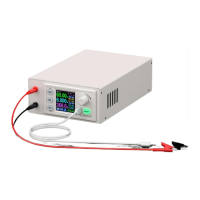
This document provides an introduction to the Constant Pressure/Constant Current Digital Power Supply, including models DPS3003, DPS3005, DPS5005, and DPS8005. It covers the product's features, operation, and communication capabilities.
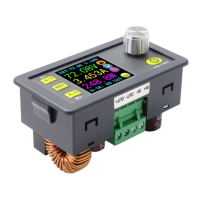
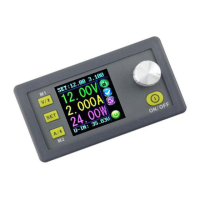
The digital power supply combines analog adjustment with digital control, making it a versatile tool for enthusiasts and laboratory workers. It features non-volatile power-off parameter storage and 10 programmable preset memory data groups, with a shortcut recall function for groups 1 and 2. The LCD display allows users to monitor set voltage, set current, output voltage, output current, output power, input voltage, and other parameters. The main interface also indicates output enabled/disabled status, Constant Current or Constant Voltage mode, abnormal conditions, keypad lock status, and the active data group.
The data setting interface enables adjustment of Over-Current, Over-Voltage, and Over-Power protection values, preset values, and LCD brightness. The device offers three versions: non-communication, USB communication, and USB + Bluetooth communication. Communication versions can connect to a PC or an Android mobile phone (DPS3003 does not support communication).
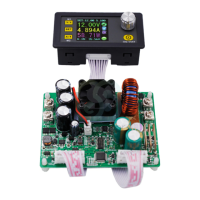
The module is a DC-DC step-down output, requiring the input voltage to be at least 1.1 times higher than the output voltage. It can operate at full load under natural heat dissipation conditions, but a fan is recommended for prolonged use. The maximum input voltage limit is 90.00V DC, and AC mains supply (220V) must never be connected.
Fast Voltage and Current Setting:
To quickly set the voltage, press the V/I key. Use the rotary control to navigate characters, increase/decrease values, and save settings. The setting mode will automatically exit after 1 minute of inactivity. The output current limit can be set using the A/I key with the same procedure.
Advanced Parameter Setting:
From the main interface, press the SET key to access the Data Setting Interface. Use the V/I or A/I keys to navigate menu options like U-SET (Voltage) or I-SET (Current Limit) and adjust values using the rotary control.
Protection Values Setting:
The device supports Over-Voltage (S-OVP), Over-Current (S-OCP), and Over-Power (S-OPP) protection limits. Users can set these values, and if any limit is reached, the output will automatically disable, displaying OVP, OCP, or OPP on the interface. If the power board temperature exceeds 80°C, the output will disable, and OTP will be displayed.
Screen Brightness Setting:
Navigate to B-LED to adjust screen brightness from 0 (darkest) to 5 (brightest) using the rotary control.
Data Settings and Saving in Specified Data Group:
Access M-PRE to select a Data Group Number. Use the V/I or A/I keys to navigate options and the rotary control to set values. Press SET for over 2 seconds to save data to the selected group.
M-PRE ON / OFF Setting:
In M-PRE, select a Data Group Number and adjust the M-PRE option to ON or OFF. When ON, recalling the data group will restore the unit's main output state as it was before recall. When OFF, the output will be set to OFF regardless of its previous state.
Output Status Setting:
In S-INI, select ON or OFF. If ON, the device will power on with the output enabled. If OFF, it will power on with the output disabled.
Enable or Disable the Output:
At any time, when the keypad is unlocked, press the ON/OFF key to enable or disable the output.
Locking the Keypad: Hold the rotary control for more than 2 seconds to lock the keypad, indicated by a lock icon on the interface. Hold it again for 2 seconds to unlock.
10 Data Groups Preset (M0-M9): M0 is the default data group. Any changes or selection of an alternative data group will immediately overwrite M0.
Shortcut Keys to Select and Recall M1 or M2 Data Group:
Hold V/I or A/I for over 2 seconds to quickly recall M1 or M2 data groups, with the active group number displayed.
Select and Recall Any Specific Data Group:
Hold SET for over 2 seconds to display the Data Group Number. Use the rotary control to select groups M1 to M9, then press SET to activate.
Computer Software Usage: The computer software allows for configuration, basic functions (voltage/current setting, shortcut recall, brightness adjustment, voltage and current curve derivation), and advanced functions (data group reading/writing, automatic test, voltage/current scan). Users can set voltage/current via knobs or direct input. Real-time voltage and current curves are displayed and stored for up to 24 hours. The software also allows copying data to the clipboard, clearing charts, and exporting data to Excel or as simplified images.
Android APP Usage: The Android application (for Android 5.0 or above) can be downloaded from the Google Store or as an APK file. It allows for remote control and monitoring of the power supply via Bluetooth. The app displays a voltage-current graph, output status (normal, CV state, keypad lock), screen brightness, output ON/OFF status, output voltage, current, power, and input current. Users can adjust preset output voltage and current using an analog rotary control.
Communication Driver Installation: For communication versions, install the CH341SER.EXE driver. After installation, connect the digital power supply and communication module via cables, then connect to the computer via a Micro USB cable. Check the COM port number in Device Manager. If the USB communication module is disconnected, re-select the COM port in the host software.
Digital Power Communication Parameter Setting:
Hold V/I and power on to enter the communication parameter setting interface. Use V/I or A/I to select parameters (COMM, ADDR, BAUD, BPIN) and the rotary control to modify values. Press SET twice to save and exit.
COMM: ON enables communication, OFF disables.ADDR: Address code (001-255, default 001) for multi-machine communication.BAUD: Baud-rate (2400, 4800, 9600, 19200).BPIN: Bluetooth pairing code (0000-9999, default 1234).Bluetooth Communication: The Bluetooth module follows V2.1+EDR. Initialize communication parameters in the setting interface if it's the first time using Bluetooth. The red LED on the module flashes when discoverable. Add the device via your computer's Bluetooth settings. The last three digits of the device name represent the digital power address code. Enter the default pairing code (1234) when connecting.
Important Notes for Bluetooth Communication:
 General
| Model | DPS5005 |
|---|---|
| Category | Power Supply |
| Input Voltage | 6-55V |
| Output Voltage | 0-50V |
| Voltage Resolution | 0.01V |
| Current Resolution | 0.001A |
| Output Current | 0-5A |
| Display | LCD |
| Operating Temperature | -10°C to +70°C |
| Cooling | Fan |
| Communication Interface | USB |
| Protection Features | Over-voltage, Over-current, Over-temperature |

 To Next Page