Need help?
Do you have a question about the RuiDeng DPS Series and is the answer not in the manual?
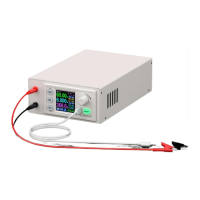
Overview of the DPS series power supplies, combining analog and digital control for enthusiasts and labs.
Table detailing specifications like input/output voltage, current, and power for different DPS models.
Illustrates and explains how to connect input, output, LCD, and key cables for the power module.
Identifies and explains the function of each button, display element, and port on the power supply unit.
Details the elements shown on the LCD screen for both the main interface and data setting interface.
Guide for operating the DPS series, covering settings, protection, and key functions like output control and keypad locking.
Steps to install the communication driver and verify the COM port in Device Manager.
How to configure communication parameters like COMM, ADDR, BAUD, and BPIN.
Guide to connecting the power supply to a computer or mobile device via Bluetooth.
Instructions on downloading and installing the PC software for Win7 and above.
Guide to connecting to the power supply via PC software and controlling its output.
Overview of basic and advanced functions available in the PC software.
System requirements and permissions for installing and running the Android APP.
Shows the main interface of the Android APP after launching.
Overview of DPH series, combining analog/digital control, preset memory, and LCD display.
Table of specifications for DPH5005 and DPH3205, including voltage, current, and power.
Details on connecting input, output, LCD, and key cables for DPH power modules.
Identifies controls and ports on the DPH series power supply unit.
Explains the elements of the main and data setting interfaces on the DPH series LCD.
Guide for operating the DPH series, covering settings, protection, and key functions.
Installing the communication driver for DPH PC software and verifying COM port.
Setting communication parameters (COMM, ADDR, BAUD, BPIN) for DPH Bluetooth/USB.
Guide to connecting DPH units via Bluetooth to a computer.
Downloading and installing the PC software for DPH models.
Guide to connecting DPH units to PC software and controlling their output.
Overview of DPH PC software functions: basic and advanced.
System requirements and permissions for the DPH Android APP.
Shows the main interface of the DPH Android APP after launching.
 General
| Brand | RuiDeng |
|---|---|
| Model | DPS Series |
| Category | Power Supply |
| Language | English |

 To Next Page