EasyManua.ls Logo

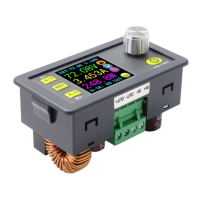
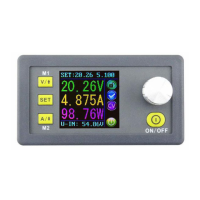
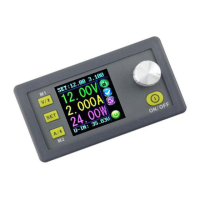
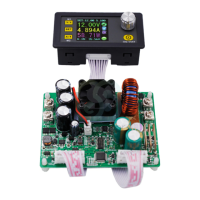
RuiDeng DPS8005 - User Manual

RuiDeng DPS8005
6 pages
Print Icon
To Next Page IconTo Next Page
Loading...
Constant Voltage / Constant Current
Programmable Power Supply
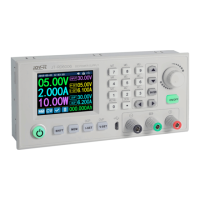
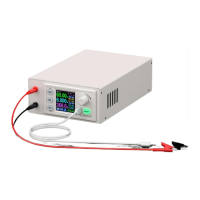
Model: DPS8005
General Information
The programmable Power supply offers constant Current and constant Voltage and combines
both analog and digital technology in an integrated and advanced design.
The fully adjustable output ranges from 0-80.00V in 0.01V (10mV) steps and the fully adjustable
Current Limited output ranges from 0-5.100A in 0.001A (1mA) steps.
The unit offers non-volatile power off parameter storage and 10 programmable preset memory
Data Groups with a quick recall function for groups 1 and 2.
The digital control interface offers a comprehensive feature set not available on analog only
power supplies. The keypad and rotary control offer simple input and selection of all required
settings whilst the full colour LCD offers detailed display of the extensive but easily read
information relating to system operation and performance. Items that can be displayed include a
precision voltmeter and ammeter, preset Voltage, output Voltage, preset Current Limit, output
Current, output Power and Data Group selection parameters and menus. Notification icons and
text include indications such as output enabled or disabled, Constant Current or Constant Voltage
mode of operation, abnormal condition warning, keypad locked or unlocked state and the Data
Group in use. The Data Setting interface allows full adjustment of Over-Current, Over-Voltage and
Over-Power protection values, Data Group settings and LCD brightness. The unit offers a
technologically advanced design presented in a very compact size that is both visually appealing
and easy to operate.
Technical parameters
Input Voltage range: 10.00-90.00V Output Voltage range: 0-80.00V
Output Current: 0-5.100A Output Power range: 0-408W
Product Weight: 150g Display module size: 79*43*54(mm) (L*W*H)
Display module enclosure cutout size: 71mm*39mm
Output Voltage resolution: 0.01V (10mV) Output Current resolution: 0.001A (1mA)
Output Voltage accuracy: ± (0.5% + 1 digit) Output Current accuracy: ± (0.5% + 2 digits)
NOTES:
1. You must ensure that the input Voltage is at least 1.1 times higher than the output Voltage.
2. When the unit mounted in an enclosure it is absolutely vital to ensure appropriate
ventilation for heat dissipation.
Question and Answer IconNeed help?

Do you have a question about the RuiDeng DPS8005 and is the answer not in the manual?

RuiDeng DPS8005 Specifications

General IconGeneral
BrandRuiDeng
ModelDPS8005
CategoryPower Supply
LanguageEnglish

Summary

General Information

Technical Parameters

NOTES

Important operational notes regarding input voltage and ventilation for proper function.

Connection Details

Panel Description

Display Interface Description

The Main Interface

Describes the primary screen layout, showing preset and actual output values, status icons, and input voltage.

Operating Instructions

Set Output Voltage and Current Limit via Main Interface

Guides on adjusting output voltage and current limit using the main interface controls and rotary encoder.

Set Data Values via Data Setting Interface

Explains how to navigate and enter the data setting menu for various configurations.

Set Protection Values

Instructions for configuring Over-Voltage, Over-Current, and Over-Power protection limits.

Adjust Screen Brightness

Procedure to change the display brightness level from 0 (darkest) to 5 (brightest).

Data Settings for Each Data Group

Selecting the Data Group to Edit

Instructions on how to select a specific Data Group from M0-M9 for viewing or modification.

Selecting M-Pre ON; OFF

Explains how to configure whether Data Group recall retains the previous output state or resets it to OFF.

Adjust Selected Data Group Numerical Values

Details on modifying numerical parameters within a selected Data Group using the rotary control.

Selected Data Group Output State at Power On

Configures if the output is enabled or disabled automatically when the device powers on.

Other Functions

Enable or Disable the Output

How to turn the power supply output on or off using the dedicated ON/OFF key.

Locking the Keypad to Avoid Accidental Operation

Procedure to lock or unlock the keypad to prevent unintended changes or operation.

M0-M9 Data Groups

M0 Data Group

Describes M0 as the default, real-time duplicate, and power-on default Data Group.

Shortcut Keys to Select and Recall M1 or M2 Data Group

Explains using shortcut key combinations for quick recall of M1 and M2 Data Groups.

Select and Recall Any Specific Data Group

Procedure for selecting and activating any Data Group from M1 to M9 via the SET key.

Related product manuals