EasyManua.ls Logo

RuiDeng UM24 - User Manual

RuiDeng UM24
5 pages
Print Icon
To Next Page IconTo Next Page
Loading...
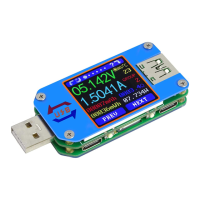
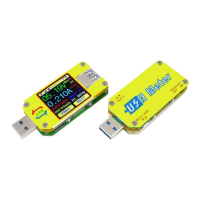
Instructions for USB Tester with Full Colour Display
-Model: UM24/UM24C
Dear Customer,
Thank you for purchasing this Full Colour USB Tester from Ruideng Technology Co. Ltd. Prior to
using this product we recommended that you briefly familiarize yourself with these instructions
in In order to ensure the correct operation and use of the device. We also advise that you keep
these instructions in a safe place for future reference as may be needed.
Technical Parameters:
Model: UM24 /UM24C
Product weight:20.75g
Voltage measurement range: 4.50-24.00V
Voltage measurement resolution: 0.01V
Current measurement range: 0.000-3.000A
Current measurement resolution: 0.001A
Capacity accumulation range: 0-99999mAh
Voltage measurement accuracy: ± (0.2% + 1digit)
Energy accumulation range: 0-99999mWh
Current measurement accuracy: ±(0.8+3 digits)
Load impedance range: 1.5-9999.9Ω
Time measurement range: 0-99h59min59s
Temperature range: -10~100/0~200
Temperature measurement error: ± 3/ ± 6
Screen brightness setting: Levels 0-5
Auto screen off time: 1-9 minutes
Voltage graphing range: 04.5-24.0V
Current graphing range: 0.00A-3.00A
Dimensions71.2mmx31.8mmx11.3mm
Quick charge recognition modeQC2.0 QC3.0
Display screen1.44 Inch color LCD display
Refresh rate: 2Hz
Function Interfaces
Measurement Main
Interface
Quick Charge
Recognition Interface
Data Recording
Interface
Data Connection Cable
Impedance
Measurement Interface
Question and Answer IconNeed help?

Do you have a question about the RuiDeng UM24 and is the answer not in the manual?

RuiDeng UM24 Specifications

General IconGeneral
BrandRuiDeng
ModelUM24
CategoryTest Equipment
LanguageEnglish

Summary

Technical Parameters

Function Interfaces

Measurement Main Interface

Details the primary display showing Voltage, Current, Capacity, Energy, Temperature, and Load.

Quick Charge Recognition Interface

Identifies supported fast charging modes like QC2.0 and QC3.0 by displaying data signal levels.

Data Recording Interface

Displays recording time, low current trigger, and REC status indicator for data logging.

Data Connection Cable Impedance Measurement Interface

Guides on measuring data cable resistance by comparing voltage/current with and without the cable.

Voltage Graphing Interface

Visualizes voltage measurements over time, automatically adjusting the display range.

Current Graphing Interface

Displays current measurements over time, adjusting the range for fluctuations.

Settings Interface

Allows adjustment of auto screen off time, screen brightness, and temperature units (C/F).

Device Layout

Operating Instructions

Hidden Interface

Explains how to access language selection (Chinese/English) and zero current reading.

Related product manuals