Need help?
Do you have a question about the RuiDeng UM25 and is the answer not in the manual?
Lists detailed specifications like voltage/current ranges, screen size, and accuracy.
Lists the primary capabilities of the USB tester.
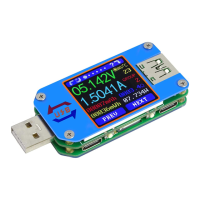
Details the primary display screen for monitoring voltage, current, and capacity.
Instructions for downloading and installing the Android APP.
Guides on connecting the app to the device and initial setup.
Describes the main screens and features of the Android application.
Instructions for connecting and operating the iOS app.
 General
| Model | UM25 |
|---|---|
| Category | USB Tester |
| Voltage Measurement Resolution | 0.01V |
| Capacity Accumulation Range | 0-99999mAh |
| Energy Accumulation Range | 0-99999mWh |
| Refresh Rate | 2Hz |
| Quick Charge Recognition | Yes |
| Data Recording | Yes |
| Type | USB Multimeter |
| Temperature Measurement Error | ±3°C |
| Screen | Color LCD Display |
| Interface | Micro USB |
| Operating Temperature | -10°C to 60°C |
| Temperature Range | -10°C - 100°C |
| Storage Temperature | -20°C to 70°C |

 To Next Page