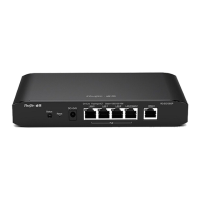
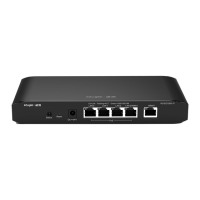
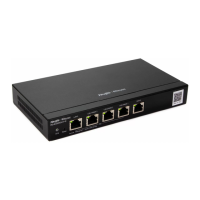
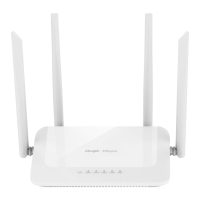
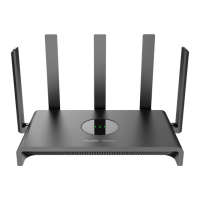
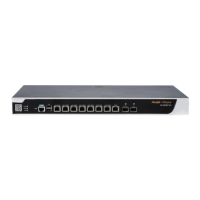
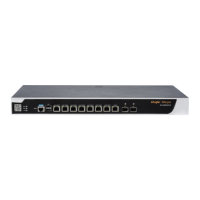
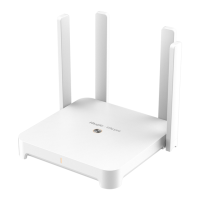
The Ruijie RG-EG210G-E Series Router is a data communication product developed by Ruijie Networks, featuring global-leading semiconductor and communication control technologies. Designed to international standards, it offers a comprehensive solution for network administrators familiar with mainstream router configurations, allowing for immediate use without extensive training. This hardware installation and reference guide provides detailed information on its functional and physical features, installation steps, hardware troubleshooting, and guidelines for cables and connectors.
Function Description
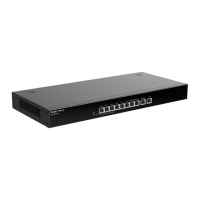
The RG-EG210G-E router serves as a central component in a network, facilitating Internet access and local network connectivity. It is equipped with multiple ports to connect various devices and manage network traffic efficiently. The device supports AC power input, ensuring compatibility with standard electrical systems.
For Internet access, the router includes a dedicated WAN port, designed to connect to a DSL/Cable modem. This allows the device to establish an external network connection, bringing the Internet to the local network.
For local area network (LAN) connectivity, the router provides nine LAN ports. These ports are used to connect to various internal network devices such as computers, switches, or access points (APs). This extensive port count enables the creation of a robust and scalable local network infrastructure, accommodating multiple wired connections for optimal performance and reliability.
The router's operational status is indicated by an LED, which provides visual feedback on its connection to Ruijie Cloud and its overall startup process. A blinking green light (0.5Hz) signifies that the device is not yet connected to Ruijie Cloud, while a solid green light indicates successful startup and connection to Ruijie Cloud. A faster blinking green light (10Hz) suggests that the device is either restoring factory settings or in the process of starting up.
Each port also features a Link/ACT LED, which indicates the status of the connection and data activity. A solid green light on this LED means the port is active and operational, while a blinking green light signifies that data is being forwarded through that specific port. These indicators are crucial for quick visual diagnostics, allowing users to ascertain connection status and data flow at a glance.
The device is designed to be managed and configured through a connected PC or an AP. By connecting a PC to a LAN port, users can configure the router, typically by obtaining an IP address automatically. Alternatively, an AP connected to a LAN port will broadcast an SSID (starting with "@Ruijie-m") after power-on, allowing users to connect wirelessly for configuration. This dual approach provides flexibility in setting up and managing the router, catering to different user preferences and network environments.
Usage Features
The RG-EG210G-E router is designed for ease of installation and operation, offering several features that enhance its usability and integration into various network setups.
Mounting Flexibility: The router can be installed in two primary ways:
- Standard 19-inch Cabinet Installation: Following EIA standard dimensions, the router can be securely mounted into a 19-inch cabinet using supplied mounting brackets, M6 screws, and cage nuts. This method is ideal for professional network environments where equipment is housed in racks, ensuring an organized and secure setup. Adequate space should be reserved for cabinet doors to facilitate maintenance, and proper cable management brackets should be used.
- Workbench Placement: For users without a standard cabinet, the router can be placed on a clean workbench. This involves attaching four rubber pads to the bottom corners of the device to ensure stability and prevent scratching. When placed on a workbench, it is crucial to ensure good ventilation around the router to maintain optimal operating temperatures.
Power Supply and Grounding: The router uses a 3-conductor AC power input, compatible with 100V to 240V, 50Hz/60Hz electrical systems. It is recommended to use a single-phase 3-conductor outlet or a multifunction microcomputer outlet with a neutral connector. Proper grounding is paramount for safety and stable operation. The device features a PGND (Protective Ground) pole on its back panel, which should be connected to the grounding lug of the rack and then to the grounding bar of the equipment room. This ensures protection against lightning strikes and electromagnetic interference (EMI). The grounding electric resistance should be less than 1Ω, and the cross-sectional area of the PE conductor should be at least 2.5 mm² (12AWG). The AC socket should be installed near the equipment for easy access.
Cable Management Recommendations: To ensure optimal performance and longevity, specific guidelines for cabling are provided:
- Bend Radius: Power cords, communication cables, and flat cables should have a bend radius greater than five times their diameter (seven times for frequently bent/removed cables). Coaxial cables require a bend radius greater than seven times their diameter (ten times for frequently bent/removed cables). High-speed cables (e.g., SFP cables) should have a bend radius greater than five times their diameter (ten times for frequently bent/removed cables).
- Fiber Bend Radius: For optical fibers, the fiber tray diameter should be at least 25 times the fiber diameter. When moving optical fibers, the bend radius should be at least 20 times the fiber diameter, and during cabling, it should be at least 10 times the fiber diameter.
- Bundling: Cables should be neatly bundled and marked with labels. Different cable types (power, signal, grounding) should be separated, maintaining a space of at least 30 mm when parallel. Binding racks and cabling slots should be smooth, without sharp corners. Proper buckles should be used, and excess buckle material should be trimmed smoothly. Cables should not be bundled within bend areas to prevent stress on cable cores.
- Fastening: When using screw threads to fasten cable terminals, bolts or screws must be tightly fastened, and anti-loosening measures should be taken. The hard power cable should be fastened by the terminal connection area to prevent stress. Self-tapping screws should not be used for fastening terminals.
Reset Functionality: The router includes a reset button on the front panel. A short press (less than 2 seconds) will restart the system. Pressing and holding the button for more than 5 seconds until the system status LED blinks will restore the device to its factory settings and restart it. After a factory reset, the default management address is http://192.168.110.1. This feature is useful for troubleshooting or reconfiguring the device from a clean state.
Heat Dissipation: The RG-EG210G-E employs natural heat dissipation, ensuring normal function without active cooling components. To facilitate proper air circulation, a minimum of 10 cm of clear space should be reserved on both sides and the back plane of the cabinet or device location. This ensures efficient heat escape and prevents overheating, contributing to the device's reliability and lifespan.
Maintenance Features
The RG-EG210G-E router is designed with maintenance in mind, incorporating features and guidelines to ensure its long-term reliability and ease of troubleshooting.
Environmental Requirements for Longevity: To ensure normal operation and prolong the service life of the router, specific environmental conditions must be maintained:
- Temperature and Humidity: The equipment room should maintain proper temperature and humidity levels. High humidity can lead to insulation degradation, mechanical performance changes, and metallic part rusting, while low humidity can cause insulating strips to dry and shrink, increasing static electricity risks. High temperatures can severely degrade performance and cause hardware faults. The manual provides specific temperature and humidity ranges for optimal operation.
- Cleanness: Dust poses a significant threat to equipment operation by adhering to components via static electricity, leading to poor contact in metallic joints and communication faults. The equipment room should be kept clean, and the router should be cleaned at regular intervals (e.g., every 3 months) to prevent dust from blocking vents, especially the screen mesh on the back of the cabinet. Additionally, the air in the equipment room must be free from harmful gases like sulfur dioxide, sulfured hydrogen, nitrogen dioxide, and chlorine, which can accelerate metal corrosion and component aging.
Troubleshooting Procedure: A general troubleshooting flowchart is provided to guide users through common issues after installation:
- Check Cabinet Installation: Verify that the device is properly mounted and secured in the cabinet.
- Check Power Supply: Ensure the power supply is correctly connected and functioning.
- Check LED Indicators: Observe the system status and Link/ACT LEDs for diagnostic information.
- Check Cable Connection: Verify that all external port cables are securely connected.
- Contact Support: If the issue persists after these checks, users are advised to contact Ruijie for hardware faults.
Common Faults and Solutions: The guide outlines solutions for frequently encountered problems:
- Forgetting Login Password: If a password is manually configured and forgotten, pressing the Reset Button for more than 5 seconds will restore the default password by reverting to factory settings.
- Status Indicator Not On: If the status indicator does not light up after startup, check if the power socket in the equipment room is normal and if the power cable of the device is in good contact. This ensures the power supply module is providing power correctly.
Static Discharge Damage Prevention: To prevent damage from static electricity, which can harm sensitive electronic components, the following measures are recommended:
- Proper Grounding: Ensure proper grounding of grounding screws on the back panel of the device.
- Indoor Dust Prevention: Implement measures to prevent dust accumulation indoors.
- Proper Humidity Conditions: Maintain appropriate humidity levels to reduce static electricity buildup.
Electrical Safety Precautions: The manual emphasizes several safety suggestions for electrical operations:
- Qualified Operators: Only qualified personnel should perform electrical operations, adhering to local regulations.
- Pre-Installation Checks: Before installation, check for potential dangers like ungrounded power supplies or damp environments.
- Emergency Power Switch: Locate the emergency power supply switch and be prepared to cut off power in an accident.
- Avoid Live Maintenance: Try to avoid maintaining powered-on switches alone.
- Power-Off Verification: Always double-check that power is shut down before maintenance.
- Dry Environment: Do not place equipment in damp locations or allow liquids to enter the chassis.
- Leakage Protection: If a power supply system has a leakage protector, ensure its rated leakage action current is greater than twice the theoretical maximum leakage current of all power supplies in the system to prevent misoperation and service interruptions. The human body safety current is 30 mA, so the rated leakage action current of each protector should be equal to or less than 30 mA.
These comprehensive maintenance and safety guidelines ensure the RG-EG210G-E router operates reliably and safely throughout its lifespan, minimizing downtime and protecting both the equipment and personnel.


 To Next Page
 General