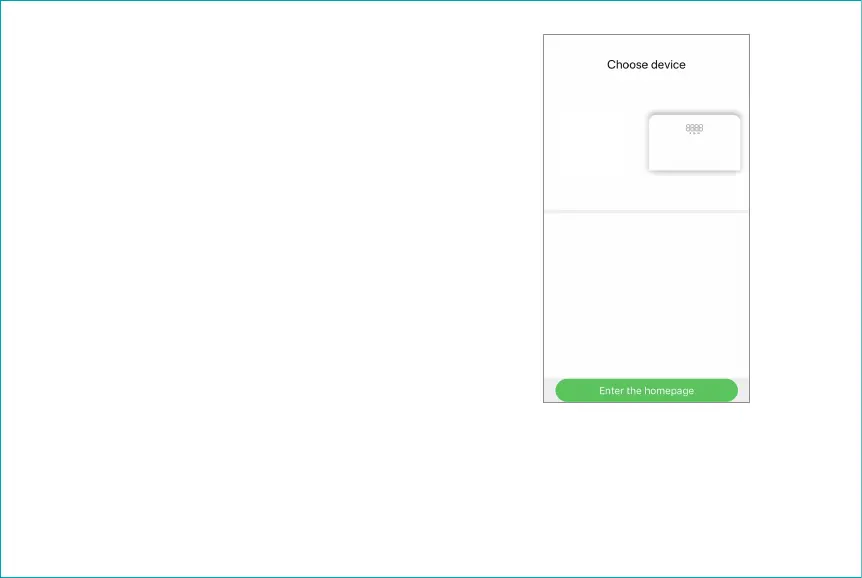
5. Choose device. Tap the “smart body fat scale”
on the screen. The app will change from the
“Choose device” to the “Paring your device”
screen.
This screen may list other devices detected by the
Runcobo app. Don’t tap other devices.
If you tap the “Enter the homepage” button at the
bottom, you will go to the app “Measurements”
screen. Continue next on Steps 6 & 7, but you
won’t see Step 8.
smart
body fat
scale


 To Next Page