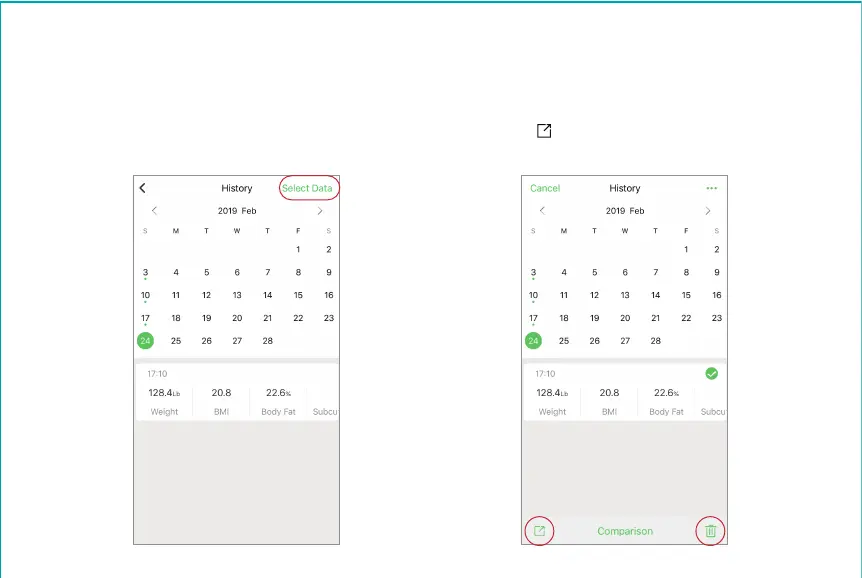
3. On your “History” screen. Use arrows to go to your selected date. Tap on this date on the calendar. The
measurement data for this date will be listed underneath the calendar. Tap “Select Data” (top right corner) to
select a data you want to delete, then tap the garbage icon can (bottom right corner) to delete.
4. On this “History” screen, you can also select a data to share on Facebook, Instagram, text message, or others.
Tap “Select Data” (top right corner) to select a data, and then tap the “ ” icon (bottom left corner) to share
your data on social media.


 To Next Page