8
7. Check for proper drum rotation. Pull and turn the clutch knob to the “CLUTCH
OUT” position. Pull out some cable from the drum, and then turn the clutch
knob to the “CLUTCH IN” position to engage the gears. Press the cable out
button on the power switch. If the drum is turning and releasing more cable
then your connections are accurate. If the drum is turning and collecting more
cable then reverse the leads on the motor. Repeat and check rotation.
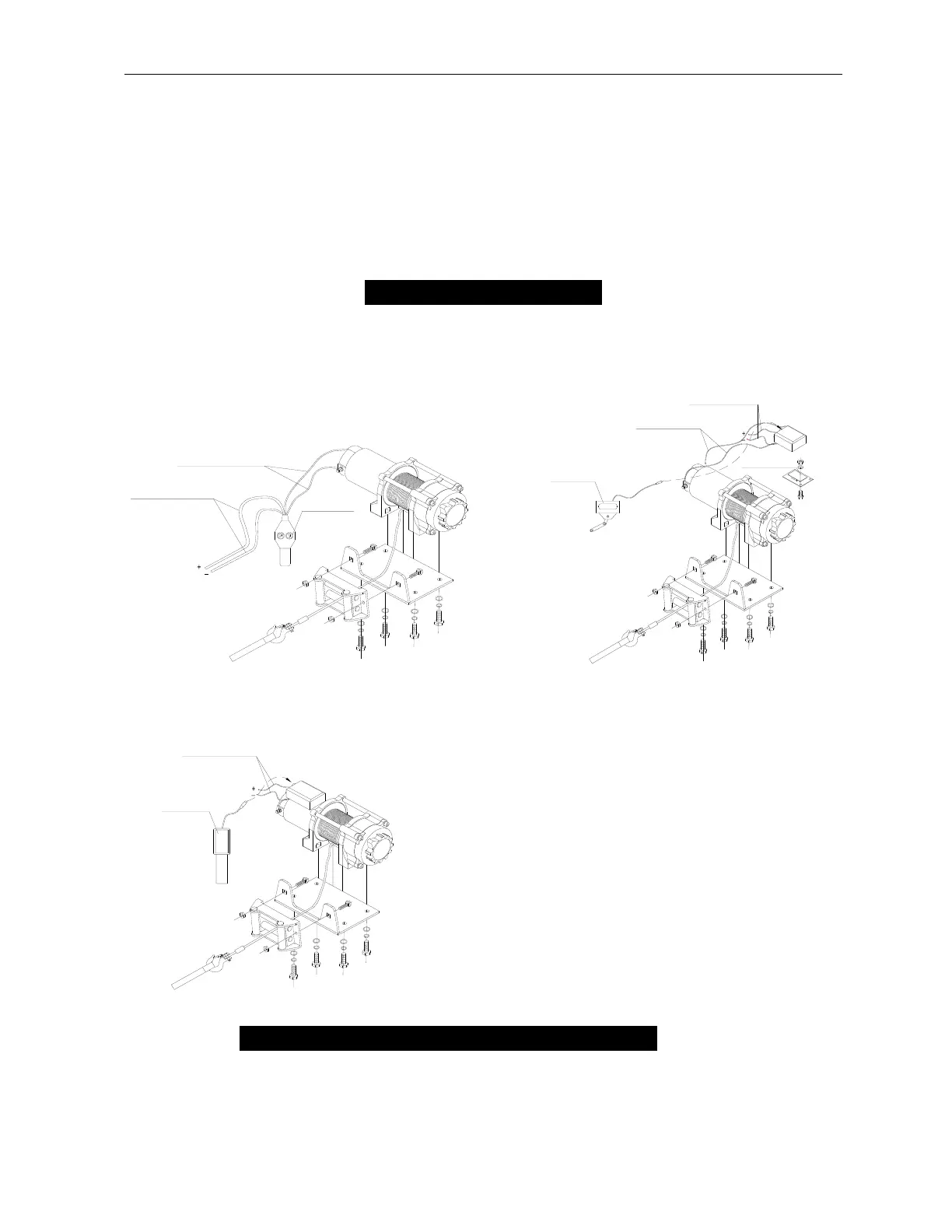
MOUNTING DRAWING
The mounting drawing
D type A type
WINCH ACCESSORIES YOU WILL NEED
NOT INCLUDED WITH YOUR WINCH
Gloves – For handling the wire rope and hook strap.


 To Next Page