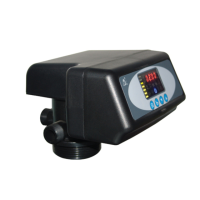
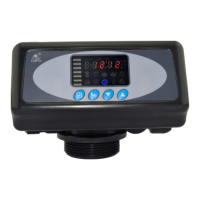
MODEL F71B/F71G/F67C/F67G/N75A/N75B
29
finish adjustment, press to turn back.
1. In the Rinsing Time program display
mode, press and enter into program
set mode, and 02 value flash;through
or to adjust the hour value
2. Press again, both and “00” flash,
through or to adjust the minute
value;
3. Press and hear a sound “Di”, then
finish adjustment, press to turn back.
1. In the Rinsing Frequency display mode,
it shows “F-02”; press and enter into
program set mode. and 02 flash;
2. Press or to adjust the value;
3. Press and hear a sound “Di”, then
finish adjustment, press to turn back.
1. In the Service Days display mode, it
shows and “1-03”; press and
enter into program set mode. and 03
flash;
2. Press or to adjust the value;
3. Press and hear a sound “Di”, then
finish adjustment, press to turn back.
1. In the Backwash Time display mode, it
shows and “2-10:00”; press and
enter into program set mode. and
10:00 flash;
2. Press or to adjust the value;
3. Press and hear a sound “Di”, then
finish adjustment, press to turn back.



 To Next Page