FRONT AND BACK PANEL
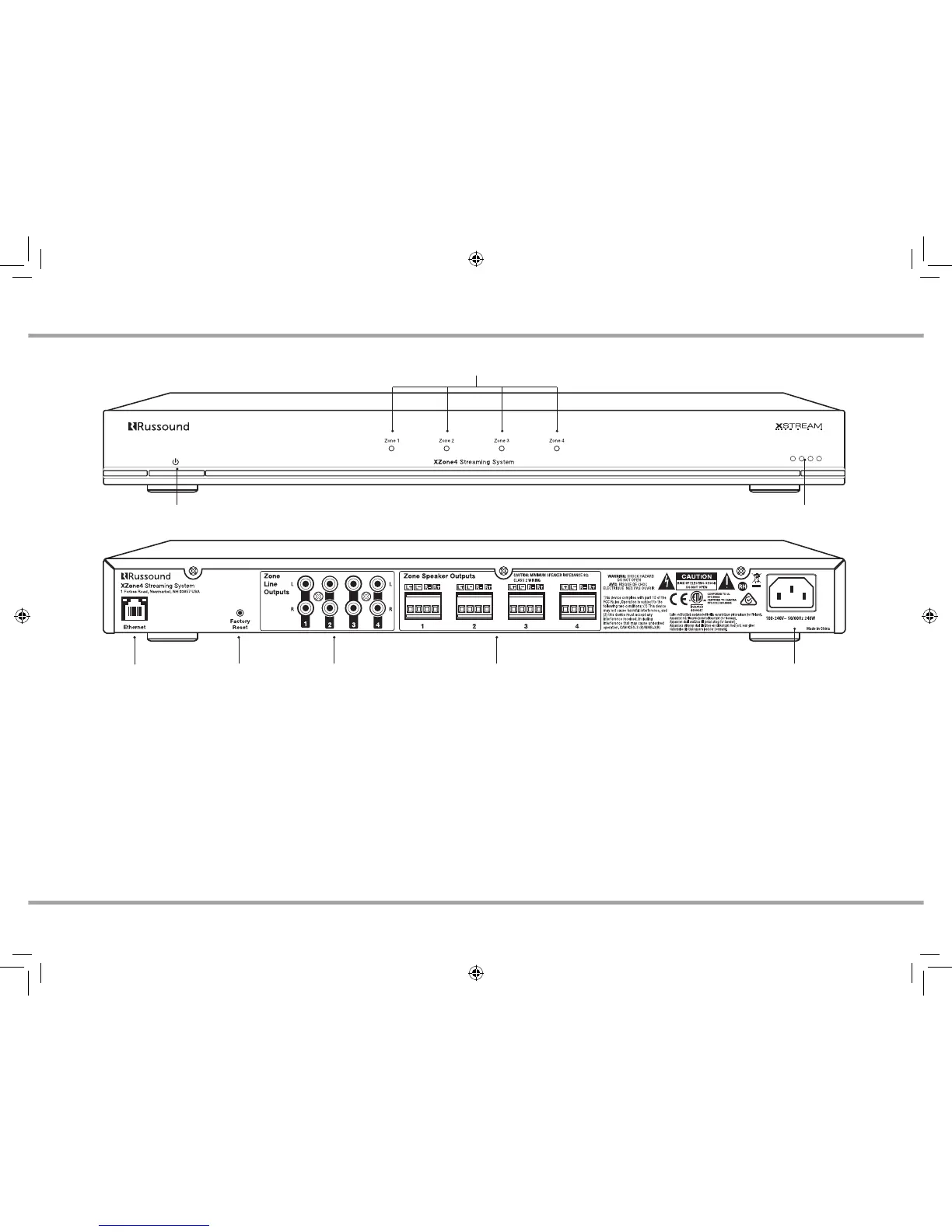
XZone4 Rear Panel
XZone4 Front Panel
Power Button LEDs
Troubleshooting
Zone LEDs
Ethernet
port
Factory
Reset
Zone Speaker
Outputs
Zone Line
Outputs
AC Input
Power Button - Turns the XZone4 on/o.
Zone LEDs - When a zone is powered on, the corresponding LED lights green. When a
zone is OFF, the LED is o (standby mode).
LEDs - Troubleshooting - See LED diagnostic chart on page 11
Ethernet Connection - The Ethernet connection is used for configuration and
programming as well as for enabling control via the MyRussound App or the XTS
Touchscreen. The default network setting is DHCP-enabled, but the XZone4 can be
configured with a static IP address using the Web Config interface.
Factory Reset - The factory reset button has two functions. A 3-second press and
hold will restore network settings to DHCP. A 10-second press and hold will reset the
XZone4 to its factory default settings.
Note: A unit that has been reset to factory default will have no configuration and will
need to be unlocked and reconfigured by a Russound Certified Installer. Network
connections will also default back to DHCP during a reset.
Zone Line Outputs - A variable line output is provided for eacht of the four zones, for
adding additional amplification to any zone if needed.
Zone Speaker Outputs - Connect 8 Ohm speakers for each of the zones.
AC input - Voltage is autoswitching for 100V to 240V operation 50-60 Hz. This recep-
tacle accepts a 3-prong IEC C13 type connector. A detachable 3-terminal power cord is
included.
XZone_Manual.indd 5 3/3/16 11:31 AM



 To Next Page