EasyManua.ls Logo

Russound XZone4 - User Manual

Russound XZone4
20 pages
Print Icon
To Next Page IconTo Next Page
Loading...
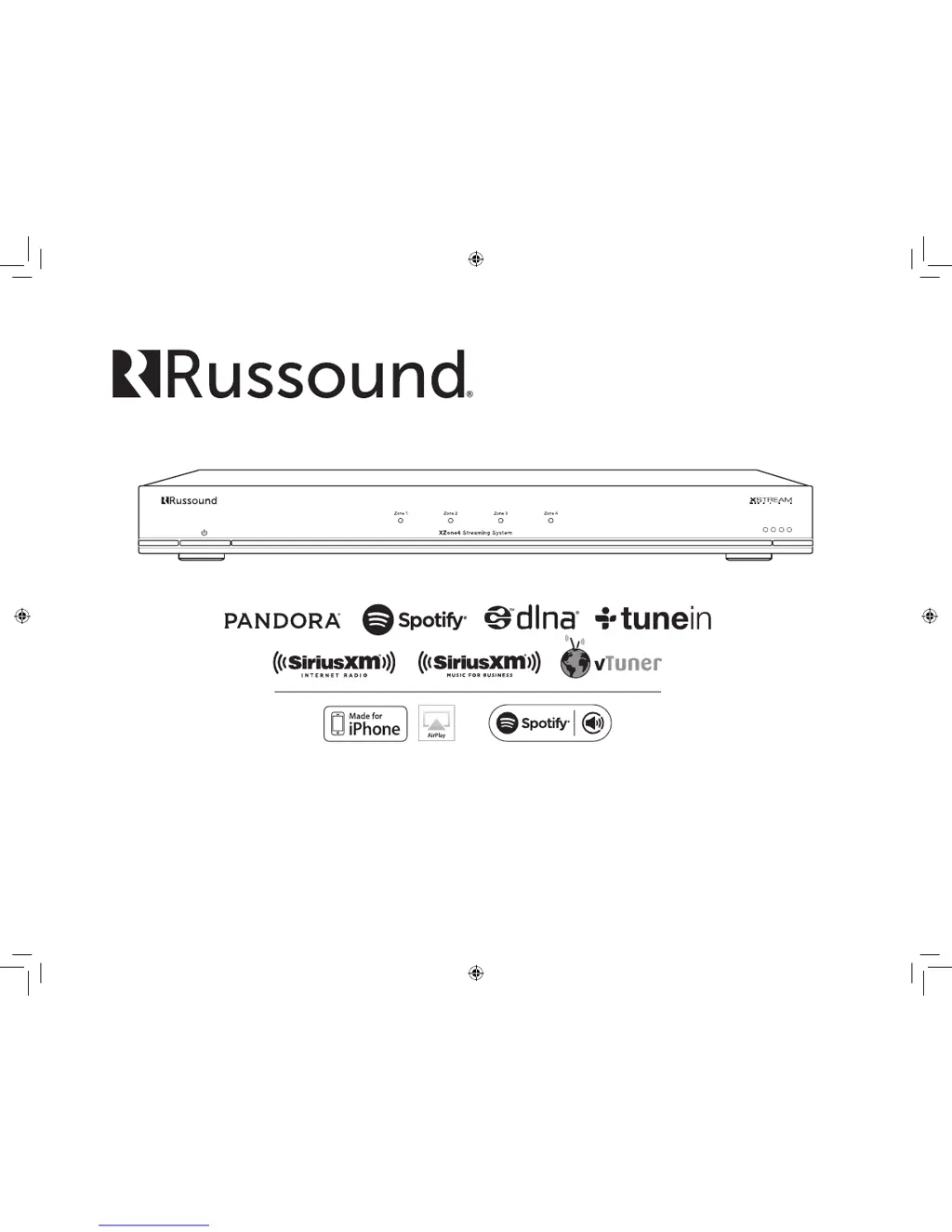
XZone4
Streaming System
Installation Manual
XZone_Manual.indd 1 3/3/16 11:31 AM

Questions and Answers

Summary

Russound Certified Installer Requirement

Product Installation Requirement

Mandatory requirement for a Russound Certified Installer for product setup and configuration.

Internet Connection for Installation

Necessity of an internet connection for initial product setup and firmware updates.

Lockdown Feature

Installer Credentials Entry

Process of entering installer credentials via Web Config to unlock the XZone4 system.

Product Overview

System Description

Introduction to the XZone4 as a four-zone streaming audio system for high-quality audio.

Key Features

Lists the primary features of the XZone4, including streaming services and connectivity options.

Web Configuration

Programming Capabilities

Highlights the Web Config feature for programming and configuring the XZone4.

Configurable Features

Lists specific settings and options available for customization through the Web Config interface.

Front and Back Panel Components

Front Panel Overview

Describes the components and indicators visible on the front panel of the XZone4.

Rear Panel Connections

Details the various ports and connectors available on the rear panel of the XZone4.

Power, LEDs, and Reset Functions

Explains the functionality of the power button, zone LEDs, and factory reset button.

Audio and Network Ports

Describes the Zone Line Outputs, Zone Speaker Outputs, and Ethernet network port.

Ethernet and Factory Reset Procedures

Ethernet Connection Details

Explains the use of the Ethernet connection for system setup, configuration, and control.

Factory Reset Functions

Describes the two functions of the factory reset button and their impact on settings.

Installation Mounting Options

Clearance Requirements

Specifies the necessary clearances around the unit for ensuring proper ventilation.

Mounting the XZone4

Outlines the four distinct methods for physically mounting the XZone4 unit.

Installation Steps and Considerations

Important Wiring and Connection Advice

Provides crucial advice on wiring, polarity verification, and cable routing to prevent noise.

Connecting the System

Guides through connecting speaker wires, Ethernet, and powering on the unit for initial setup.

Unlocking the XZone4

Details how to access and unlock the XZone4 using its IP address or hostname via web browser.

Installation and Firmware Updates

Unlocking XZone4 Credentials

Describes entering installer credentials via Web Config to unlock the system post-installation.

Firmware Update Procedure

Instructions on how to check for and perform firmware updates using the Web Config interface.

XZone4 Configuration via Web Config

Web Config Setup Tab

Overview of the Web Config interface for system setup and customization of XZone4 features.

Zone and Service Settings

Configuration of device names, AirPlay passwords, and enabling/disabling streaming services.

Audio Level and Zone Control

Adjusting Volume Trim, All-On Participation, and selecting Zone Output Type for each zone.

Networking and Power Management

Network Address Settings

Options for configuring DHCP or static IP addresses for the XZone4's network connectivity.

Power Recommendations

Guidance on optimal power management for the XZone4, including continuous operation.

Streaming Service Account Configuration

Service Account Setup

Instructions for setting up streaming service accounts like Spotify, Pandora, and SiriusXM.

Internet Radio and Multiple Devices

Details on using vTuner/TuneIn and managing account settings for multiple XStream devices.

Troubleshooting Common Issues

Network Connection Resets

Procedures for DHCP resets and factory resets to resolve network connectivity issues.

LED Status Indicators

Explanation of front panel LED lights to assist in diagnosing system status and errors.

General Troubleshooting Guide

Resolving System and Network Issues

Advice on power cycling, network resets, and general troubleshooting for common problems.

Connection Diagrams

System Connectivity Layouts

Diagrams illustrating XZone4 connections to XTS controllers, routers, and speakers.

Network and Audio Cabling

Shows CAT-5 and speaker cable connections for typical system setup scenarios.

Audio and Room Connection Examples

Room and Zone Wiring

Illustrates speaker connections for specific rooms and zones, such as 'Patio' or 'Room 1'.

Cable Type Connections

Shows examples of using RCA and speaker cables for audio signal connections.

Network Best Practices and Specifications

Network Optimization Tips

Recommendations for network configuration, router settings, and best practices.

Glossary of Terms

Definitions of networking terms such as Multicast, Unicast, IGMP, WMM, and UPnP.

Performance Metrics

Details frequency response, amplifier power output, and harmonic distortion levels.

Connectivity and File Support

Lists communication ports, supported music file formats, and network protocols.

Physical and Power Details

Specifies the physical dimensions, weight, and power requirements of the XZone4 unit.

Limited Warranty Information

Warranty Coverage and Exclusions

Details what the Russound XZone4 warranty covers and common exclusions.

Unauthorized Sales and Returns

Policy on products from unauthorized dealers and procedures for warranty returns.

Safety Instructions and Warnings

Electrical Safety Precautions

Warnings regarding electric shock hazard, not opening the unit, and avoiding moisture.

General Operating Safety

Advises reading instructions, retaining them, and heeding all safety warnings.

Environmental and Usage Safety

Guidelines for safe usage near water, proper cleaning, and ensuring adequate ventilation.

Safety Instructions and Precautions

Environmental and Installation Safety

Precautions for heat, ventilation, grounding, power cord protection, and object entry.

Installation and Servicing Safety

Guidelines for mounting, location, servicing, and identifying damage requiring repair.

Summary

Russound Certified Installer Requirement

Product Installation Requirement

Mandatory requirement for a Russound Certified Installer for product setup and configuration.

Internet Connection for Installation

Necessity of an internet connection for initial product setup and firmware updates.

Lockdown Feature

Installer Credentials Entry

Process of entering installer credentials via Web Config to unlock the XZone4 system.

Product Overview

System Description

Introduction to the XZone4 as a four-zone streaming audio system for high-quality audio.

Key Features

Lists the primary features of the XZone4, including streaming services and connectivity options.

Web Configuration

Programming Capabilities

Highlights the Web Config feature for programming and configuring the XZone4.

Configurable Features

Lists specific settings and options available for customization through the Web Config interface.

Front and Back Panel Components

Front Panel Overview

Describes the components and indicators visible on the front panel of the XZone4.

Rear Panel Connections

Details the various ports and connectors available on the rear panel of the XZone4.

Power, LEDs, and Reset Functions

Explains the functionality of the power button, zone LEDs, and factory reset button.

Audio and Network Ports

Describes the Zone Line Outputs, Zone Speaker Outputs, and Ethernet network port.

Ethernet and Factory Reset Procedures

Ethernet Connection Details

Explains the use of the Ethernet connection for system setup, configuration, and control.

Factory Reset Functions

Describes the two functions of the factory reset button and their impact on settings.

Installation Mounting Options

Clearance Requirements

Specifies the necessary clearances around the unit for ensuring proper ventilation.

Mounting the XZone4

Outlines the four distinct methods for physically mounting the XZone4 unit.

Installation Steps and Considerations

Important Wiring and Connection Advice

Provides crucial advice on wiring, polarity verification, and cable routing to prevent noise.

Connecting the System

Guides through connecting speaker wires, Ethernet, and powering on the unit for initial setup.

Unlocking the XZone4

Details how to access and unlock the XZone4 using its IP address or hostname via web browser.

Installation and Firmware Updates

Unlocking XZone4 Credentials

Describes entering installer credentials via Web Config to unlock the system post-installation.

Firmware Update Procedure

Instructions on how to check for and perform firmware updates using the Web Config interface.

XZone4 Configuration via Web Config

Web Config Setup Tab

Overview of the Web Config interface for system setup and customization of XZone4 features.

Zone and Service Settings

Configuration of device names, AirPlay passwords, and enabling/disabling streaming services.

Audio Level and Zone Control

Adjusting Volume Trim, All-On Participation, and selecting Zone Output Type for each zone.

Networking and Power Management

Network Address Settings

Options for configuring DHCP or static IP addresses for the XZone4's network connectivity.

Power Recommendations

Guidance on optimal power management for the XZone4, including continuous operation.

Streaming Service Account Configuration

Service Account Setup

Instructions for setting up streaming service accounts like Spotify, Pandora, and SiriusXM.

Internet Radio and Multiple Devices

Details on using vTuner/TuneIn and managing account settings for multiple XStream devices.

Troubleshooting Common Issues

Network Connection Resets

Procedures for DHCP resets and factory resets to resolve network connectivity issues.

LED Status Indicators

Explanation of front panel LED lights to assist in diagnosing system status and errors.

General Troubleshooting Guide

Resolving System and Network Issues

Advice on power cycling, network resets, and general troubleshooting for common problems.

Connection Diagrams

System Connectivity Layouts

Diagrams illustrating XZone4 connections to XTS controllers, routers, and speakers.

Network and Audio Cabling

Shows CAT-5 and speaker cable connections for typical system setup scenarios.

Audio and Room Connection Examples

Room and Zone Wiring

Illustrates speaker connections for specific rooms and zones, such as 'Patio' or 'Room 1'.

Cable Type Connections

Shows examples of using RCA and speaker cables for audio signal connections.

Network Best Practices and Specifications

Network Optimization Tips

Recommendations for network configuration, router settings, and best practices.

Glossary of Terms

Definitions of networking terms such as Multicast, Unicast, IGMP, WMM, and UPnP.

Performance Metrics

Details frequency response, amplifier power output, and harmonic distortion levels.

Connectivity and File Support

Lists communication ports, supported music file formats, and network protocols.

Physical and Power Details

Specifies the physical dimensions, weight, and power requirements of the XZone4 unit.

Limited Warranty Information

Warranty Coverage and Exclusions

Details what the Russound XZone4 warranty covers and common exclusions.

Unauthorized Sales and Returns

Policy on products from unauthorized dealers and procedures for warranty returns.

Safety Instructions and Warnings

Electrical Safety Precautions

Warnings regarding electric shock hazard, not opening the unit, and avoiding moisture.

General Operating Safety

Advises reading instructions, retaining them, and heeding all safety warnings.

Environmental and Usage Safety

Guidelines for safe usage near water, proper cleaning, and ensuring adequate ventilation.

Safety Instructions and Precautions

Environmental and Installation Safety

Precautions for heat, ventilation, grounding, power cord protection, and object entry.

Installation and Servicing Safety

Guidelines for mounting, location, servicing, and identifying damage requiring repair.

Russound XZone4 Specifications

General IconGeneral
BrandRussound
ModelXZone4
CategoryMedia Player
LanguageEnglish

Related product manuals