Product Overview ................................................................................................................... 3
Web Conguration.................................................................................................................. 4
Front and Back Panel ..............................................................................................................5
Ethernet Connection and Factory Reset ......................................................................... 6
Installation Overview ......................................................................................................... 6-8
Conguration ............................................................................................................................9
Troubleshooting ....................................................................................................................12
Connection Diagrams ................................................................................................... 13-14
Network Best Practices ........................................................................................................15
Technical Specications ......................................................................................................15
Limited Warranty ...................................................................................................................16
Safety Instructions ......................................................................................................... 18-19
TABLE OF CONTENTS
Product Overview
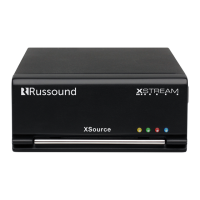
Thank you for choosing the Russound XZone4 Four-Zone Streaming Audio
System as your audio solution. The XZone4 is a Hi-Res Audio system designed
to provide high quality streaming audio to up to four rooms. It is easy to add
additional rooms up to a maximum of sixteen total rooms by adding additional
Russound XStream Series components.
The XZone4 puts all of your music at your ngertip, with access to today’s
most popular streaming services like Spotify®, Pandora®, SiriusXM® and the
best that internet radio has to oer from TuneIn® and vTuner®. In addition to
these sources, you can access all of your locally stored music on networked
computers, NAS drives, or phones/tablets through the integrated DLNA player.
Russound was the rst multiroom audio company to embrace Apple AirPlay
and oer popular on-board streaming services. You can easily stream your
iTunes™ library and other audio content from any AirPlay-enabled Apple
device to the XZone4 and listen to it throughout your home.
In addition to oering easy access and control through the MyRussound App
(iOS and Android® versions are available), Russound also oers the XTS in-wall
touchscreen, for an easy-to-access, always available control point for any zone
in your home.
PRODUCT OVERVIEW
Features
• Built-in AirPlay streaming with full metadata to iOS/Android apps or XTS touchscreens
• Hi-Res audio streaming supports up to 24-bit/192 KHz
• Powerful 30 watts per channel to each connected zone
• Integrated xed/variable stereo line-out connections for additional amplication options
• Four mounting options available: table top, rack mount, under cabinet or wall mount
• Easy conguration and set-up via smartphone, tablet or laptop using Russound Web Cong
• 4 independent streaming audio players
• 4 amplied zones, expandable to 16 streaming zones using any combination of XStream
Series products
• Controllable by the XTS in-wall touchscreen or the MyRussound app
• XStream complement of streaming sources include Spotify, Pandora, AirPlay and more
• Mix and match with other XStream Series components for versatile system design
XZone_Manual.indd 3 3/3/16 11:31 AM


 To Next Page
 Loading...