34
ENTERING OAT
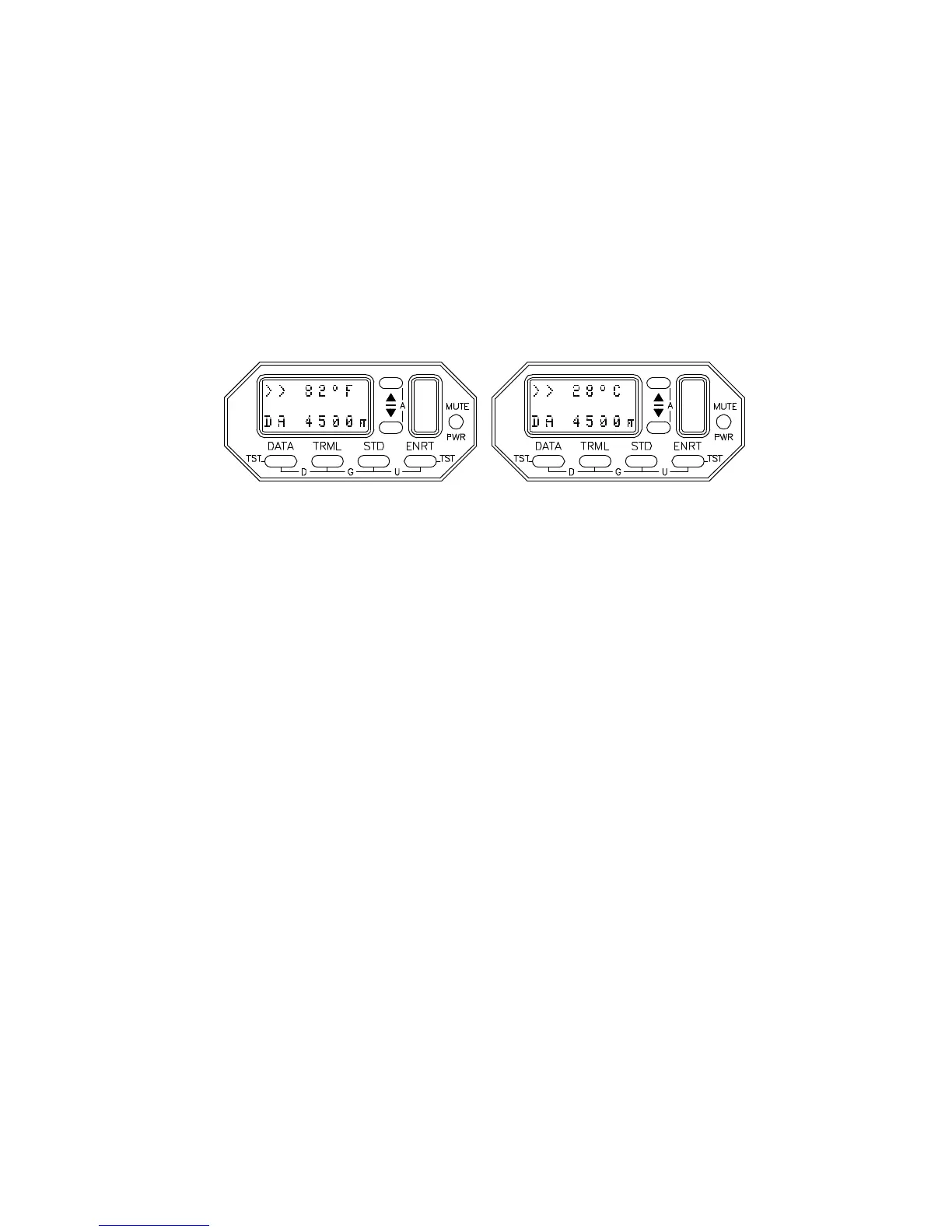
By depressing the s or t button while engaged in the
Density Altitude function, the Outside Air Temperature
(OAT) on the TCAD can be adjusted to reflect the OAT as
reported, or as shown on the OAT gauge. The Density
Altitude corresponding to the displayed temperature and
aircraft altitude is computed and displayed.
Note: TCAD does not measure the actual Outside Air
Temperature. The operator must adjust TCAD to reflect the
OAT.
The OAT can be adjusted using a degrees Fahrenheit (F)
format or a degrees Celsius (C) format. Press the DATA
button to toggle between Fahrenheit and Celsius. When
Density Altitude is selected, the display defaults to the
previously entered temperature and format. Pressing the
TRML or STD button can make large steps to the vicinity of
the desired OAT.
DISENGAGING
The TCAD can be returned to the collision alert function by
pressing the DATA and TRML buttons. If no button is
pressed for 8 seconds, the TCAD will automatically return
to collision alert operation.


 To Next Page