71
APPENDIX 1
SETUP
____________________________________
____________________________________
PROGRAMMING
The user can set several parameters in the TCAD. These
parameters are kept in memory, and do not have to be
adjusted until desired. This allows flexibility for the pilot,
yet requires minimum effort before flight.
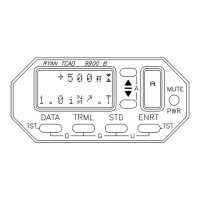
To engage a programming function, the appropriate button
is pressed twice. The current setting will be displayed. The
up and down buttons can be used to adjust the displayed
parameter. To select the next parameter, the appropriate
button is pressed again. When each parameter has been
considered, TCAD returns to collision alert operation. In all
cases, if no button is pressed for about 8 seconds when in a
programming mode, TCAD will step to the next selection
until it returns to collision alert operation.
SETTING THE SHIELD SIZE
Depress the selected button (TRML, STD, or ENRT) twice.
The shield height in 100-foot increments will be displayed.
To change the height, press the s or t buttons. Depress the
selected button again for shield radius adjustment. Depress
the mode button once more to return TCAD to normal
operation.
Note: For considerations in setting shield size, see Section
IX, Operating Tips.


 To Next Page