Chapter
1 Operation Procedures
<Lateral image adjustment
by
moving the paper>
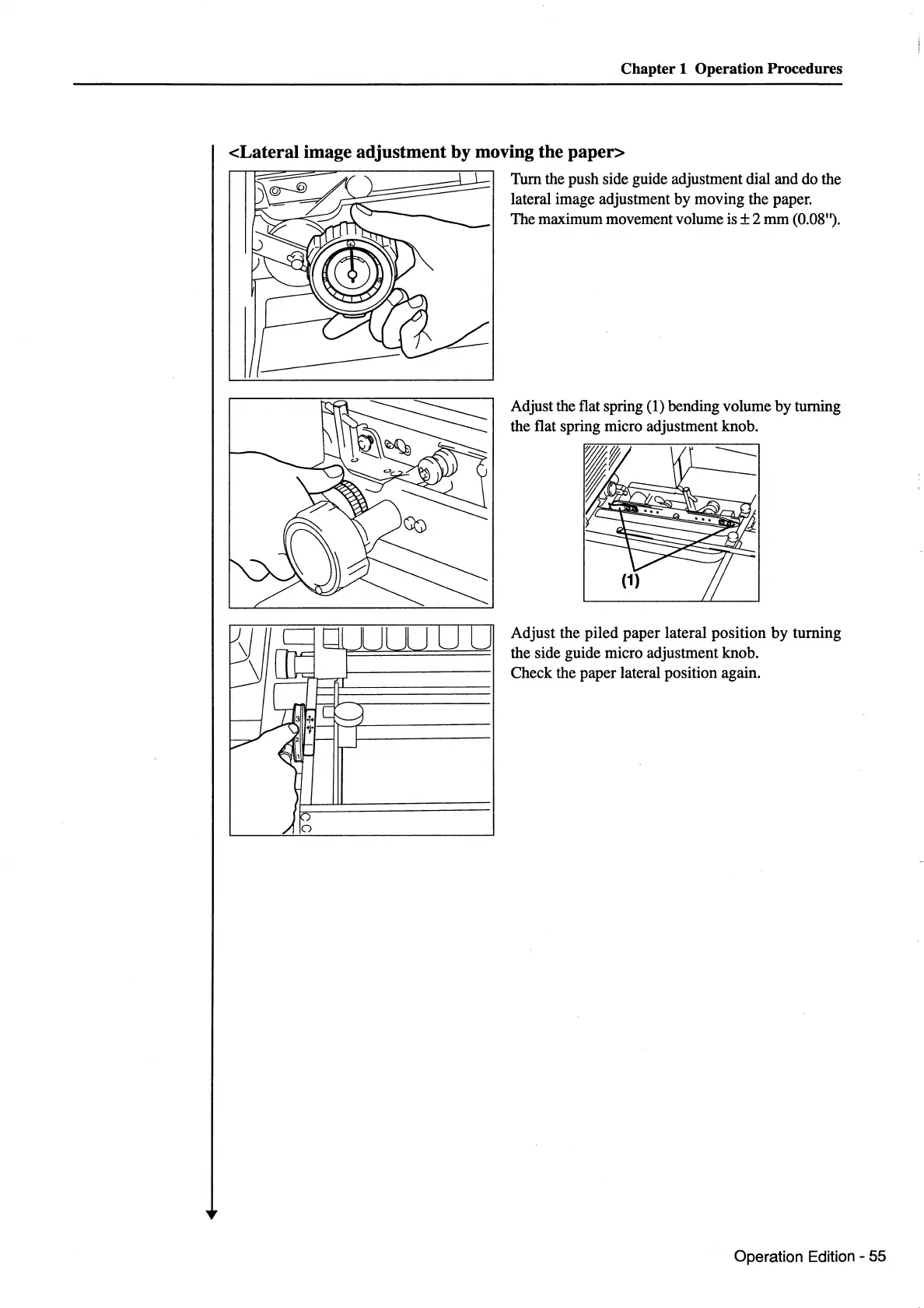
Turn the push side guide adjustment dial and do the
lateral image adjustment by moving the paper.
The maximum movement volume
is±
2
mm
(0.08").
Adjust the flat spring (1) bending volume by turning
the flat spring micro adjustment knob.
----
Adjust the piled paper lateral position
by
turning
the side guide micro adjustment knob.
Check the paper lateral position again.
Operation Edition - 55



 To Next Page