EasyManua.ls Logo

Ryobi AP1301 - User Manual

Ryobi AP1301
22 pages
Print Icon
To Next Page IconTo Next Page
Loading...
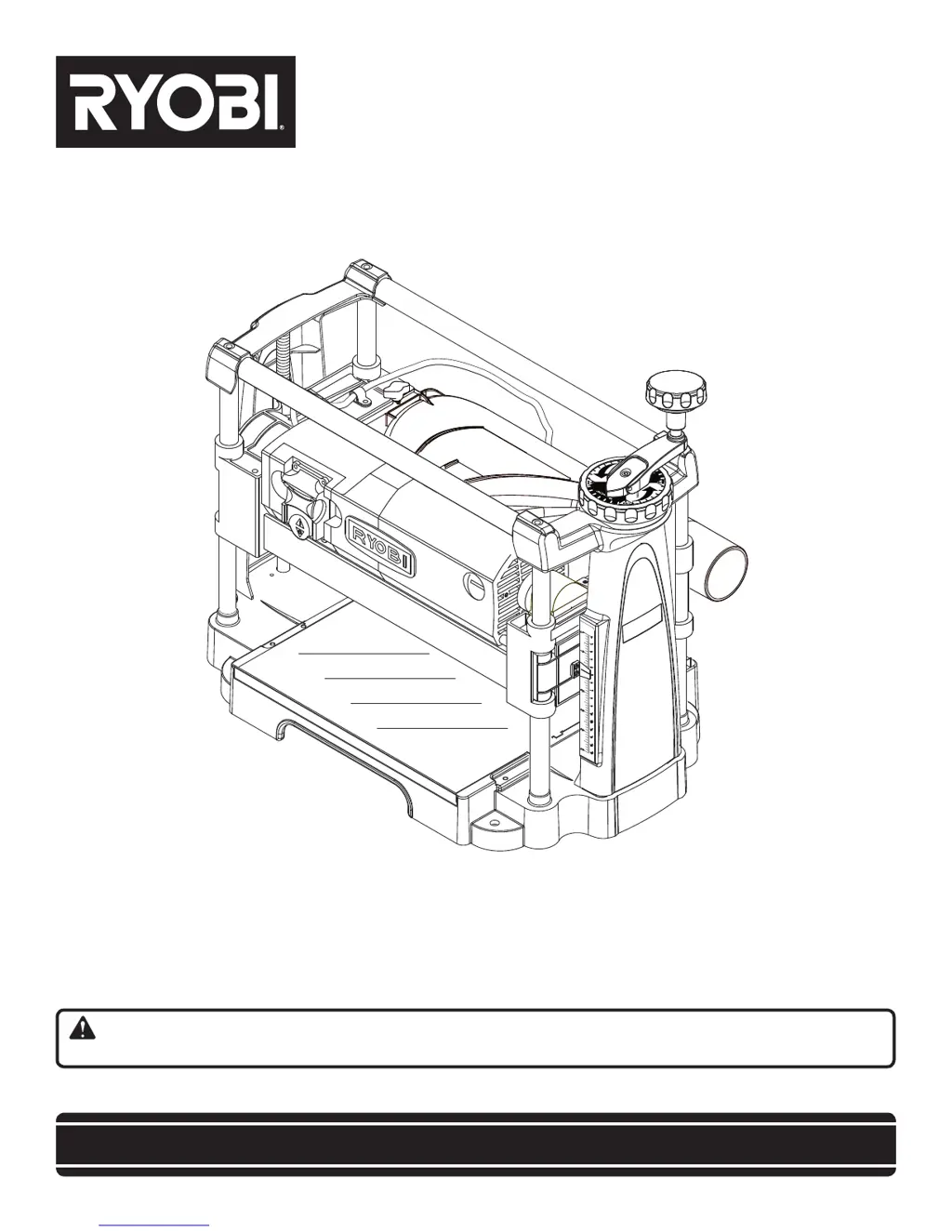
Your portable planer has been engineered and manufactured to our high standard for dependability, ease of operation, and
operator safety. When properly cared for, it will give you years of rugged, trouble-free performance.
WARNING: To reduce the risk of injury, the user must read and understand the operator’s manual before using
this product.
Thank you for your purchase.
SAVE THIS MANUAL FOR FUTURE REFERENCE
OPERATOR’S MANUAL
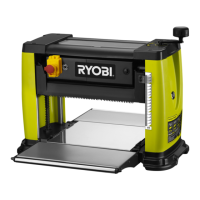
13 in. PORTABLE PLANER
AP1301

Other manuals for Ryobi AP1301

Questions and Answers

  • C
    Charles LiAug 13, 2025
    What to do if my Ryobi Planer will not start?
    • S
      Samuel DeanAug 13, 2025
      If your Ryobi Planer won't start, first ensure it's properly plugged into a functioning power source. Check the fuse or circuit breaker and replace or reset if necessary. If these steps don't resolve the issue, it could be due to motor failure, a loose wire, or a malfunctioning ON/OFF switch, which would require service by an authorized service center.
  • R
    Rebecca SanchezAug 17, 2025
    Why is my Ryobi AP1301 causing torn grain?
    • J
      Jennifer ArnoldAug 17, 2025
      Torn grain when using your Ryobi Planer can occur if the blade setting is too deep. Try reducing the depth of cut. Also, check the direction you're feeding the workpiece; feeding against the grain can cause tearing, so try feeding the other end of the board first. Dull cutter blades can also be the culprit, so replace or turn them.
  • M
    Michelle WaltersAug 21, 2025
    How to prevent snipe with Ryobi AP1301?
    • M
      mperezAug 21, 2025
      Snipe, or depressions at the ends of your workpiece when using the Ryobi Planer, can be due to several factors. Dull cutter blades can cause this, so try replacing or turning them. Incorrect butted stock can also be a cause; ensure you butt pieces end-to-end as they are fed into the planer. Lastly, check that the unit is securely mounted and tighten the lag bolts if necessary.
  • S
    Steven LopezAug 25, 2025
    What to do if Ryobi AP1301 Planer has interrupted operation?
    • L
      Lisa RodriguezAug 25, 2025
      If you're experiencing interrupted operation with your Ryobi Planer, it could be due to the unit being overloaded. Try reducing the load. Another cause could be an overloaded circuit. Try operating the planer on a circuit separate from other appliances or motors, or connect it to a circuit with an adequate amp rating.
  • C
    Chase CrawfordAug 28, 2025
    Why is my Ryobi AP1301 leaving a fuzzy/rough grain?
    • J
      Jenna DavisAug 29, 2025
      Fuzzy or rough grain when using the Ryobi Planer can be caused by high wood moisture content; make sure to dry the wood before planing. Dull cutter blades can also contribute, so replace or turn them. Additionally, check if the blade setting is too deep and reduce the depth of cut if needed. An incorrect feeding speed may be the problem, so check for an adequate power supply. Also check cord and plug for damage and the condition of motor brushes.
  • S
    stevenmooreSep 1, 2025
    Why is my Ryobi Planer giving an uneven depth of cut?
    • J
      Jessica SimpsonSep 1, 2025
      An uneven depth of cut with your Ryobi Planer can occur if the cutter head assembly is not level with the planer surface; adjust the elevation screws to correct this. Unstable roller spring pressure or a feed roller worn unevenly can also cause this issue, in which case you should have service performed by an authorized service center.
  • J
    Jesse LynchSep 4, 2025
    Why board thickness does not match depth scale indicator on Ryobi AP1301?
    • W
      Warren RobinsonSep 4, 2025
      If the board thickness doesn't match the depth scale indicator on your Ryobi Planer, the depth scale may be incorrectly set. Try adjusting the depth scale. A dirty planing table can also cause this issue, so clean and wax the planing table.
  • P
    Patricia RamirezSep 9, 2025
    How to fix cutter head height difficult to adjust on Ryobi Planer?
    • J
      jennifercruzSep 9, 2025
      If the cutter head height on your Ryobi Planer is difficult to adjust, the spindle may be dirty. Try cleaning and lubricating the spindle. Another possible cause is a worn chain, which would require service by an authorized service center.

Summary

Warranty Information

30-Day Exchange Policy

Details the policy for exchanging a defective RYOBI power tool within 30 days of purchase.

What This Warranty Covers

Specifies that the warranty covers defects in workmanship or materials for a two-year period.

How to Get Service

Provides instructions on contacting service centers and the required documentation for warranty claims.

Whats Not Covered

Outlines limitations of the warranty, excluding misuse, abuse, neglect, or unauthorized repairs.

Additional Limitations

Explains limitations on implied warranties and liability for indirect or incidental damages.

General Safety Rules

Specific Safety Rules

Symbols Explained

Electrical Safety and Connections

Extension Cords

Guidelines for selecting and using appropriate extension cords for power tools.

Speed and Wiring Considerations

Information on tool speed, voltage, and how shop wiring affects performance.

Grounding Instructions

Explains the importance of grounding for electric shock prevention and proper connection.

Glossary of Terms

Product Features Overview

Product Specifications

Lists key specifications including feed rate, motor power, dimensions, and weight.

Know Your Planer

Introduces the user to the planer's main components and functions.

Loose Parts Identification

Identifies and lists all parts included with the planer, with key numbers.

Assembly Instructions

Unpacking and Inspection

Steps for safely unpacking the tool, inspecting for damage, and handling heavy components.

Mounting the Planer

Guidance on securely mounting the planer to a workbench or mounting board.

Installing Depth Adjustment Handle

Instructions for attaching the depth adjustment handle using the provided hardware.

Operating Your Planer

Applications

Lists the intended uses for the planer, primarily for solid wood and wood products.

Thickness Planing

Explains the process of sizing workpieces to a desired thickness and achieving a smooth surface.

Planing Tips

Provides advice for optimal planing results, including workpiece preparation and cut depth.

Avoiding Snipe

Methods to prevent depressions or marks at the ends of workpieces during planing.

Handling Warped Wood

Techniques for planing workpieces that are cupped or bowed to minimize waste and jamming.

Power Switch Operation

Details on how to turn the planer on, off, and lock the switch using the key.

Adjusting the Planing Depth

Instructions for setting the depth of cut using the adjustment knob and handle.

Planing Procedure

Step-by-step guide for feeding workpieces through the planer and receiving the planed lumber.

Adjustments and Settings

Thickness Scale Adjustment

Procedure for aligning the thickness scale indicator to ensure accurate depth measurements.

Blade Adjustment

Instructions on how to make minor adjustments to the blades for planing imperfections.

Maintenance Procedures

General Maintenance and Cleaning

Tips for cleaning the tool, avoiding solvents, and maintaining the planing table.

Lubrication Requirements

Guidance on lubricating moving parts and the cutter blades for optimal performance.

Motor and Electrical Care

Advice on keeping the universal motor clean and maintaining its components.

Blade Replacement

Detailed steps for safely removing, rotating, and replacing the planer blades.

Brush Replacement

Instructions for inspecting and replacing the carbon brush assemblies when worn.

Cleaning the Planer

Emphasis on cleaning sawdust buildup for accurate planing and maintaining the dust hood.

Troubleshooting Common Issues

Service and Parts Ordering

Model and Serial Number Recording

Instructions for locating and recording the tool's model and serial numbers.

How to Order Repair Parts

Information needed when ordering replacement parts, including model and serial numbers.

Ryobi AP1301 Specifications

General IconGeneral
BrandRyobi
ModelAP1301
CategoryPlaner
LanguageEnglish

Related product manuals