EasyManua.ls Logo

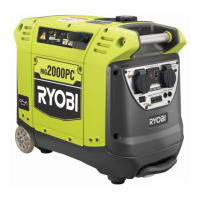
Ryobi RIG2000PC - User Manual

Ryobi RIG2000PC
24 pages
Print Icon
To Next Page IconTo Next Page
Loading...
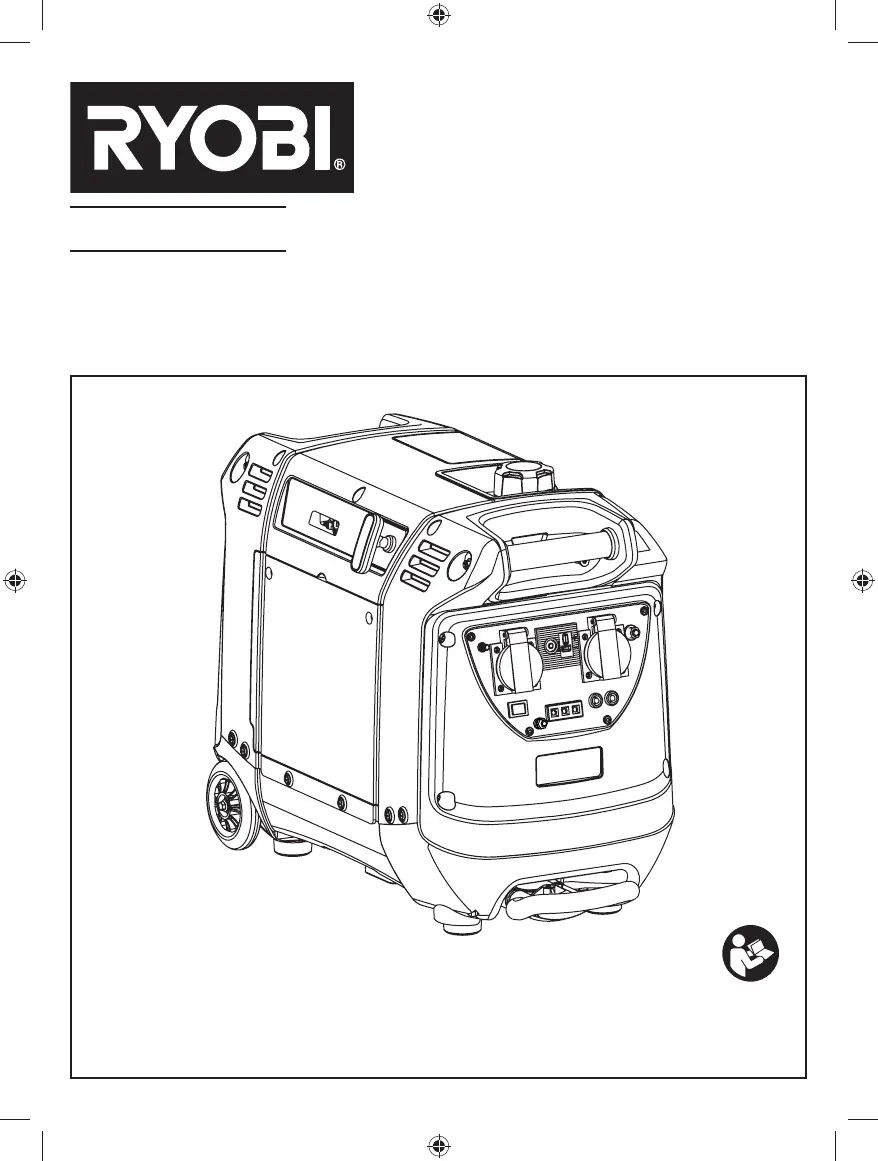
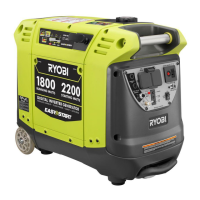
DIGITAL INVERTER GENERATOR
OPERATOR'S MANUAL (ORIGINAL INSTRUCTIONS)
RIG2000PC
Important! It is essential that you read the instructions in this manual before
assembling, maintaining and operating this machine.
Subject to technical modifications.

Other manuals for Ryobi RIG2000PC

Questions and Answers

  • N
    Nathaniel RivasAug 2, 2025
    How to start Ryobi RIG2000PC when engine will not start?
    • E
      Elizabeth MahoneyAug 2, 2025
      If your Ryobi Inverter engine won't start, there are several potential causes: * The engine/choke lever might be in the run position. If so, move it to the start position. * The fuel tank may be empty, so fill it up. * The gasoline could be stale or contaminated with water. In this case, drain the entire fuel system and refill with fresh fuel. * The lubricant level might be low. Check and fill if necessary. * The spark plug may be faulty, fouled, or improperly gapped, requiring replacement. * The engine might have been stored without proper fuel treatment or draining, or refueled with bad gasoline. Drain the fuel and carburetor, then refuel with fresh gasoline. * The fuel filter may be dirty, requiring replacement.
  • D
    douglassandraAug 8, 2025
    Why does my Ryobi Inverter engine lacks power?
    • G
      gellisAug 8, 2025
      If your Ryobi Inverter engine lacks power, it could be due to a few reasons: * The engine might have been stored without treating or draining gasoline, or refueled with bad gasoline. In this case, drain the fuel and carburetor, then refuel with fresh gasoline. * The air filter could be dirty. Try cleaning or replacing it as needed.
  • M
    Michael WhiteAug 14, 2025
    What to do if AC receptacle does not work on Ryobi RIG2000PC Inverter?
    • A
      Anthony ReynoldsAug 14, 2025
      If the AC receptacle on your Ryobi Inverter isn't working, the item you've plugged in might be defective. Try a different item. Alternatively, the generator might be overloaded. Remove some loads and press the reset button.
  • F
    frodriguezAug 19, 2025
    What to do if DC receptacle does not work on Ryobi RIG2000PC Inverter?
    • C
      Courtney SmithAug 20, 2025
      If the DC receptacle on your Ryobi Inverter isn't working, the circuit protector may be engaged. Remove any load from the generator. Alternatively, the item you've plugged in may be defective. Turn the auto idle switch to off, then depress the DC circuit breaker and try a different item.
  • R
    ronald58Aug 26, 2025
    Why Ryobi RIG2000PC Inverter makes a “spark knock” or “pinging" noise?
    • J
      Joseph ScottAug 26, 2025
      An occasional light “knocking” or “pinging” noise under a heavy load from your Ryobi Inverter is usually not a cause for concern. Try switching to a different brand of gasoline with an octane rating of 91 or higher.

Summary

Description of Generator Components

Generator Components Identification

Lists and identifies all major external components and parts of the generator unit with corresponding numbers.

Introduction and Safety Guidance

Important Safety Instructions

Provides critical safety warnings regarding carbon monoxide, grounding, and general precautions for generator use.

Save These Instructions

An instruction to retain the manual for future reference and to share it with others.

Specific Safety Rules

Building Wiring System Connection

Details specific safety requirements for connecting the generator to a building's wiring system.

Carbon Monoxide and Ventilation

Emphasizes dangers of carbon monoxide and mandates outdoor operation with adequate ventilation.

Operating Conditions and Clearances

Specifies requirements for generator placement, operating environment, and clearances from materials.

Symbols and Signal Words

Safety Symbols and Explanations

Illustrates common safety symbols used on the tool and provides their meaning and designation.

Signal Words and Meanings

Defines the signal words DANGER, WARNING, and CAUTION and their associated risk levels.

Service and Maintenance Guidance

Servicing Requirements

Outlines that servicing should only be performed by qualified technicians using original parts.

Safety Warnings for Servicing

Highlights critical safety precautions to be observed during maintenance and repair operations.

Safety Labels and Warnings

Understanding Safety Labels

Instructs users to study and understand all safety labels on the generator for safe operation.

Hot Surface and Clearance Warnings

Warns about hot surfaces and mandates minimum clearances to prevent burns and fire hazards.

Fuel and Lubricant Warnings

Provides warnings and instructions regarding fuel handling, ethanol content, and engine lubricant.

Electrical Specifications and Usage

Extension Cord Cable Size Guide

Provides a table to select appropriate extension cord sizes based on current and distance.

Electrical Motor Load Estimates

Estimates starting and running watts required for various electric motors and appliances.

Electrical Capacity and Power Management

Generator Capacity Calculation

Guides users on how to calculate total running and surge watts needed for connected devices.

Power Management Strategy

Explains the correct and safe method for sequentially adding electrical loads to the generator.

Product Specifications

Product Weight and Dimensions

Details the physical specifications of the generator, including weight and dimensions.

Engine Specifications

Provides technical details about the generator's engine, such as type, spark plug, and lubricant.

Generator Features Overview

Know Your Generator Overview

Introduces the user to the generator's features and the importance of understanding the manual.

Generator Components and Functions

Describes key components like receptacles, filters, controls, and indicators for proper operation.

Assembly and Initial Setup

Unpacking and Packing List

Instructions for safely removing the generator from its packaging and listing included items.

Pre-Operation Checks and Requirements

Covers essential checks and specific requirements before operating the generator for the first time.

LED Display Indicators

Explains the function of the LED display for indicating generator status like power or overload.

Operating the Generator

Checking and Adding Lubricant

Details the procedure for checking and adding engine lubricant to ensure proper performance.

Fueling and Fuel Stabilizer

Provides instructions on adding fuel, using fuel stabilizer, and warnings about oxygenated fuels.

Starting the Engine

Step-by-step guide on how to start the generator engine for the first time and subsequent starts.

Operational Procedures and Maintenance

Stopping the Engine

Explains the correct procedure for stopping the generator engine, including emergency shutdown.

Using the Battery Charging Cable

Details how to use the generator to charge 12V lead-acid batteries safely and effectively.

Moving and General Maintenance

Moving the Generator

Provides instructions on how to safely move the generator using its wheels and handle.

General Maintenance Practices

Outlines general maintenance advice for keeping the generator clean and in good working order.

Checking and Cleaning Air Filter

Step-by-step guide for inspecting, cleaning, and reinstalling the generator's air filter.

Engine Lubricant and Spark Plug Service

Changing Engine Lubricant

Details the procedure for changing the engine oil, including safety precautions and disposal.

Spark Plug Replacement and Gapping

Instructions for inspecting, gapping, and replacing the spark plug for optimal engine performance.

Fuel System Service and Storage

Draining Fuel Tank and Carburetor

Procedure for draining fuel from the tank and carburetor to prevent gum deposits during storage.

Transporting the Unit

Guidelines for safely transporting the generator, ensuring it is cool and secure.

Storing the Unit

Instructions for preparing the generator for storage, including cooling and following guidelines.

Maintenance Schedule

Scheduled Maintenance Tasks

A comprehensive schedule detailing maintenance tasks and their frequency based on usage intervals.

Troubleshooting Common Problems

Engine Starting and Power Issues

Addresses common problems like engine not starting, hard starting, or lack of power with solutions.

Electrical Output and Noise Issues

Troubleshoots issues with AC/DC receptacles and unusual generator noises like 'spark knock'.

Emissions-Related Symptoms

Identifies symptoms that may indicate problems affecting the unit's emissions levels.

Wiring Diagram

Generator Electrical Connections

Detailed wiring diagram showing electrical connections between generator, inverter, and control panel blocks.

Ryobi RIG2000PC Specifications

General IconGeneral
Starting Watts2000W
Running Watts1600W
Output Power1600W
Peak Power2000W
Engine Displacement79cc
Weight46.3 lbs
Output Voltage120V
Frequency60Hz
WaveformPure Sine Wave
Outlets2 x 120V AC Outlets
USB Ports2 x USB Ports
Input Voltage120V
CoolingAir Cooled
ProtectionsOverload Protection
Dimensions11.4 in. W

Related product manuals