Need help?
Do you have a question about the RYTEC DG1200 and is the answer not in the manual?
Explains the meaning of WARNING, CAUTION, IMPORTANT, and NOTE.
Describes the terminal strip for external wiring and connections.
Details the operation of pushbuttons and the function of the display/counter.
Details the various AC inputs and their wiring requirements.
Details the various DC inputs and their wiring requirements.
Explains available timers and how to configure them.
Covers initial setup procedures and normal operating conditions.
Identifies common alarms, their causes, and normal system states.
Details functions for Inputs 24 and 26, including custom logic.
Covers options like Jog, Reverse Delay, Loop Call Delay, and Input Logic.
Guides on setting program options and default input configurations.
Provides diagrams for Fast-Seal, Fast-Fold, and Predadoor models.
Introduces the microprocessor-based Digital Gateway and its capabilities.
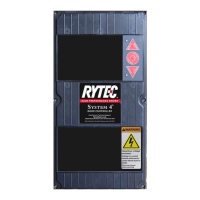
Illustrates the physical layout of buttons, display, and LEDs.
Explains the purpose of the terminal strip and all pushbuttons.
Describes how to interpret input LEDs and display messages.
Details the PB1 and A/A momentary contact inputs.
Explains maintained contact auto inputs and LSO/LSC limit switches.
Describes the reversing edge input and its reset procedure.
Explains the Stop/Reset and OLR inputs and their functions.
Details Program 2, 3 inputs and the LSB breakaway switch function.
Explains the DC photoeye and loop detector inputs.
Outlines how various inputs are prioritized for operation.
Details the functions of backup and auto close delay timers.
Procedures for setting timers and performing initial start-up.
Describes the delay function for automatic door closing.
Instructions for adjusting timer values using the control panel.
Steps for verifying system operation after installation.
Explains COnnECt and OP alarms related to connections and timing.
Covers CL and OLr alarms related to closing time and motor overloads.
Explains AJAr and EdGE alarms for safety feature activation.
Describes the HELLO (ready) and EDGE (reversing edge) status messages.
Explains the LOC condition where the Gateway becomes inactive.
Details the 24 VAC power source and terminal functions for outputs.
Step-by-step instructions for replacing the control unit.
How to use diagnostic LEDs and alarms to solve problems.
Details options for output 7: Door Not Closed, Door Open, Delay to Close.
Explains options like LOC, Manual-Auto switch, and Passage Entry.
Details Photoeye AC and Passage Limit Switch configurations.
Covers options for Close Jog, Open Jog, Reverse Delay, and Loop Call Delay.
Explains reversing input logic and Program 6 for factory use.
Guide to navigating and modifying program settings.
How to apply default settings for Fast-Seal, Fast-Fold, and Predadoor models.
Detailed wiring diagram for the E4200 model.
Detailed wiring diagram for the E4100 model.
Detailed wiring diagram for the E4900 model.
 General
| Category | Controller |
|---|---|
| Output Voltage | 12V DC |
| Output Current | 100A |
| Power | 1200W |
| Operating Temperature | -20°C to +60°C |
| Input Voltage | 12-24V DC |
| Protection | Overload, Short Circuit, Over Temperature |
| Efficiency | >90% |


 To Next Page