Need help?
Do you have a question about the RYTEC Digital Gateway DG1200 and is the answer not in the manual?
Defines key terms like WARNING, CAUTION, IMPORTANT, and NOTE for user guidance.
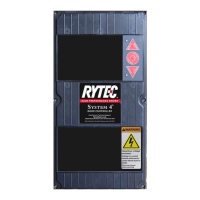
Describes the Digital Gateway as a state-of-the-art, microprocessor-based high-speed door control.
Details the physical terminal connections and the function of input status lights.
Explains the operation of control buttons, the display, and the cycle counter.
Guides users on understanding messages shown on the Digital Gateway display.
Notes on AC input types, connections, and potential issues.
Details essential AC inputs like Limit Switches, PB1, Auto, Reversing Edge, OLR, LSB.
Covers inputs for system control, program selection, and safety features.
Notes on DC input types, connections, and noise suppression.
Explains the function of photoeye and loop detector inputs for door activation.
Details how different inputs affect each other based on priority.
Explains backup timers for door opening and closing sequences.
Details the timer for delayed closing after specific activator use.
Explains the timer for automatic door closing after activation.
Covers door installation and electrical connection requirements.
Guides on setting timers and performing initial operational checks.
Explains alarms for missing connections and open time exceeded.
Covers alarms for close time exceeded and breakaway kill switch activation.
Details alarms for motor overload and reversing edge faults.
Explains the display and action when the reversing edge is activated.
Describes the HELLO start-up state and LOC idle condition.
Explains the gateway's inactive state when programmed for LOC.
Details the open, close, and program outputs and their current ratings.
Step-by-step instructions for replacing the Digital Gateway module.
How to use status LEDs and alarm conditions to identify problems.
Introduces programmable features like output 7 and inputs 24/26.
Explains options for input 24 like LOC, MAN-AUTO switches, and passage entry.
Details functions for input 26, including Photoeye AC and Passage Limit Switch.
Covers options for jog inputs, reverse delay, and loop call delay.
Explains input logic reversal and reserved program settings.
Guides on how to enter the programming mode and select programs.
Instructions on adjusting program settings and timer values.
Steps to set default input configurations for different door types.
Provides the electrical schematic for the Fast-Seal model.
Provides the electrical schematic for the Fast-Fold model.
Provides the electrical schematic for the PredaDoor model.
 General
| Brand | RYTEC |
|---|---|
| Model | Digital Gateway DG1200 |
| Category | Controller |
| Language | English |


 To Next Page