12
Starting the test...
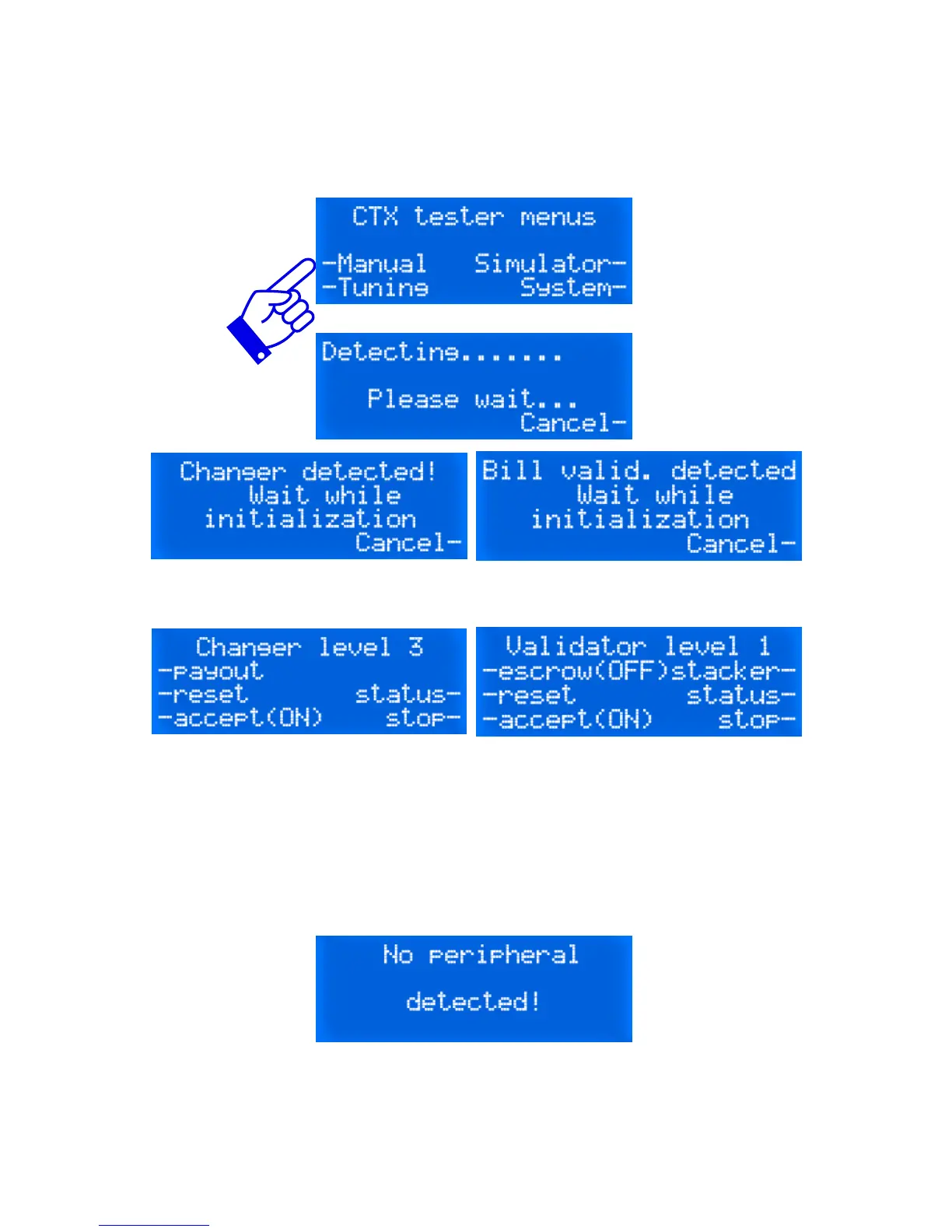
To start testing your MDB device, simply connect it to the MDB har-
ness of the tester and select Manual. The detection screen will show
up:
Depending the type of MDB device under test, the message varies.
After that, the display will indicate the type of device detected and a
series of functions will be attached to the side buttons.
If no device is connected or if the device is simply not responding, the
following screen will be visible. If so, check the MDB harness leading
to the device and make sure it is securely connected to the device
and/or the tester.
When you're done with your series of tests, simply press on the but-
ton next to the Stop- prompt. The display will acknowledge the end of
session by displaying "Please wait...".


 To Next Page