16
List of messages coming from an MDB Bill Acceptor
Connect your bill acceptor in the proper connector. Note that your bill
acceptor has a "V" harness just like the MDB tester. Connect the
male part of the "V" coming from the bill acceptor to the female side of
the "V" from the tester. Doing the contrary will result in the incapacity
for the tester to detect the presence of the bill acceptor.
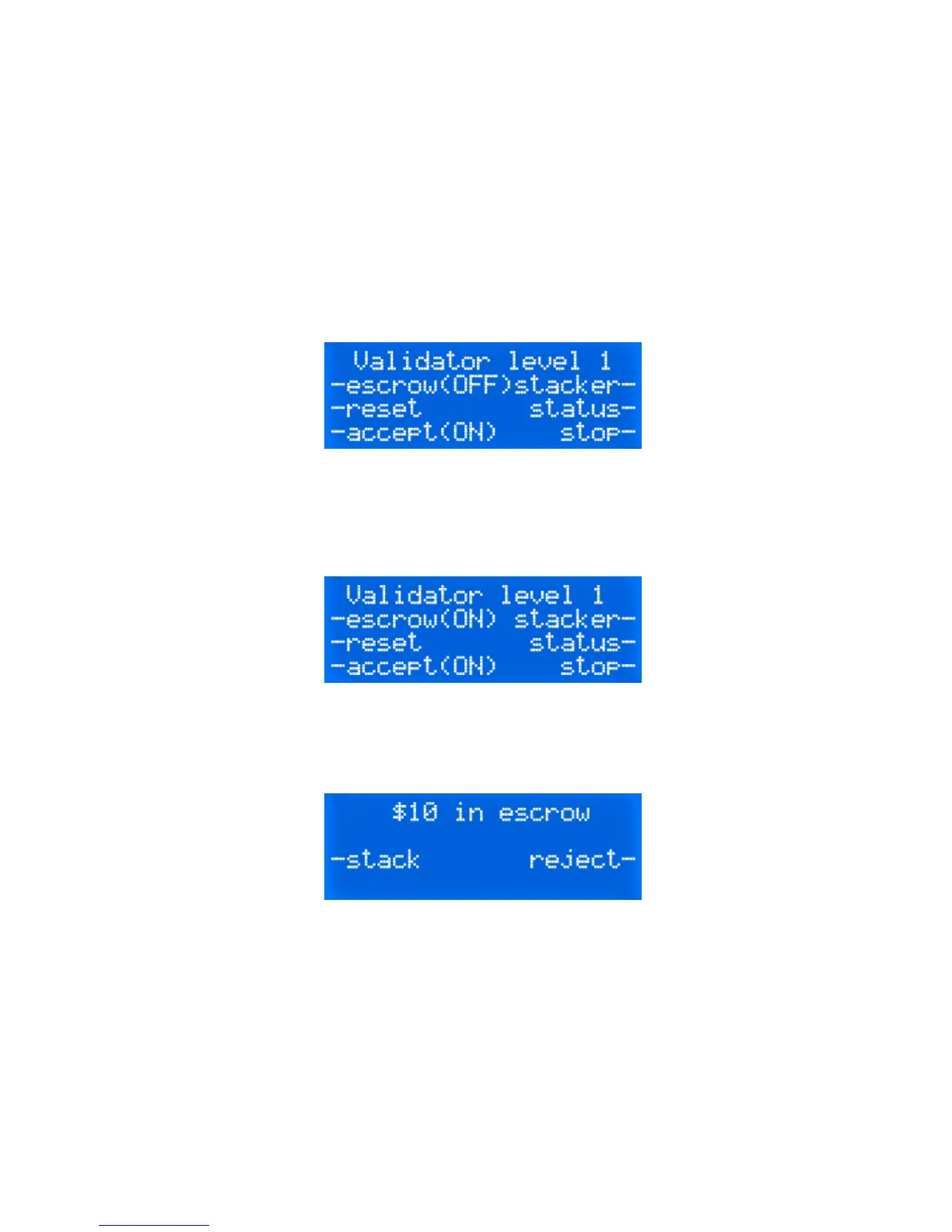
Upon power up, the following display will be visible.
This setting means you can insert any bill into the acceptor and it
should be accepted and stacked immediately. If you want to keep the
bill into the escrow position, change the escrow setting from OFF to
ON as seen below.
If you insert a bill, the display will inform you that a $xx bill has been
accepted and is currently waiting for you to either send the stack or
reject order.
The messages What it means…
Attempted qty Number of attempts to insert a bill while the
acceptor is disabled.
Bill box removed Bill acceptor has its stacker box removed.
Bill not identified Bill is unknown to the acceptor.
Bill rejected Bill was rejected by the bill acceptor.
Bill removed Bill was removed manually while being ac-
cepted by the bill acceptor.


 To Next Page