5
Getting started
There are two ways of capturing the power to feed your new CTX MDB
Tester PRO. Either you connect it into the MDB port of the vending
machine or, if you do not have a machine available, you can use the
optional power transformer available from SEM. If you are capturing
the power from the MDB port of the machine, shut power down, discon-
nect all MDB devices that may already be connected and connect the
tester. Apply power. If the vending machine sends an error message,
ignore it.
On stand-by, the small green LED is flashing slowly. Press on the ON
button for about one second to start the Tester. You will notice that the
green LED starts to flash rapidly. Release the button when the screen
comes alive.
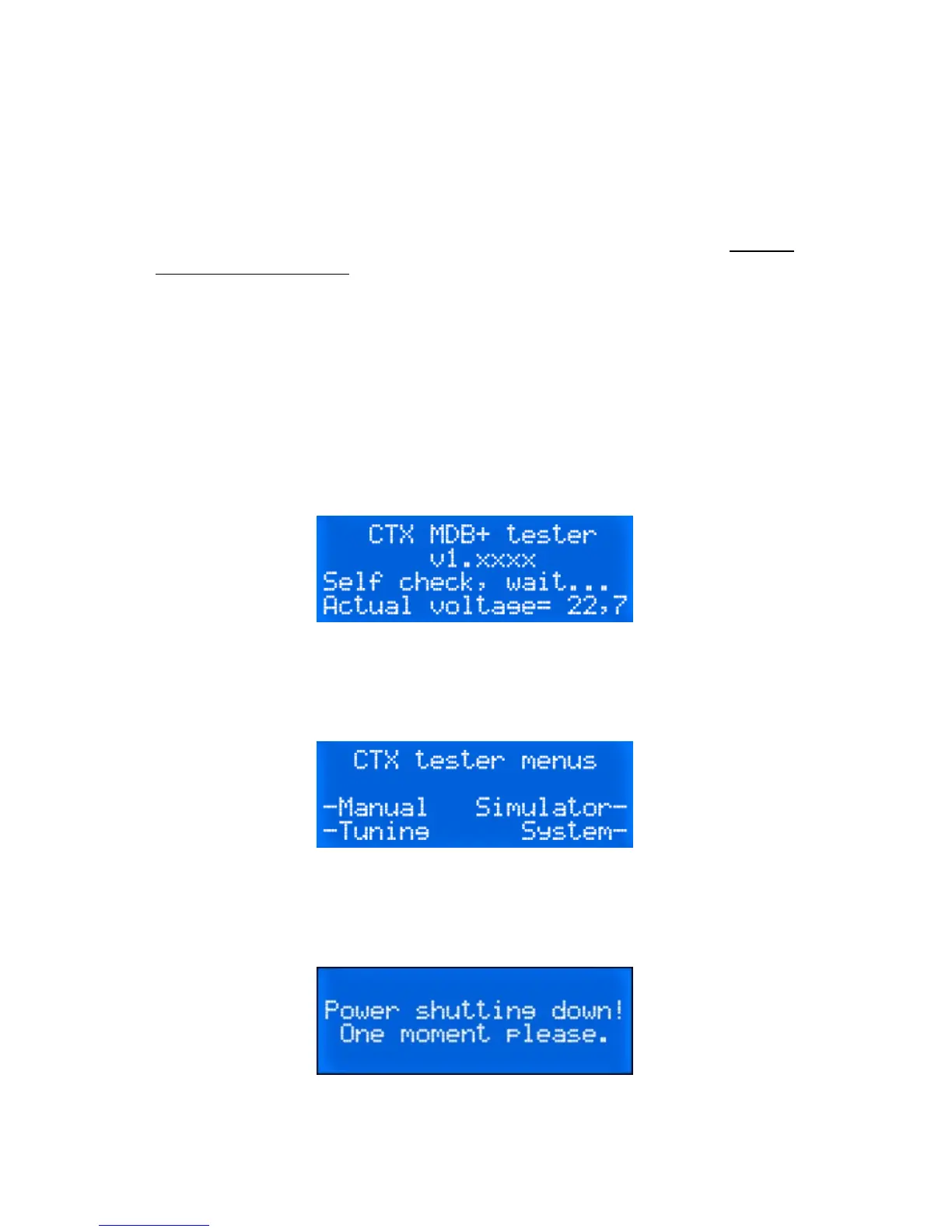
Upon start-up, the CTX Tester makes a small self check. The following
screen is visible.
The start-up process lasts about three seconds before switching to the
stand-by mode with this screen visible. Actual voltage will vary from
one machine to another.
Getting finished
To shut it down, press again on the same button for one second.


 To Next Page